Do you want to stay on top of your finance and access your money anytime? Citizen Bank Online Banking allows users to have access to deposit accounts, loans and lines of credit, credit cards, and mortgages.
Convenient Money Management with Citizen Bank Online and Mobile Banking
With Citizen Bank online banking and mobile banking, you can easily transfer money using Zelle. You can also view transaction history and pay bills. You can transfer funds from any checking, money market, savings, or line of credit account that you have linked to your profile.
Online banking can be done using a browser or app. Mobile banking is online banking that is done on a phone or tablet. Using online banking requires a computer, tablet, mobile phone, or another device, plus an internet connection and a bank or debit card.
Checks can be deposited online through a mobile app using remote deposit capture. Simply enter the check amount, then use the app to take a photo of the front and back of the check to complete the deposit.
Monitoring your accounts closely allows you to keep your accounts safe. With online banking, you aren’t required to visit a bank branch to complete most of your basic banking transactions. You can do all of this at your own convenience, wherever you want—at home, at work, or on the go.
Enrollment Process for Citizen Bank Online Banking
Enrolling in Citizens Online is quick and easy. You can create your profile using personal or account information to confirm your identity. You’ll be asked to supply your Social Security Number or Citizens account information.
How to Register for Citizen Bank Online Banking
To get started with Citizen Bank online banking, kindly log in to citizensbankonline.com/olb-root/enrollment.
Then enter your names.
Enter your full Social Security number or TIN.
Input your date of birth.
Verify your account.
Accept the terms.
Create a User ID.
Mobile Banking
Download the Citizen Bank Mobile Banking app for iPhone®, iPad®, or Android™, and select “Enroll Now” from the login screen.
You can also log on with Mobile Banking using the same User ID and Password that you established when you enrolled in Citizens Bank Online.
Contact Information
Online Banking & Mobile Banking
Questions about personal Online Banking:
Monday-Friday 7 am to 10:00 pm EST, Saturday/Sunday 9 am-6 pm EST
Call 1-800-656-6561
Questions about Mobile Banking:
Monday-Friday 7 am to 10:00 pm EST, Saturday/Sunday 9 am-6 pm EST
Call 1-877-670-4100
Business Online Banking
Questions about Business Online Banking:
Monday-Friday 7 am-7 pm EST, Saturday 9 am-6 pm EST, Closed Sunday
Call 1-877-229-6428
Checking, Savings, Money Market, and CDs
For Questions about your Checking, Savings, Money Market, or CD:
Monday-Friday 7 am to 10:00 pm EST, Saturday/Sunday 9 am-6 pm EST
Call 1-800-922-9999
For product information or to open a new Checking, Savings, Money Market, or CD:
Monday-Friday 8 am to 9:00 pm EST, Saturday/Sunday 9 am-5:30 pm EST
Call 1-877-360-2472
Debit Card Issues
Monday-Friday 7 am to 10:00 pm EST, Saturday/Sunday 9 am-6 pm EST
Call 1-877-242-7837
To file a fraud claim or merchant dispute:
Monday–Friday 7 am to 10:00 pm EST, Saturday/Sunday 9 am–6 pm EST
Call 1-800-922-9999
Business Banking
Business Banking – Customer Service:
Monday-Friday, 7 am to 10:00 pm EST
Saturday, 9:00am-6:00pm EST
Call 1-800-862-6200
Questions about Business Online Banking:
Monday-Friday, 7 am to 10:00 pm EST
Saturday, 9:00am-6:00pm EST
Call 1-877-229-6428
Home Equity
Talk to home equity advisors about new Home Equity accounts or refinancing:
Call 1-800-340-5626
Home Equity Account Servicing:
Monday-Friday 7 am to 10:00 pm EST and Saturday and Sunday 9 am-6 pm EST
Call 800-708-6680
Loan applications:
Call 800-340-5626
Auto Loan
Auto loan servicing:
Monday-Friday 7 am to 10:00 pm EST and Saturday and Sunday 9 am-6 pm EST
Call 800-708-6680
Manage Your Title:
Update the name on your title, change the title state, request a duplicate title, or obtain a lien satisfaction. Handling time may vary by state DMV.
Call 866-999-0116
Citizens Pay
Monday-Friday 9 am to 6:30p EST and Saturday and Sunday 9 am-6 pm EST
For customer support, please call our toll-free number: 888-522-9881
Students
Student Borrowing:
Call 1-888-411-0266
Banking For Students:
Call 1-800-600-0008
IRA Savings and IRA CDs
For questions about a Citizens IRA, please call Citizens Retirement Services at 1-800-948-7200.
Mortgage
Questions about your existing mortgage account:
Call 1-800-234-6002
Refinance or apply for a new mortgage:
Call 1-888-514-2300
Investments and Retirement
Questions?
Citizens Securities, Inc.℠ existing investment and retirement accounts:
Call 1-866-919-4520
SpeciFi® digital advisor enrollment assistance or account inquiries:
Call 1-866-471-5465
Clarfeld | Citizens Private Wealth™ or automated account inquiries:
Internet banking with Citizen Bank provides a convenient and secure way to manage your finances. Whether you prefer online banking or mobile banking, Citizen Bank has you covered with a wide range of features and services. Enrolling in Citizen Bank Online Banking is easy, and their customer service team is available to assist you with any inquiries. Take advantage of the benefits of online banking and enjoy the flexibility and control it offers.
In this piece, we will talk about screenshots that purport to be from the Cash App’s balance. But first, how much money do you have in your Cash App?
Your Cash App balance represents the amount of money that is currently available in your account. With this stability, you can make purchases at the retailer, send money, and use the Cash App card.
If you use the Cash app frequently, it is highly recommended that you check your balance regularly.
Scammers often use fake screenshots that claim to show the user’s Cash app balance to get users to believe false information about the app’s balances and transactions. Many websites assist in the process of creating coins app stability screenshots.
These websites offer fake screenshots to almost all of the top advertising agencies in an attempt to trick humans into stealing their price range.
Concerning PayPal, you can check if the price is right by calling their customer service. If it still hasn’t arrived at your location, you can contact their customer support a second time and inquire about the reason for the delay.
On the other hand, we cannot make the same assertion about Cash App customer providers because they are not among the most reliable and are essentially nonexistent.
So, we recommend taking extra steps during the verification process to determine whether the people in question are real customers or dealers.
Scammers use fake screenshots of the Cash App more frequently to get valuable information from their victims and steal their earnings.
You risk falling prey to these con artists if you are not adequately aware of the identities of the people you are chatting with on social media.
Scammers and cybercriminals sometimes use a technique known as the “fake cash app balance screenshot,” in which they show a victim a phony screenshot that purports to offer either a payment transaction or their account balance.
This is done to steal their Cash App details or cheat them out of their earnings.
How Does a Fake Cash App Balance Screenshot Work?
Security companies are often surprised by how many different scams con artists can pull off. After the Cash App sugar daddy rip-off and the clearance charge scam, another Cash App scam is making headlines: a fake screenshot of a successful price transaction.
You will want to read this publication very carefully if you send and receive money using the Cash App.
We all know that a screenshot is a picture or a screenshot of a computer or mobile device that shows what is currently on the screen. A screenshot of something can be taken with just one tap or click of the mouse button.
Because it shows what is on the screen, it is often used to confirm that a payment has been made successfully. After the purchase screenshot, numerous shop owners will call to check that the payment was processed successfully.
Even among family and friends, more and more people are taking screenshots to prove that payments went through.
In a nutshell, a screenshot, or the screenshot of the payment, is seen as proof of both successful and unsuccessful payments. Believe me when I say that you are putting yourself in danger if you are one of the people who believe that the screenshot is real.
Scams that use fake screenshots of your Cash App balance can be extremely upsetting and even dangerous for you. Before we get into anything else, it will be to your advantage to understand how con artists create fake Cash App balance screenshots, so let’s get started with that.
How Do Scammers Create a Fake Cash App Balance Screenshot?
The ease of use of mobile applications is widely acknowledged. In this era and age of digital technology, we have programming for everyone.
We have packages for everything, whether you call it an advantage or a disadvantage. By searching on Google, you can find every good and bad app. Billdu, Quick Receipt, and Cash Receipt are several high-quality examples of such horrific apps.
Here is a short advent to some of these three apps.
Cybercriminals prefer to use the Billdu app because it lets the customers create excellent fake Cash App payment screenshots.
The Cash App logo, date, time, and amount can easily be added to a screenshot.
It has a 30-day free trial period built in. One wants to sign up for an account on Billdu and download an app.
For many payment apps in addition to the Cash App, you can make fake price screenshots by calling +1 (855) 233 1940.
Quick Receipt is the next popular fake Cash App screenshot generator +1(855) 233 1940. Quick Receipt must be your first preference if you do not want to compromise with color, shape, and size.
It is simple, secure, and convenient to use. Quick Receipt also has first-rate advantages.
Cash Receipt is a desire of those who do not have plenty of understanding of photo introduction.
Consider the Cash Receipt as a one-stop shop for the introduction of all screenshot styles.
The Cash Receipt’s advantage is that customers can no longer easily create a fake Cash App charge screenshot of $100 or more. Should we, the users, share it with other people as well?
What is a Cash App Payment Pending Screenshot Scam?
The Cash App payment pending screenshot scam is easy to spot, but it’s still dangerous. The con artist wants to steal the victim’s private information in this scam.
Specifically, this scam involves the con artist pretending to be a sugar daddie on social media in the first place. then states that they would like to give away some free money via the Cash App.
Many enthusiastic individuals have responded to the post, motivated by the desire to receive a commission at no cost. Many good people eventually show up to share their Cash App information.
Scammers then fabricate and distribute a screenshot of a Cash App payment that is still pending and demand that the recipient pay a clearance fee of at least $500 to change the status from pending to verified.
One more effective way to pull off a Cash App payment pending scam is to use a screenshot. The victim is led to believe that his account hasn’t been tested and that his charge hasn’t yet been filed, thanks to the help of the fake screenshot generator.
Under the guise of “Cash App Verification,” thieves steal cash with card information.
Cash App, by default, uses two different types of balances:
Check my cash app balance by phone
Check the cash app card balance without the app
The one you can use as a down payment on someone else is the one that is visible after the payment has been processed.
The second item on the main menu is your Cash App balance, which is what remains in your account after all costs have been deducted.
Verifying the purchase date is the best way to ascertain whether the payment image is real or fake. The payment was received on the specified day and time, according to your account.
The image and your Cash App balance should show the same transaction date. If there is a problem, the dates will not match, and you will be able to tell the difference between the fake balance in the app and the real balance screen.
So how can you spot a fake screenshot of your cash app balance? The solution is simple—you must exercise caution to maintain an open mind.
Make sure you avoid becoming a victim of fraud. They will try to persuade you that you paid the money to them by showing you an image of the money as proof.
They’ll tell us the transfer cannot be finished because it takes too long for another reason. Additionally, they’ll try to convince you to finish your part so they can get the money as soon as they’re gone.
You will be able to enlist more people.
If you are careless and fall into their trap, you might not be able to get your money back. Wait until you are absolutely certain about the transaction before you confirm it or make the transfer.
People in a hurry fail to notice the transaction and fall prey to them.
Fake Cash App Pending Payment
This is one technique scammers use to trick people online using a fake screenshot of a cash app pending payment.
In this situation, a con artist posing as a sugar daddy or occasionally a well-known celebrity does not steal private information from the victim.
expresses a desire to give you some free money on Cash App as a result. Simply because some people enjoy receiving free money, they are likely to take a mild interest in it.
The scammer then shows the victim a screenshot of a fake cash payment that is still pending and demands payment from them, typically between $50 and $1,000, to confirm the payment.
Most victims at this time have either been duped by these fraudsters or fallen prey to them by giving their Cash App details to the con artists.
You can make fake cash pending payment screenshots with a fake payment screenshot generator.
Fake Payment Screenshot Generator
Scammers and thieves make fake payment screenshots to look like the Cash App payment confirmation.
Online, there are a ton of fake cash app generators. Although some of them have free day trials, the majority of them offer premium packages.
They can be used to produce realistic-looking fake app screenshots, making it difficult for the victim to identify any fraudulent activity.
Some of the fake payment screenshot generators are:
Bildu: This is paid fake payment screenshot generator that offers 30-day free trials
Quick Receipt: if you are finding it difficult getting the colors right, you might consider a quick Receipt.
Cash receipt is another fake payment generator available.
How to Know if The Cash App Payment Screenshot is Photo-Shopped?
Contrasting the splendid picture and other valid screen capture pictures you own is feasible.
When you search for shadows and then contrast them with the picture, you can decide if they are certified or counterfeit.
Investigate the picture and notice any reflections you are sure unimaginable in a genuine picture.
Check not to ensure anything looks phony.
Guarantee the specific date the exchanges occurred and match it to the date on the screen capture picture.
Check the shades of the foundations cautiously. Assuming you see whatever seems, by all accounts, to be phony, don’t proceed.
Be cautious, as fraudsters utilize various sites to make false installments to take your well-deserved cash and subtleties.
Why Not Ban Cash App Screenshots as Instalment Confirmation?
In the current internet-based world, most businesses work to improve the customer experience to attract more customers.
Scammers are trying to take advantage of this by pressuring real businesses to show screenshots to prove that the payment has been sent.
Additionally, they are typically bulldozed for payment confirmation due to a genuine concern for customer comfort and to expedite the handling.
A screenshot is necessary when the payment takes a while to process for any reason, but what’s sickening is that some people are attempting to abuse this.
Screenshot payments are acceptable, but it’s important to avoid disrupting business growth for fear of alienating real customers.
Video Guide
CONCLUSION
Two ways to make sure the payment isn’t a fake screenshot of the Cash app balance are to ask the customer to wait until it’s credited or use third-party tools to make sure the transaction is real and the payment information is 100% correct and sent.
If you’re looking for how to add a bank account to BPI online, this article has you covered.
In this article, you’ll learn how to add a bank account to BPI online, add a third-party account through the BPI mobile app, and register a third-party account in BPI.
How To Add Bank Account To Bpi Online
Follow the steps below if you want to add a bank account to BPI Online:
Visit the BPI Online website
Sign in to your account.
Select “Other Services”
Click “Manage My Accounts.”
Choose “Yes, send me the code” to get your OTP via SMS.
Enter the six-digit OTP.
Press the Submit button.
Choose the BPI account you want to add.
Enter the JAI. It is a number beside your name in your ATM.
Double-check your Account Number and JAI before pressing YES.
Wait until the process is complete before you click done.
You will see all the accounts you have or have enrolled in online banking
You will receive an email notification about your account enrollment at your registered email address.
How Can I Add My Account Number To BPI Mobile App?
You can learn how to add a third-party account for money transfer through the BPI Mobile app by following the below steps:
Launch BPI mobile app
Sign in to your account
Click account maintenance
Under the update Mobile number, select “Edit
Enter your debit card and new mobile number.
Visit the BPI ATM near you to activate the request.
How Do I Register My Third-Party Account In BPI?
You can register a third-party account in BPI online by following the below steps:
Visiting www.bpiexpressonline.com
Click login and enter your login credentials
Click funds transfer
Click Enroll Third-Party Accounts
The select method will enroll the third-party account from options available; Print Sign, and mail or print, sign, and submit the form.
After you have selected the enrollment method, enter your ATM card number, joint Account Indicator (JAI) No, and prompt Third Party Information.
Click “Continue”
You will be redirected to the summary enrollment page
Click confirm details to ensure they are correct
Click the “Submit & Print” button
In this article, you have learned how to add a bank account to BPI Online, add an account number in the BPI Mobile app, and register a third-party account in BPI.
Have you ever found yourself in a situation where you needed to make a purchase online or pay for something, but you did not have any cash on hand? Everyone has experienced it before. It’s very irritating! The good news is that we can easily fix this problem by using one option. Do you have an interest in finding out what it is? The gift card for the Cash App.
In the modern world, you don’t have to worry about whether or not you have enough cash on hand or enough change. This is especially true if you want to make purchases through your favorite apps and websites. These issues will be resolved immediately with the assistance of Cash App gift cards! You no longer have to wander around looking for ATMs to get money out of them to use in other transactions.
What do I get if I use the Gift Card for the Cash App?
Each Cash App Gift Card has a default balance of $1. It is immediately available for use for a variety of purchases that can be made through the Cash App account that you have. Because the cash you receive is nearly equivalent in value to one United States dollar, you have the potential to obtain additional value from this card if you use it intelligently.
cash app gift card
Requirements for Obtaining a Gift Card?
A Cash App Gift Card can be obtained in one of two ways: the first is to make the request for it directly through the service’s online chat, and the second is to download the Cash App mobile application and make the request through that.
After you have determined the method by which you will make the request for the sum of money, the following guidelines must be adhered to:
The minimum age requirement for this card is 16 years old or older. If you are below this age bracket, then, unfortunately, you cannot apply!
These cards may only be redeemed through your mobile devices like your iPhone or Android.
You cannot redeem this card for other gift cards and cannot redeem the full value of the card in one go; you should be able to use it within a 24-hour period.
What is the Fee for Using these Gift Cards?
Because The Cash App does not assess any fees for the application of its gift card or for its use, you can rest assured that there will never be any further costs incurred from their end. This is a fantastic opportunity, and many users, especially those who are looking forward to doing some online shopping at their favorite sites, might choose to take advantage of it.
How to Redeem my Gift Card: The Simple Way to Redeem a Gift
The easiest thing for customers to do with these cards is to give them away as presents, which is especially helpful when they are shopping for other items to give to their loved ones and acquaintances as presents. You will need to make it clear to them that you would prefer for them to make payment with a Cash App gift card in this scenario.
Both parties will be able to put their cash to good use thanks to this arrangement. If you try to make a large payment using a credit card as the method of payment, there is a chance that you might have problems getting verified before you can make other purchases, which can take an excessive amount of time.
Where can I use the Cash App Gift Card?
Since the Cash App works with the vast majority of major shopping malls and retail stores, it should be easy to use Cash App gift cards to buy things in stores or online.
This service can also be used on many apps that can be accessed all over the world, like Starbucks, Uber Eats, Fitbit Pay, and many others. A few of these apps have been developed specifically for local use, but fortunately, there is a way to get around those restrictions by using your card. If you do this, the apps won’t ask you for any extra information or verification, even if they need it.
What about returning the goods?
If you spend most of what you were given in the beginning, you won’t have to worry about this decision affecting your cash flow when it comes time to return the goods. You need to ask the store or seller where you bought the items for a refund. If they don’t give you a refund, they may give you store credit instead.
Using your credit card to pay for things you buy on the internet won’t cost you any extra money. The Cash App provides this service at no cost to its users and does not require them to pay any additional fees because the value of their money is precisely equivalent to one United States dollar when converted to fiat currency. So tell me, why haven’t you downloaded the Cash app and started using it yet? What are you holding out for exactly? With all of these advantages, why are you still searching for something else? There is no point in squandering one’s time! Have fun spending the money and get it right away.
Which stores accept Cash cards?
There is a wide variety of retail establishments available today that are compatible with digital gift cards. Despite this, the vast majority of them continue to favor physical gift cards over digital ones because they want a form of payment that cannot be easily duplicated or hacked.
You are in luck because the Cash App has successfully persuaded many of these stores and retailers to accept their gift cards. This card is accepted for use as a form of payment at over a hundred different major retail stores and shopping centers across the country. You can ask your local retailer to accept Cash App gift cards instead of digital gift cards even if they do not currently accept digital gift cards. This is a positive development because it means that you have more options.
Can I sell my gift card money?
Yes, you can. The Cash App allows you to transfer your balance to your control bank account. This means that you can take your money out of the account or turn it into cash without any limits or restrictions.
Can I use multiple cards?
Yes, you can! Should there ever be an issue with one of your cards, all you need to do is send a request to support, and, they will generate a replacement card for you at no additional cost. The majority of people have a habit of applying for two cards so that if something happens to either one of them, they will still have the other card as a backup option.
Do I need an ID to request a gift card?
Yes. You will need access to the following in order to be able to make a request for a gift card: The first one is your identification card. If you have an ID, not only will you have a higher level of security, but you will also be protected against hackers and identity thieves who may attempt to access the information you provide. If, for some reason, you do not have any form of identification, unfortunately, carrying out these steps may be challenging for you.
Final Thoughts:
Even though some rules and restrictions are associated with the Cash App gift cards, using them is still a fantastic way to get cash in your hands in just a few short moments. If you want to steer clear of cryptocurrencies, for the time being, this is one of the best options available to you in the market today. This service is ideal for individuals who want all their transactions to be completed without a fuss because it does not rely on complicated algorithms or machinery that may or may not function properly.
Do you wish to use a plastic cardless transfer, a bill payment, or an airtime purchase? The FirstMonie Wallet and FirstMonie Wallet Virtual Card were introduced by First Bank Plc, enabling users to send and receive payments online using their mobile numbers.
There are three account classes for the FirstMonie Wallet, each with its own unique features: FirstMonie Classic, FirstMonie Gold, and FirstMonie Platinum. The USSD code 8941# and the mobile app are both ways to get to the Firstmonie Wallet.
You can open a FirstMonie Wallet account without a BVN and begin making transactions with your account, which has a maximum balance of N300,000. The financial service is smooth, quick, and safe. For you to open the Firstmonie account, you must be at least 18 years old.
For the purpose of this content, we are going to take a look at how to create a FirstMonie Wallet.
Features and Benefits of FirstMonie Wallet
Transfer Funds
Fund Wallet
Airtime/Data Top-up
Bill Payments
Cash In & Cash Out
Corporate Disbursements & Collections
Bet9ja Funding
Agent Locator
More convenient for customers.
Access to different accounts via the wallet.
Available with or without internet data and can be accessed on any network in Nigeria.
Instant Transaction without BVN.
Registration Requirements for FirstMonie wallet
Before you can enroll for FirstMonie, make sure you have the following information at hand:
Mobile Phone: Registration can be done using any kind of mobile device
Active Mobile Number: The customer needs to have a registered and active mobile number as this would be the account for the Wallet
Data for mobile app registration. Customers would require data to download the App from Play Store or IOS store and complete the registration
Airtime for USSD registration – Airtime as low as N4 is requested for session cost on USSD registration.
How to Register for FirstMonie Wallet?
Simply download the FirstMonie app from the iOS app store or the Google Play Store, or you can telephone 8941# and follow the simple instructions to set up your wallet account. Your mobile number is all that is required.
Please remember that once you’ve signed up for one channel, you’ll need to enter the 5-digit PIN you made to use the other two channels (USSD and Mobile App).
Tiers of FirstMonie Wallets
1. FirstMonie Classic: This type of wallet has a N50,000 Inflow and outflow Limit per day with a Wallet Capacity of N300,00 you can enroll for it with your Name, Mobile Number, Date of Birth
2. FirstMonie Gold: This type of wallet has N200,000 Inflow and 100,000 USSD and 200,000 mobile outflow Limit per day with a Wallet Capacity of N500,00 you can enroll for it with BVN and Valid means of Identification (e.g., Voters’ Card)
3. FirstMonie Platinum: This type of wallet has N5,000,000 Inflow and 100,000 USSD, and 1,000,000 mobile outflow Limit per day with a Wallet Capacity of N 10,000,000 you can enroll for it with KYC requirements contained in CBN AML/CFT Regulation, 2009
What is my Wallet account number?
Your FirstMonie Wallet account is the mobile number you registered with the bank
Read: How to apply for First Bank Salary Loans and FirstAdvance
How can I deposit into my FirstMonie Wallet account?
Customers can add money to their wallets with a debit card from any bank, a FirstBank account, another active FirstMonie wallet, or at a FirstMonie Agent location. Using a debit card to add money to your wallet costs 1% of the amount. At an agent location, three fees depend on how much money you add.
How can I withdraw money from my FirstMonie Wallet?
You can withdraw money from your wallet in cash at any FirstMonie agent location, or you can transfer money to any bank account in Nigeria.
How do I change my FirstMonie PIN?
Your FirstMonie PIN can be changed, right? It’s simple. Simply click “Change PIN” from your profile page in the app, or you can dial *894*1#, pick “My Account,” and then select “PIN Change.” First Bank USSD code, FirstMonie wallet, digital wallet.
Today’s section of our banking and finance guide will explain how much money you can withdraw from an ATM at Transcend Credit Union in the United States.
The Transcend Credit Union is a financial institution with its headquarters in Louisville, Kentucky.
People living and working in Louisville, Lexington, and the counties surrounding these two cities are served by the credit union, established in 1934. The credit union has six branches located throughout these areas.
What is the ATM network?
You get access to over 32,000 ATMs in the United States and Puerto Rico that do not charge you a premium.
You can get cash from any ATM provided by Transcend, which is accessible in every branch.
Visit the website https://www.creditunionsonline.com/credit-union-991.html to locate the Transcend Credit Union ATM that is most convenient for you.
Your credit union has formed a partnership with the MoneyPass ATM to provide you with access to ATMs that do not charge a fee.
Please visit https://www.moneypass.com/index.html to locate the MoneyPass ATM that is most convenient for you.
Transcend Credit Union operates the United States branch of the ATM network.
Transcend Credit Union ATM Withdrawal Limit:
To find out what your daily withdrawal limit is, you will need to get in touch with Transcend.
To obtain a disclosure of your daily limits, either call the credit union at 800-292-9490 or go to the location that is most convenient for you.
Because the limits are subject to change at any time, you are required to get in touch with the credit union in order to get any updates.
The limits that apply at ATMs that are not part of a network could be higher or lower.
Every day at midnight, the daily restriction is reset to its default value.
This is the maximum amount that can be withdrawn from an ATM belonging to Transcend Credit Union in the United States.
What Are The Charges For Transcend Credit Union ATM Withdrawals?
At the automated teller machines (ATMs) provided by Transcend Credit Union and MoneyPass, there is no fee assessed for withdrawing cash.
An additional withdrawal restriction might be imposed on the customers by the ATM operator or network that was engaged in processing the transactions.
For transactions involving foreign currency, the transaction fee is equal to one percent of the total amount.
If you have a GoGreen Checking account and execute ten or more debit card transactions each month, you will be exempt from paying up to five dollars in foreign ATM fees for transactions made in other countries.
However, ATM operators in foreign countries may still impose fees for duplicate transactions if they deem them necessary.
When you go ahead with the transaction, the fees associated with the withdrawal will be taken out of your account.
This is the fee that is assessed for using the ATMs provided by Transcend Credit Union in the United States.
If you manage your company well and you have any kind of business in Lagos, there is no question that your company will be very successful if you do so. However, due to the fact that Lagos is a large city with an exceptionally high level of competition, particularly in the business world, the stakes could be relatively high for any venture you undertake there. Because of this, several insurance firms in Lagos cover your company against the possibility of unanticipated events.
As a result, I have decided to compile a list of the best insurance companies in Lagos, where you can buy protection for your company at a much more affordable price.
Types Of Insurance Policies Good For Businesses
There are an infinite number of insurance policies designed for a variety of objectives, but some insurance policies are tailored particularly well to meet the requirements of commercial purposes.
Consequently, the following insurance plans, among those offered by the insurance firm, are particularly well-suited for use in commercial contexts:
A Special Risk Insurance Policy
General Insurance Policy
General Business Insurance Policy
Burglary Insurance Policy
The Fire Insurance Policy
Goods-in-Transit Insurance Policy, etc.
To learn more about what insurance policies are all about, different types of insurance policies, and everything you need to know about insurance, check out this article HERE.
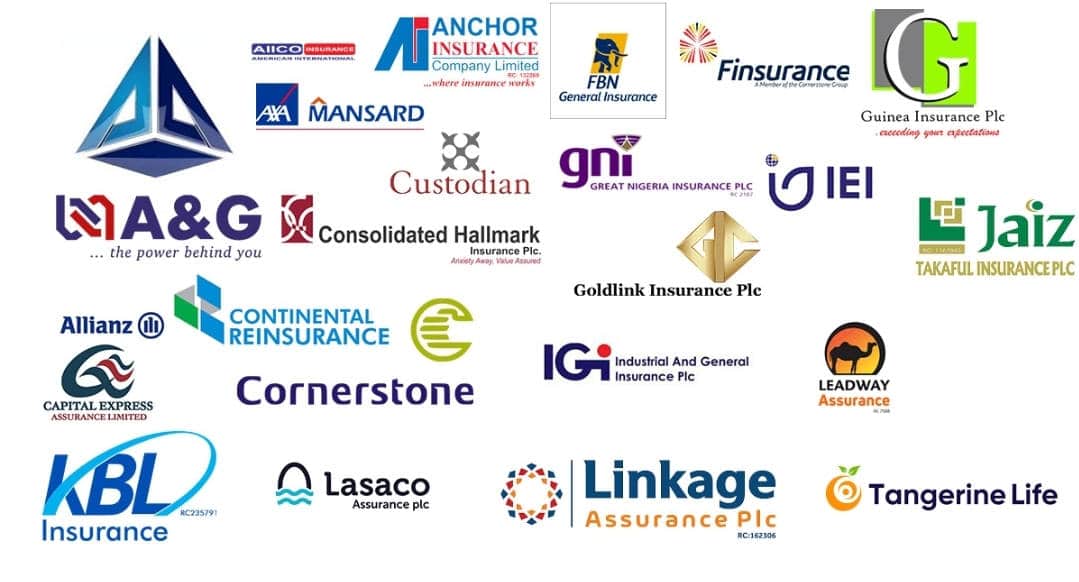
19 Best Insurance Companies In Lagos For Business with Contacts Details
insurance companies
Due to the fact that Lagos is such a large and important commercial center, the city is home to a great number of insurance firms. However, for the purpose of this piece, we will be focusing on the insurance firms in Lagos that are able to meet the requirements of businesses.
Leadway Assurance
AIICO
NEM Insurance Plc
Custodian Investment Plc.
African Alliance Insurance Company Ltd
Regency Alliance Insurance
Unitrust Insurance
Capital Express Assurance
Mutual Benefit Assurance
SUNU Assurance Nigeria Plc. (Equity Assurance)
Guinea Insurance Plc
Sterling Assurance Nigeria Limited
FBN Insurance
Anchor Insurance Limited
LASACO Assurance Plc
Tangerine General Insurance (Law Union and Rock)
Noor Takaful
United Metropolitan Nigeria Life Insurance
NSIA Insurance Limited
1. Leadway Assurance
In the event that you have been looking for a good insurance company in Lagos for your organization, Leadway Assurance is an excellent choice that would meet all of your requirements.
It was in 1970 when Leadway Assurance first opened its doors, and today it is one of the most reputable insurance firms in Lagos, catering to the requirements of businesses just like yours.
It provides a variety of insurance options, such as health insurance, life insurance, and insurance for businesses in general, among others.
Leadway Assurance Address & Contact In Lagos
Leadway is at No. 121/123 Funso Williams Avenue, Iponri Surulere, Lagos, Nigeria.
AIICO, which stands for American International Insurance Company Limited, began operations in 1963 and has since grown to become one of the most reputable insurance providers in Lagos, Nigeria, able to insure your company against any potential hazards.
They provide a selection of insurance policies, such as life assurance and annuities, among others. Insurance for general and specific hazards, medical insurance, and asset management are all included.
From those that AIICO has to offer, General Insurance and Special Risks may be the two insurance plans best suited for your company’s needs.
AIICO Insurance Contact & Address In Lagos
AIICO is situated at Apapa-Oshodi Expressway, Oshodi Isolo, Lagos, Nigeria.
NEM Insurance Plcis one of the oldest and most reputable insurance companies in Lagos, having started operations in Nigeria in 1948. NEM provides a variety of insurance plans that are ideal for any type of business in Lagos, including General Business Insurance, Fire Insurance, and others.
NEM Insurance Address & Contact in Lagos
Despite the fact that NEM might be found in other states of Nigeria, the focus of this piece will be about NEM Insurance in Lagos. Therefore, the NEM Insurance company may be found at No. 199, Ikorodu Road, Obanikoro, Lagos, Nigeria.
African Alliance Insurance Plc was incorporated as a Private Limited Liability Company on July 6th, 1960 as the first Indigenous Insurance Company to carry out the business of Life Assurance in Nigeria.
Regency Alliance, which has been in Nigeria for more than two decades, is one of the best insurance companies in Lagos that can safeguard your business from certain hazards.
The organization offers a variety of insurance plans, and fire insurance and goods in transit insurance would be beneficial for your company.
Regency Alliance Address & Contact In Lagos
Regency Alliance is located at No. 2B Ebun Street, Gbagda Expressway, Gbagada Phase 1, Lagos, Nigeria.
Unitrust Insurance (formerly known as Saham Unitrust Insurance) is an additional insurance firm in Lagos where you can ensure your business and avoid unanticipated dangers linked to it.
There are 3 insurance products supplied by Unitrust Insurance that would be suitable for your business: burglary insurance, fire insurance, and special peril insurance.
Unitrust Insurance Address & Contact In Lagos
Unitrust Insurance is at Plot 105B, Ajose Adeogun Street, Victoria Island, Lagos State, Nigeria.
10. SUNU Assurance Nigeria Plc. (Equity Assurance)
SUNU Assurance Nigeria Plc. is one of Lagos’s most prominent insurance companies and can meet your business’s insurance requirements.
SUNU Assurance Nigeria Plc. offers numerous insurance packages, the majority of which are suitable for your business. Among the business insurance policies it offers are fire and special peril insurance, consequential loss insurance, burglary insurance, goods in transit insurance, and product liability insurance.
SUNU Assurance Nigeria Plc. Address & Contact In Lagos
Equity Assurance is at No. 1196 Bishop Oluwole Street, Victoria Island 106104, Lagos, Nigeria.
Phone: –
Email: –
12. Guinea Insurance Plc
If you have been looking for a reputable insurance company in Lagos for your business needs, Guinea Insurance is the firm for you.
Guinea Insurance Plc offers a vast array of insurance policies, including Fire and Special Perils Insurance, Burglary Insurance, Goods in Transit Insurance, All Risk Insurance, Public Liability Insurance, Bonds Insurance, Contractors All Risk Insurance, Erection All Risk Insurance, Consequential Loss Insurance, and a great deal more.
Guinea Insurance Address & Contact in Lagos
Guinea Insurance Plc. is at No. 33 Ikorodu Road, Jibowu, Lagos, Nigeria.
Incorporated in 1990, Sterling Assurance is one of the leading insurance companies in Lagos, offering very competitive insurance plans for commercial needs.
Sterling Assurance offers plans such as Fire Insurance, Burglary Insurance, and Public Liability Insurance, among others.
Sterling Assurance Address & Contact in Lagos
Sterling Assurance is at Sterling House, 284 Ikorodu Rd, Anthony 102216, Lagos, Nigeria.
FBN Insurance is a life insurance business providing coverage for individual and corporate clients. They have their offices in strategic geographical locations across the country.
With FBN Insurance products, when the unexpected happens, you will have the peace of mind that comes from managing the risks of everyday life.
Anchor Insurance Limited is one of the oldest and most reputable insurance companies in Lagos, having been fully registered and licensed in 1989.
It offers insurance plans such as business interruption insurance, burglary insurance, and investment insurance that may be suitable for company insurance needs.
Anchor Insurance Address & Contact in Lagos
Anchor Insurance is at Block 5A, Ayo Jagun Street, Lekki Phase 1, Lekki, Ahmed Onibudo Street, Lagos, Nigeria.
Phone: –
Email: –
15. LASACO Assurance Plc
LASACO Assurance Plc., created in 1979, is one of the largest insurance companies in Lagos, specializing in commercial insurance plans.
Burglary Insurance, Business Interruption Insurance, and other insurance policies offered by LASACO may meet your business insurance requirements.
LASACO Assurance Address & Contact in Lagos
LASACO Assurance is at LASACO House, Plot 16, Acme Road, Ogba, Ikeja, Lagos, Nigeria.
16. Tangerine General Insurance (Law Union and Rock)
Law Union and Rock Insurance has rebranded to Tangerine General Insurance Limited, according to the company. It would be a good choice if you’re looking for the best insurance company in Lagos to safeguard your business.
Tangerine General Insurance is one of the first generation Insurance companies to commence business in Nigeria in 1951.
Tangerine General Insurance Address & Contact in Lagos
Law Union and Rock insurance company is at Law Union House, 14 Hughes Ave, Alagomeji Yaba, Lagos, Nigeria.
This company originated after the successful recapitalization and rebranding of the former HEIRS Life Assurance Company Limited, which was formerly known as UBA Metropolitan Life Insurance. The market valuation of this exceptional and potentially strong strategic alliance exceeds N3 billion.
The company has created particularly distinctive products for the Nigerian market, which has contributed to the country’s increased economic growth and development. The company ensures that concerns impacting life insurance in Nigeria are managed in a manner that protects the interests of both policyholders and shareholders through its complete risk management skills.
Address: UBA House 57 Marina, Lagos Island, Lagos.
In the following paragraphs, we will be discussing and giving you an overview of everything relevant to your understanding of Burlington credit card payments.
Burlington credit card payment
Formerly known as the Burlington Coat Factory, Burlington is now simply known as Burlington. Burlington Township, New Jersey is the location of this particular off-price department store that caters to a general customer base.
The Burlington Coat Factory Warehouse Corporation owns and operates this business, which has around 740 sites in 40 states and Puerto Rico.
The Burlington stores are frequently situated in high-foot-traffic regions of metropolitan cities, such as those in which there is an almost absolute certainty of increased foot traffic.
However, this is not an article regarding Burlington in any way. Our primary focus is on the Burlington credit card payment, which includes information on how to get the card and how to use it for purchases and bill payments, as well as a frequently asked questions relating to Burlington.
The benefits of choosing Burlington
It is in your best interest to go with Burlington because of the great deals that are guaranteed to be found at all times when you shop there. Don’t it feel fantastic to gain excellent deals?
Despite this, you may purchase at Burlington with complete confidence because the retailer consistently makes available to its clients a wide variety of exciting opportunities.
How to Get a Burlington Credit Card
To begin, you will need to submit an application for a Burlington credit card. Additionally, in order to make use of the company credit card for things like making purchases, paying bills, and other activities, you have to satisfy the standard conditions that are set forth by the firm.
On the other hand, if you live in a country like Nigeria, you can investigate how alternative virtual debit cards operate. If you want to apply for it, we strongly suggest that you have a credit score of approximately 630 or higher, or even higher, because this will increase the likelihood that you will be accepted.
Requirements for Burlington credit card payments
Before submitting an application for the Burlington credit card program, you will need to satisfy all of the requirements listed in the following paragraphs:
You must show proof that you are of an age where it is lawful for you to consume alcoholic beverages.
You must be in possession of a current and active Tax Identification Number (TIN) that was granted by the government (such as SSN or SIN).
For rural routes or an FPO or APO address, you are required to have a street address.
Must be in possession of a current photo identification card issued by the government.
Always make it a point to stop by one of the Burlington stores in your area.
Submit an application via the Internet by following the link at www.burlington.com/mycard or clicking here.
You should be aware that providing an email address while applying is completely voluntary; rather, providing one is essential only in the event that you intend to make use of the perks offered by the Burlington reward club.
After your application has been reviewed and approved, it will take between seven and ten business days for you to get your new Burlington credit card.
The Benefits of the Burlington Credit Card
Every Burlington credit card holder receives one point for every dollar that is spent at Burlington, MJM, or Cohoes retail supply stores with their Burlington credit card.
As soon as they are approved for the card in a store, they will also be offered an offer for a new cardholder discount that can be used on the same day (you should take note that the offer varies by location).
Cardholders are automatically registered in the Burlington loyalty reward program upon receiving their card, regardless of whether or not their application for a Burlington credit card is granted.
When a customer supplies their email address, all loyalty program members will automatically be subscribed to receive exclusive email notifications regarding shipping deals.
Every Burlington credit card customer is eligible to receive one point for every dollar that is spent on Burlington products using their Burlington credit card.
How to pay bills with Burlington Credit Card Payment
When it comes to paying your bills online, you have access to a number of different options. Stop by any of the Burlington Store locations, apply online or over the phone, visit the official website at www.burlington.com/mycard, or send in your request through the mail. You can see your billing statement for complete details.
It is possible that an advance fee will be levied.
You can find some important payment information in the agreement that comes with your credit card as well as on the billing statement that you get.
You might want to settle the balance on your Burlington credit card account using the internet banking website associated with your online banking account.
You should be able to find your Burlington account number on your Burlington credit card, and the payment address should be shown on your billing statement. This will allow you to make payments through your bank rather than Burlington. Take care to guarantee that your payment will be processed within five business days at the very latest.
Is the Burlington credit card trustworthy?
If you have a credit score that falls somewhere in the middle, the Burlington Credit Card could be an excellent option for you (or over). Their annual percentage rate, sometimes known as their “APR,” is quite high (above 20 percent). A credit score of 630 or higher is required to be taken into consideration for this opportunity.
FAQs on Burlington credit card payment
u003cstrongu003eIs there a specified Burlington app?u003c/strongu003e
Yes, you may easily submit your service requests at any time using the Burlington Connected mobile app, which is completely free to download.u003cbru003eThe software incorporates GPS tracking in order to pinpoint the precise location of any problem that has been reported in real time.
u003cstrongu003eWhat kind of payments does Burlington accept?u003c/strongu003e
Credit cards in the following formats are accepted at the Burlington online store: Visa, AMEX/MasterCard, and Euros.u003cbru003eWe transfer the information about your credit card over a secure socket layer (SSL) connection, which encrypts the data and prevents unauthorized access, so that it remains private.
u003cstrongu003eIs it possible to use a Burlington credit card anywhere?u003c/strongu003e
A store card that is co-branded with a network is not considered to be a valid payment method when using MasterCard or Visa. Because of this, you will be able to use your Burlington credit card regardless of where you are located in the world.u003cbru003eWhen you use a credit card to make payments online, regardless of where you are in the world, you will still have the opportunity to qualify for discounts.
u003cstrongu003eWhat is the minimum score for a Burlington credit card?u003c/strongu003e
To qualify for a Burlington credit card, you need to have a credit score of 630 or higher on your credit report at the very least. This indicates that the credit card may be available to anyone who has an excellent credit history.
u003cstrongu003eWho are the people issuing the Burlington card?u003c/strongu003e
The Community Capital Bank in your geographic location is the institution responsible for issuing Burlington credit card accounts.
u003cstrongu003eWhat is the minimum amount of payment required?u003c/strongu003e
Both your billing statement and the agreement that governs your credit card can provide you with the information necessary to make the necessary payments.
Do you have any questions about the APR and fees on your account?
Please ensure you always review your credit card agreement for any questions about fees and APR. The details of APR can also be found on the website at www.burlington.com/mycard.
The Access Bank Code to transfer money to other banks in Nigeria, the Access Bank Code to buy airtime, and the Access Bank Code to check your account balance are all going to be discussed in length in this post.
Access Bank is one of the largest banks in Nigeria in terms of the number of branches, assets, and loans. It also has physical offices all throughout the country. They have just recently completed one of the most significant mergers in Nigeria by purchasing Diamond bank.
Sending or transferring money from Access Bank to any other bank in Nigeria is a very simple process because of the fact that Access Bank is a 21st-century bank. Many individuals have inquired as to how they may do an Access Bank Transfer and how they can check the Balance of their Access Bank account.
Sending money to Access Bank via USSD codes and checking account balances with them is a very straightforward process.
Therefore, to provide guidance on how to utilize the Access bank’s USSD code to transfer money from your Access Bank account to another Access Bank or from your Access Bank account to another bank in Nigeria, this document has been carefully crafted to do so.
This article will show you,
How to transfer money from your Access Bank account to other Banks,
How to check Access Bank account Balance through SMS
How to recharge your phone via Access Bank Airtime recharge code
What is Access Bank Money Transfer Code?
access bank ussd
The Access Bank transfer code is a three-digit code, and it is *901*. If you have this code, it will be simple for you to transfer money from your Access Bank account to an account held at another bank in Nigeria.
Account-holders at Access Bank in Nigeria now have easier access to a variety of transaction options. You may use Access Bank Code to accomplish a vast host of other things in addition to transferring money from Access Bank to other banks in Nigeria. This service gives you the ability to do both of those things.
These include;
Recharging your phone and sending airtime to others
You can create an account with Access Bank USSD code service
You can quickly purchase Data
Account balance check
You can make merchant payment
Bills and utility payments
These include the following
Access Bank USSD Codes and their Uses
Airtime for self:
*901*Amount#
Airtime for others:
*901*Amount*Phone Number#
Account Opening:
*901*0#
Data Purchase:
*901*8#
Balance Enquiry:
*901*5#
Fund Transfer to Access Bank:
*901*1*Amount*Account Number#
Fund Transfer to Other Banks:
*901*2*Amount*Account Number#
Merchant Payment:
*901*3*Amount*Merchant Code#
Bill Payment:
*901*3#
OTP Generation:
*901*4*1#
How can I transfer money from one Access Bank to another?
You must have registered your phone number for mobile banking before you can use the Access Bank USSD Transfer Code on your phone. You must have a valid BVN.
You can sign up for a BVN here if you don’t already have one.
The number you gave Access Bank when you set up your account has now been set up for Access Bank Mobile Money Transfer.
But if you haven’t already, you can register your number for Access mobile banking by dialing *901#.
To finish the process, you will be asked to enter your BVN. After this, you’ll be able to log in to your account.
But you will need an access bank authentication token before you can do any banking. If you don’t have a transaction PIN, go to the nearest Access bank to get one.
Now, I’ll show you how to move money from one Access Bank to another.
To move money from one Access Bank account in Nigeria to another Access Bank account there,
Just dial *901*1*Amount*Account Number# from your cell phone and verify with the last four digits of your BVN.
How Can I transfer money from Access Bank to other Banks in Nigeria?
Dial *901*2*Amount*Account Number# on your phone to transfer money from Access Bank to other banks in Nigeria. You’ll have to pay N84, which includes an N4 tax.
How to check your Access Bank Account Balance
You can also use SMS to find out how much money is in your Access Bank account.
To do this, call *901*5# from the phone number you registered with Access Bank and enter your security code. Now, the screen will show you how much money is in your Access Bank account.
How to recharge your phone via Access Bank Airtime recharge code
Dial *901*Amount from your Access Bank account to buy airtime.
To buy data, dial *901*8#
That’s how you can use the Access Bank USSD and transfer code on your phone. By dialing *901*0#, you can also open an account with Access Bank without going to the bank. Then you will have to give your information and BVN.
It can be challenging for Nigerians to buy and sell cryptocurrencies sometimes. But some cryptocurrency exchange platforms in Nigeria are easy to use. This article will list Nigeria’s best apps for trading cryptocurrencies. Even though the CBN has banned cryptocurrency, you can use some of the apps on this list to sell cryptocurrency and send your money straight to your Nigeria bank account.
The apps we’ll talk about are easy to use and suitable for beginners. They have features that let you use the Nigerian Naira to buy cryptocurrency. In case you missed it, we also talked about the top 5 best cryptocurrencies to buy in Nigeria.
Since I’ve been trading cryptocurrency for three years, here are some apps I’ve used. Some of them don’t even compete globally, but they make it easy for Nigerians to trade in crypto.
The Best Cryptocurrency Trading Apps in Nigeria
1. ByBit
bybit
ByBit is another top cryptocurrency exchange that I just found. It is similar to Binance in some ways. Most of the time, when you sign up, you get a bonus. After I deposited Bitcoin Cash on the platform, I was lucky enough to get $10 worth of USDT as a new user bonus. ByBit lists a lot of cryptocurrencies, and when they want to announce a new one, you can earn free cryptocurrencies by staking in their launch pool.
The platform is safe, and you can protect your account even more with two-factor authentication. The app has a lot of features, but it’s easy for beginners to understand. There are also advanced trading features on the platform that can be used by professional traders. ByBit is one of the best apps in Nigeria for trading cryptocurrencies.
Pros
Easy to use
Wide range of cryptocurrencies available for trading
Well Secured
Cons
Not suited for spot trading
2. Roqqu
roqqu
Roqqu was made by a Nigerian named Uchenna Nnodum. Every day, more than 500,000 Nigerians use the platform to trade cryptocurrency. They only list a small number of cryptocurrencies.
If you are new to crypto, I think you should try out this app because it is easy to use. It’s easy to sign up, and you can do it in less than five minutes. You can even use your own cryptocurrency savings to buy airtime with Roqqu. Users can also add money to their Roqqu wallet by transferring it.
But if you trade on the app, you should be careful because there are reports that some transactions on the platform don’t go through. Most of the time, though, you can sell and get the money right into your Nigerian bank account.
Pros
Friendly Interface
Ease of use
Mobile app
Cons
Limited Cryptocurrency
No educational resources
Lots of bad reviews.
3. Paxful
paxful
Paxful is another safe platform and one of the best apps in Nigeria for trading cryptocurrencies. Nigerians can use Naira to buy Bitcoin on the crypto exchange’s strong peer-to-peer market. Paxful only lets you trade Bitcoin, which might be the only bad thing about it. There are also a lot of other ways to buy Bitcoin on the platform, and users can trade Amazon gift cards for Bitcoin.
It is a peer-to-peer marketplace, so people who use it to trade must be careful. But the interface is clean and easy to use, and they support a lot of projects, such as building classrooms in Nigeria and Africa in general. Because of this, a lot of Nigerians trade cryptocurrency on Paxful.
Pros
Ease of use
Lots of payment options
Cons
Only Bitcoin is available for trading.
4. Luno
luno
One of the most popular cryptocurrency trading apps in Nigeria is called Luno. It is easy to use, and many people who trade crypto depend on it. But it has some problems because it only lets you trade a small number of cryptocurrencies. Still, the new feature that lets users send money instantly to their banks in Nigeria is a great addition.
The interface is excellent, and the cost of making a transaction is low. If you are just starting out, you should try out Luno before moving on to more complex exchanges like Binance. In the Luno wallet, new users can learn how to buy and store their crypto assets. They also have some learning materials that can help you learn more about cryptocurrencies and blockchain technology.
Users can also earn interest on their cryptocurrency savings if they store them in a wallet on Luno. The platform is safe, and many Nigerians use it more than any other.
Pros
Beginner-Friendly
Low transaction fees
Earn passive income.
Cons
A limited number of cryptocurrencies
Available in select countries.
5. Binance – Best Cryptocurrency Trading Apps in Nigeria
Binance
Binance is the biggest platform for trading cryptocurrencies in the world, and many Nigerians use their peer-to-peer market to trade cryptocurrencies. Binance is where I keep a fair amount of my crypto portfolio. The platform is safe, and it has a lot of cool features that I like to use. I bet some of my cryptocurrencies on Binance to make passive income, and I can also borrow cryptocurrencies.
For beginners, the interface of Binance Pro might be hard to understand, but Binance Lite is easy to use. On Binance, you can trade more than 400 different types of cryptocurrencies. Coinmarketcap says that over 26 million people visit Binance every week. Every day, billions of dollars worth of cryptocurrency are traded there.
Binance has everything that experienced traders need to make the most of trading cryptocurrency. It is one of the best apps for trading cryptocurrency in Nigeria and the rest of the world. The crypto exchange platform is available in more than 180 countries, and the Binance academy has tutorials for people who want to learn more about cryptocurrency. They also added a place where people can buy and sell NFTs easily.
Binance is what I use, and I’ve been using it since I first started investing in cryptocurrencies. So if you are just starting out, you should check it out. You should also read their rules and terms because if you break any of them, they can lock your account.
Pros
Wide range of cryptocurrencies
Advanced trading features
Educational contents
Mobile app
Earn passive income
Cons
Facing regulatory issues in some countries
Rounding Up
If you want to start trading cryptocurrency in Nigeria, the best places to do so are the ones above. Luno is the best app for first-time cryptocurrency traders because it is easy to use. Binance and ByBit are used by professional traders because they have features that help them trade more effectively.
If your favorite cryptocurrency exchange wasn’t listed, please tell us about it in the comments section.
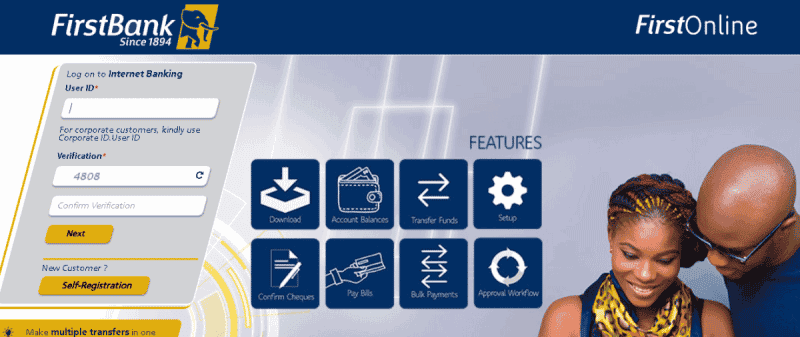
First Bank internet banking (FirstOnline Banking) is a type of online banking service that lets you do your banking business without going to the bank.
Anyone with a First bank account can use the Internet banking service to log in online. Internet banking is also called e-banking, virtual banking, or online banking.
With First Bank Internet Banking, it’s easy to pay bills, send money to someone else, and buy airtime. In this article, we’ll show you how to use First Bank online banking, as well as how to sign up and log in to your account.
About First Bank of Nigeria (FBN)
The First Bank of Nigeria is the largest commercial bank in Nigeria. It was founded in 1959 and is headquartered in Lagos, Nigeria. The bank has been recognized as one of the “Best Managed Banks” by the Nigerian Stock Exchange.
The First Bank of Nigeria is the largest commercial bank in Nigeria. It was founded in 1959. In 2017, the bank had a total market capitalization of $17.2 billion and a customer base of more than 12 million people.
The First Bank of Nigeria has a network of branches and ATMs that span across all states and geographical zones within the country, with a presence in all major Nigerian cities. The bank also operates internationally through its subsidiaries – FMOH (Nigeria), FBN Ghana Limited, FBN Sierra Leone Limited, FBN Gambia Limited, FBN Cote d’Ivoire S.A., FBOB Senegal S.A., FBOB Benin S.A., and Banque Internationale de Commerce et de Finance.
The First Bank of Nigeria has been around for over 60 years, so it has seen many changes happen in that time. Originally, it was called the Nigerian Industrial Development Bank (IDB). The IDB was created to encourage industrial development and economic growth in Nigeria by providing loans to new entrepreneurs who were starting out or expanding their businesses. This is what led to its name changed to the First Bank of Nigeria when it took over all other banks in 1964 as they were merged into one bank with one headquarters and one board.
Features:
Here are some of the most important features of First Bank online banking:
Individual registration
Check balances online
Download statement of account
Fast money transfer
Make multiple transfers
Bills payment
Corporate Bulk Payment instantly
Set up Standing Instructions
Cheque confirmations
Register Complaints etc.
How to register on First Bank Nigeria Internet Banking
Follow the steps below to register your First Bank Nigeria Internet Banking:
You can get a First Bank Internet Banking registration form at any branch in the country, or you can click here to go to the First Bank Internet Banking registration page.
Fill out the form by filling in the required fields and putting in the User ID you want.
After you fill out the form, your login information and a confirmation code will be sent to the email address you choose right away.
After you confirm your email address, First Bank will send you your online banking information, which includes your User ID and password.
How to Login and Manage your First Bank Online Banking
After you have got your First bank Nigeria internet banking details; Username and PIN, you will need to activate it. Follow the below steps to activate your internet banking:
Enter the User ID and the default password that was sent to you earlier in order to log in.
After a successful login, you’ll be asked to change your password by choosing at least one letter, a number, and a special character. This is done for security.
You will be sent some security questions, and you will need to answer at least 4 of them to set your Password.
Then, you choose a word or phrase that you will remember by picking an image and making your own True Stamp.
Lastly, confirm your email address and enter a new password. Then you click “submit,” and you’re done.
We all know how painful it is to lose our card or have it stolen, so we look for ways to block and lock it right away to protect the cardholder from any misuse of the card and for security reasons because we’re afraid of data breaches. If you don’t block, lock, or report your card, there’s a chance that someone could use your account to do something wrong or without your permission.
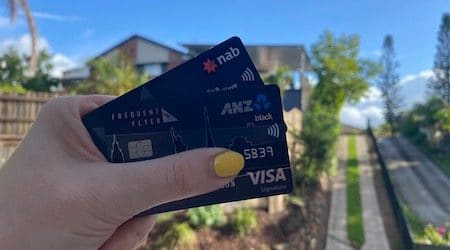
In this article, we’ll look at how to lock and unlock your National Australia Bank (NAB) account in Australia and your ANZ bank account in New Zealand from the comfort of your own home, so you don’t have to call your bank.
Anz And Nab Cards
How to block an ANZ card with Internet Banking
You can tell the bank about a lost or stolen card, and depending on where you live, you may be able to block it. We talked about both New Zealand and Australia.
How to block an ANZ card in New Zealand
Follow the steps below to temporarily block your EFTPOS, Visa Debit, or credit card through ANZ Internet Banking in New Zealand:
To block an ANZ card on the go: Log in to ANZ Internet Banking.
Go to “Your settings.”
Manage cards
Read the Temporary Block
Tap on the card you would like to block or lock temporarily.
How to report an ANZ card to the bank in Australia
If you live in Australia, you can easily lock or block your ANZ card with an app and a phone call. To report your card as lost or stolen, use the ANZ app. Once you report your card as lost or stolen, it will be automatically canceled.
Log in to the ANZ app.
Tap the account.
Choose and Manage Card. If you can’t see the card you’d like to report, swipe left under Cards to see other options.
Click on Report Card Lost or Stolen and follow the prompts.
If you live in Australia, your new card will be sent to you between 5 and 7 business days after you cancel it.
How to temporarily block your card in the ANZ App
If you can’t find your ANZ card, you can lock it in the ANZ app until you can find it. When you get your card back, it only takes a few seconds to turn it back on:
Log in to the app
Tap the account or card.
Click “Manage,” then “Manage Card.”
Click “Temporarily Block Card,” then “Block Card.”
Daily ANZ Card limit
Personal customers can spend between $1,000 and $10,000 daily (or up to $25,000 if they sign up for ANZ Shield).
When a business uses ANZ Internet Banking, the daily limits range from $5,000 to $25,000 (or up to $50,000 if the business is signed up for ANZ Shield).
How to block or unblock your NAB cards
When a card is lost or stolen, NAB customers can lock or block it using the NAB app, NAB Internet Banking, or by calling 1800 033 103 (within Australia) or +61 3 8641 9121. (from overseas)
NAB Internet Banking is a digital banking platform that all customers can use for free to block or report your card to the bank, check your accounts, manage your money, and bank anywhere, anytime.
Log into the NAB app on your device.
Tap on “My Cards.”
Tap the card you want to block.
Close to “Block card,” tap the toggle switch to temporarily block your card.
Then tap Confirm.
Your card has been temporarily blocked. BUT TO UNLOCK Simply press the toggle switch again to unblock.
How to report a damaged card In the NAB app
Just go to the Cards section to tell the bank your card is broken.
Select the card you want to replace.
Select Replace your card, then select Replace damaged card.
How to Report a Damaged Card via NAB Internet Banking
Head to the Cards section.
Select the card you wish to replace.
Under Manage your card, select Replace damaged card.
Daily NAB limits on Visa Debit Cards
Your NAB Visa Debit card only lets you take out $2,000 in cash each day. This affects all NAB Visa Debit cards and NAB Platinum Visa Debit cards.
You can block and unblock your ANZ and NAB cards, NAB Internet Banking, and NAB Mobile App.