Barter by Flutterwave: How to Create A Barter Account, Get Virtual Dollar Card & Send Money To Nigeria

Barter

All Nigerian commercial banks recently decreased Naira card foreign transaction limitations to “$20/month.” Many went lower.

Due to the limit, consumers can’t send money abroad or use Naira cards online. The only way around this is to buy a USD Debit Card, fund it, and spend it online and overseas.

Here’s one of the best international money transfer apps. We’ll create a Barter by Flutterwave account and acquire a virtual USD debit card for overseas transactions.

What is Flutterwave’s Barter, and how does it work?

Barter is a mobile and web app built and sponsored by Flutterwave that lets users send and receive money worldwide. Instant, safe, and cheap money transfer.

Your money is in your Barter Wallet once you have an account. Your Barter account lets you,

  • Make Barter-to-Barter instant transfer (P2P) (for free)
  • Fund your USD/Naira Dollar card
  • Receive foreign funds sent from abroad and locally
  • Pay bills and utilities e.g. electricity, TV cable, waste, and so on
  • Shop online via your Naira/USD virtual card, e.t.c.

How to Get Started, Sign Up, or Register a Barter Account

Barter’s signup is quick and easy. It took 3 minutes. WhatsApp’s OTP makes everything easy, free, and faster.

How to create a Barter account:

  1. Download the Barter mobile app on your Apple or Android device | Apple App Store or Google Play Store
  2. Open the download app and select Create an Account
  3. Input your Email and your preferred mobile number (WhatsApp preferably)
  4. An OTP code will be sent to you via text message or WhatsApp instantly. Copy the code and paste it into the OTP code field.
  5. Enter your full name as you have it on your BVN
  6. Choose your password (use a stronger password combination) and submit.

If you registered with a Nigerian phone number, your Barter wallet will be in Naira.

First-time logins require BVN and DOB. After this, WhatsApp will send you another OTP, and you’ll be authenticated.

Finally! Welcome. Logging in requires your email or phone number and password.

How to Create and Use A Barter Virtual USD Dollar Card

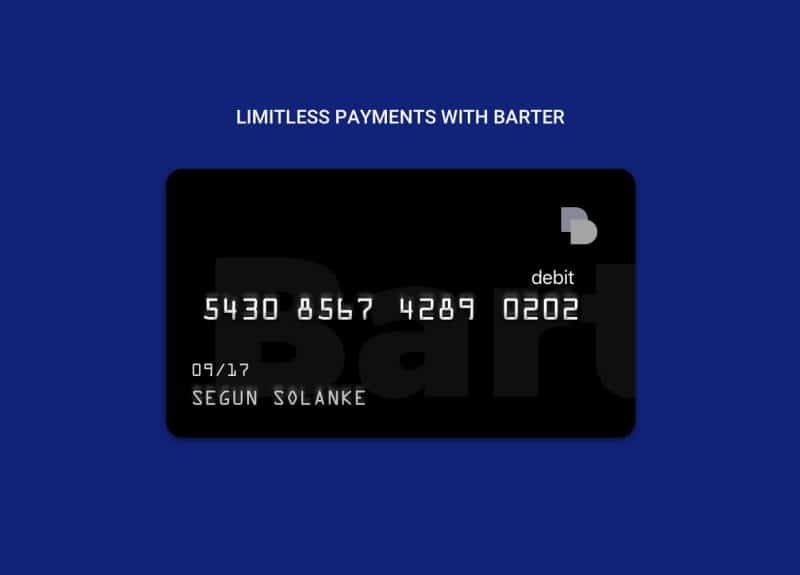
Barter virtual cards are digital cards that you can use to make purchases in your own country and abroad. The virtual card is something created by MasterCard.

If you signed up from Nigeria, you don’t need to make a Barter Naira card because one is already made for you. What needs to be made is the USD Dollar Card.

Here’s how to make a Barter USD Virtual Dollar Card in less than 5 minutes:

  1. Tap Cards
  2. At the top right corner of your device, select “+ New Card
  3. Choose card type (Virtual card)
  4. Swipe to Choose Virtual Card or Gift Card
  5. Choose the color of your card and the name you want to be inscribed on it.
  6. Click on Create

There is a $2 issuing fee. The fee will be taken out of your account in Naira.
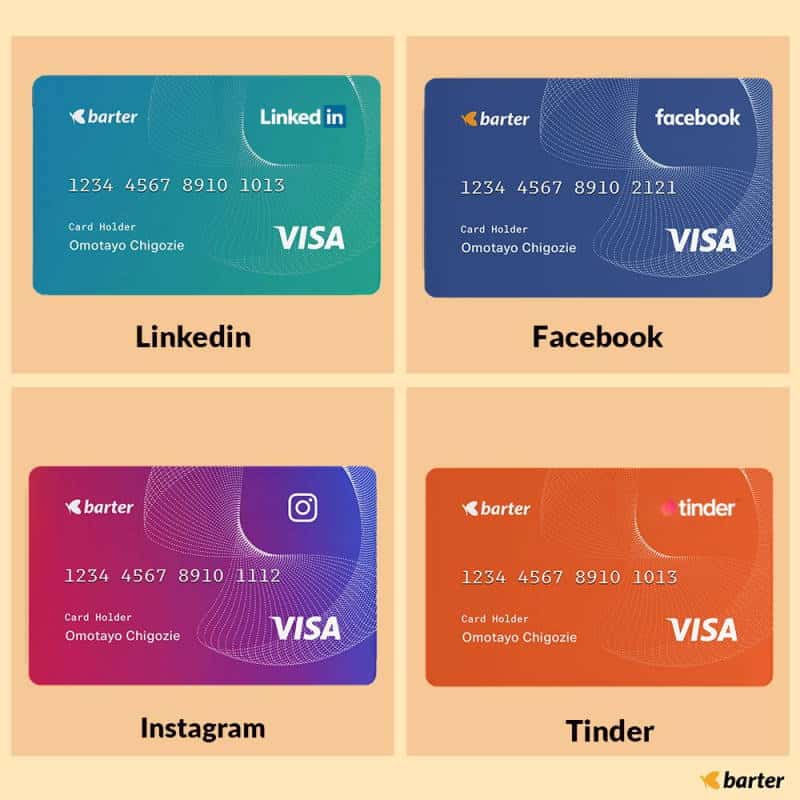
Barter Cards
Barter Cards

How to Send Money to Nigeria Using Barter

Due to a new CBN rule requiring all IMTOs to limit foreign money beneficiaries to USD, cash pick-up is the only alternative for now.

USD Cash Pick-up allows clients to pick up cash from a convenient location nationwide. CBN directives require collecting cash solely in USD.

How do I initiate a USD Cash Pick up a transaction to Nigeria?

Follow these steps to initiate a USD Cash Pick-Up Transfer to Nigeria

  • Open your Barter Mobile App
  • Click Send Money
  • Then, click Send Money Abroad
  • Input the amount you want to send
  • Select the USD Cash Pick-up option
  • Input the Beneficiary details (Recipient’s name, Recipient’s Residential Address, Phone number, and Email Address)
  • Select the Pick-Up location of your choice (UBA/Access Bank/Zenith Bank)
  • Review transaction summary to ensure the details are correct.
  • Input your Transaction Pin to complete the transaction.

Note: The transaction is ready in minutes. Please ensure all information is accurate and matches a valid ID. The sender will receive a Unique Reference Code to share with the recipient. This ensures a recipient’s smooth pickup.

Frequently Asked Questions

Can I add my Barter USD Dollar Card to my Apple Music?

Yes, you can.

To do this, follow the guide below:

  1. Open your App Store.
  2. Click on your Profile Icon
  3. Click on your Apple ID.
  4. Click on Country/Region, and then click on Change Country or Region.
  5. Select the United States.
  6. Enter your card PAN (all the numbers in front), expiration details, and the CVV.
  7. Submit

What’s my Barter Dollar Card billing address?

Barter has already put down the address below as your billing address for all transactions. But your shipping address should be the same as where you live. Here is your billing address by default:

Street 1: 333 Fremont Street,
Street 2: San Francisco City
City: San Francisco
State: CA – California
Zip Code: 94105
Phone number: +1(857) 5745195

Where can I use my Barter Dollar card?

The Barter USD card can be used on Uber, Google Play, Apple Music, Asos, Udemy, Coursera, AliExpress, Namecheap, Facebook, PayPal, etc.

What is the Barter Dollar card rate today?

Like the rest of us, Barter gets its US Dollars (USD) from the open market. The illicit market affects their rates daily.

Today’s USD card rate is N613 (07 July 2022).
Barter
Barter

What is the Barter Dollar card limit?

These are Barter’s DAILY USD transfer limits:

  • In some regions, transfers to DOM Account: $2,000/day
  • Transfers to local bank accounts (in Nigeria): $500/day
  • Global Barter transfers (available everywhere): $2,000/day

Where can I NOT use my Barter Dollar card?

Barter cards will not work on any Bitcoin, Binary Option, Trading or Money Transfer websites, Betting websites, and p0rn sites. Barter cards allow merchant payments.

How will my recipient know the funds are available for pick up?

Once the cash is ready for pick-up, Barter will email and text the sender and recipient with directions. Please verify your email and phone number.

What information is required before I can send money via the USD cash pick-up option?

  • Recipient Name: Please supply the recipient’s complete legal name and verify it matches their ID.
  • Recipient residential address
  • Phone number
  • Email Address
  • Purpose of Transfer in brief

What information is a recipient required to provide for cash pick up?

The recipient will be required to provide the following information at the pick-up location once pick up notification is received:

  • Sender’s name
  • Reference number/Unique Reference Code
  • Valid means of ID [this could be either an International Passport (Nigerian/Foreign), Permanent Voter’s Card (PVC), Bank Verification Number (BVN), Driver’s License & National Identity Management Commission card (NIMC)]
  • Relationship with Sender
  • Purpose of Transfer (narration)

How can a recipient pick up cash?

Barter notifies cash pick-up receivers via Email/SMS. This notification includes the amount and pick-up bank. Once alerted, the beneficiary can pick up cash as follows:

Note: Recipients do not need to have an account with the bank to pick up cash.

Show the bank the Email/SMS with the Barter token’s reference code.

The recipient must authenticate identity with an international passport, driver’s license, national ID card, permanent voter’s card (PVC), or BVN slip.

Once ID is validated, cash is immediately available.

Note: Recipients must have their phones for easy cash pick-up. To ensure smooth pick-up, recipients should additionally get the Unique Reference Code from the sender.

Merrickbank.com Account activation (2026): Merrick Bank Login/Activate

54b 1024x512.jpg

Want to learn more about the Merrickbank.com Activate guide? Keep reading to find out more.

MerrickBank is a major U.S. credit card issuer. Since 1997, the bank has issued 3 million credit cards. Merrick Bank is an FDIC-insured, MasterCard-authorized issuer. It’s the most popular VISA card provider in the US.

What’s the best? When you use your Merrick Bank Card, there are no hidden fees. This means that no matter what you buy, there won’t be any surprises at the end of the month! Also, you can reach customer service at any time, 24 hours a day, 7 days a week. Apply today to learn more about how to use this great product.

Since the 1960s, Merrick Bank has been able to give out credit cards. With its low fees and reasonable interest rates, Merrick Bank is an excellent choice for anyone who wants to get cash back on every purchase or earn points toward a vacation. Plus, they have cheap late fees so that you won’t be surprised. Stop waiting! Check out their services now.

Merrick Bank has credit cards with low fees and good interest rates. Merrick Bank is the right place to go if you want a card with good rates and great rewards. What could be better than getting cash back on purchases and not having to pay an annual fee? You don’t have to worry about late fees or penalty APR. If you’re interested, apply now!

Reasons to Choose Merrick Bank Credit Card

  1. No annual fee.
  2. 13% is a low rate of interest.
  3. The bill can be paid online or over the phone, so you don’t have to go to the bank.
  4. Get points for every purchase, which you can turn in for cash back, gift cards, or goods.
  5. You will never miss a payment again with a mobile banking app that sends text alerts.
  6. Customer service is available by phone or chats 24 hours a day, 7 days a week. There are terms and conditions, and rates are subject to change without notice (not sure if this should be in bullet form)

Eligibility Requirements

  1. To get this card, you must be at least 18 years old.
  2. A monthly income of at least $2,500 is needed.
  3. Credit score (as determined by the issuer); I don’t think “as determined by the issuer” should be here – that sounds like it will vary among issuers. Maybe remove that phrase or replace it with what you would consider good, bad, excellent credit history, etc.
  4. There hasn’t been a bankruptcy in the last 7 years.
  5. There have been no bad debts or overdue bills in the last two years.
  6. account information that shows there have been no late payments in the last six months before applying. This one isn’t in bullets, and I’m not sure if you want to add a line break before this bullet or not.
  7. No other debts are behind on payments right now.

Merrick Bank Credit Card Customer Service Number

You can call 1-866-618-5960 to talk to Merrick Bank about your account. This is the only number that should be listed under “Customer Service,” You don’t need to include the area code because it’s a toll-free number for the whole country. You might also want to add the business hours here if they are different from what is written below under “Hours.”

Hours for Merrick Bank Credit Cards

Monday to Friday, from 9 a.m. to 7 p.m. ET.

Saturday, from 10 a.m. to 2 p.m. I don’t think the time should be written twice, especially if it’s the same as what’s under “Hours.” You can also take out Saturday since I don’t think you listed specific days like many companies do (e.g., M-F 8-5).

Things You Can Do on Merrickbank.com activate 

  1. Activate your credit card: You’ll need your newly issued account number and the zip code from the application.
  2. Make sure your name, address, email address, and phone number are correct.
  3. Check your bills and pay them online.
  4. Check and print account activity.
  5. Make a payment, review your billing history, change payment due dates, or edit automatic payments.

Step 1-Visit Merrickbank.com/activate using your internet browser and enter your zip code on the application.

Step 2-Fill in all of the required fields, such as your name, address, zip code, and phone number.

Step 3-Fill out all of the required fields, such as your social security number, account name, and date of birth.

I would suggest putting steps 2 and 3 together. Right now, you say to fill out “Step 2,” but it’s the only step there is…so I’m not sure what to do after filling that field out. There should be another step, or you can combine the abovementioned steps.

Once completed, click on “Activate Credit Card.” 

Your new card and account information will be sent to you by first-class mail from Merrick Bank. If you need more help, you can call 1-866-618-5960 during business hours to talk to Merrick Bank.

Steps to log in to your Merrick Bank account:-

After you’ve signed up for a Merrick bank account and gathered all the information you need for a Merrick Bank login, you can easily access your account by following the steps below. You will be able to do the same with your Merrick Bank account if you do this.

  1. Visit the Merrick Bank account’s official website.
  2. Go to Merrickbank.com/login on your web browser.
  3. The Merrick Bank account login page will then appear on your device’s screen. Enter your e-mail address or username and password.
  4. Check “Remember Merrick login information” to save your Merrick login credentials. Click “Log-In” to complete your Merrick Bank account login.
  5. If your Merrick account info were entered correctly, you could manage your account on the dashboard.

Merrick Bank Privacy Policy

Merrick Bank protects your privacy and develops secure internet technology. This Privacy Statement covers data collection and usage on merrickbank.com and at Merrick Bank. By using merrickbank.com, you agree to this statement.

This paragraph is complicated for someone unfamiliar with “privacy policy”—I assume that’s why there are so many commas. At a glance, all those commas should be easy to grasp at a glance…if not, eliminate them.

Merrick Bank gathers personal information such as e-mail addresses, names, and phone numbers. Merrick Bank collects anonymized demographic information such as ZIP code, age, gender, preferences, interests, and favorites. I think this paragraph should come before the last sentence.

On behalf of external business partners, we sometimes offer special deals to select clients. For limited offers or promotions with our business partners’ products or services, we share data only with the business partner(s) and only administer the promotion.

FAQS

  • What is Merrick Bank’s homepage?

www.merrickbank.com is Merrick’s homepage. Unfamiliar with this article’s style? I would propose eliminating “homepage” as it was mentioned in the first paragraph, but if you need to specify again, remove step #3 and say “You can visit merrickbank.com/login” with a link after your description.

  • Whom do I contact with questions about my account?   

During business hours, call 1-866-618-5960 for Merrick Bank Account login help. You can also write them an e-mail by visiting www.Merrickbank.com/login and clicking on the “Contact Us” link. This sentence makes sense here. However since they’ll be logging into their account, you may want them to see this number before sending an e-mail.

  • What is a Privacy Policy?

A privacy policy describes how a party obtains, uses, discloses, and manages customer or client data, generally online. View Merrick Bank’s privacy policy at https://www.merrickbank.com/privacypolicy.html. This is a terrific overview of a privacy policy and will assist your customers in finding the proper link.

Cookies are alphanumeric identifiers we upload to your computer’s hard drive through your Web browser to track how many people visit our website and when. This statement works where it is. I would propose stating why they want or do not want cookies, so step #4 is more user-targeted; however, based on my experience, not everyone cares.

  • How does Merrick Bank collect my personal information?

Merrick Bank collects personal information when you register for an online account, log in, place an order, enter sweepstakes or contests sponsored by one of our partners or us, apply for a loan or contact customer support. No need to remove this, but I’d consider explaining WHY they want our personal information. What’s its purpose? What’s the significance? etc.

Conclusion

This article explains what information Merrickbank.com collects and how it’s used.

To comply with laws and regulations, we may alter how we gather or use your personal information. If policy changes, we’ll update it. This is all I said above.

This article explains what information we gather and how we use it, but joining our service is a personal decision.

I hope this helps. Thanks for reading! Please e-mail me with questions or concerns.

Cash App Borrow: How to Borrow Money from Cash App (2026)

Cash App 1.jpg

Cash App Borrow – Cash App is a mobile app for sending money backed by Square, the same company that sells millions of dollars worth of “Minecraft” pickaxes. It’s also where I’ve been getting loans for tens of thousands of dollars lately. And so can you!

If you’re in an area where cash works, it’s just like Venmo or any other peer-to-peer payment transfer service, except it’s way better. Here are some explanations:

You’re probably saying, “But why would I want to borrow money if I already have a credit score of 650 or more?” Why would I want to make things worse with my money? As always, many reasons for this have nothing to do with me:

You want a fun side business that makes you a millionaire in secret. Everyone will be jealous of you if you walk around with a bag full of $100 bills, and they don’t know it’s because you’re an Uber driver or maybe a trucker. You are having trouble paying your bills, and peer pressure isn’t helping.

You like to get drunk, and it’s nice to be able to buy more alcohol without using your credit card or borrowing money from friends. You want to use what other people have against them for fun, and this is an exciting way to do it if you already own something that can be used as collateral.

Cash App 33.jpg
Cash App

It can be hard to borrow money because:

People on your social network might always try to force you to give them money. If they do, you should ignore them and look for people who don’t need as much help. You should keep your cash app balance pretty high because you never know when someone will come up to you and ask for $20 for a cab. If other people want their money back immediately, you can’t repay the loans on your schedule.

Does Cash App Let You Borrow Money?

Yes, it’s clear from their FAQ that it’s legal in most states. There are a few situations where you can’t lend money to people, but if you live in the U.S., it should work for you.

It is still in the testing phase, so not everyone can use it, and loans can only be between $20 and $200. Loans are given out immediately and must be paid back in four weeks or less. But if you have a debt for a long time, it may cost you more. The Cash App charges a flat fee of 5 percent to borrow, plus an extra 1.25 percent every week after the grace period.

If you know that a Cash App Borrow loan is meant to be paid back quickly, the new tool could help you out when you’re short on cash.

What You Need Before Borrowing Money in Cash App

  1. Your debit card or bank account, if possible. If you don’t have one, make one before going any further!
  2. A Cash App card (optional).
  3. A plan for what you’ll buy with the money you get from something else, like your rent or something.

How to Borrow Money in Cash App

Right now, not everyone can use the Cash App Borrow. Checking is the only way to find out. To borrow money from Cash App, follow these ten easy steps:

  • Launch the Cash App.
  • Tap the Cash App balance in the lower-left corner of the screen.
  • Go to the section called “Banking.”
  • Look for the term “borrow” in the dictionary.
  • If you see the word “Borrow,” you may apply for a Cash App loan.
  • Tap “Borrow.”
  • Choose “Unlock.”
  • You can find out how much you can borrow from Cash App.
  • Please read the user agreement.
  • Accept a loan from Cash App Borrow.

What Other Options Do You Have for Borrowing Money Online?

OppLoans

OppLoans is an online service that helps people in the U.K. get quick and easy cash loans. This is an excellent place to start if you want to borrow money because you need cash immediately. Since 2007, the company has been helping people and small businesses. It can give loans of between £50 and £15,000.

LendingClub

LendingClub has many personal loans, ranging from $1,000 to $40,000. This advanced app could be the best way to get a low-interest loan online if you have a steady source of income and can pay back the loan in monthly payments for up to five years.

Empower

Empower is an online platform for personal loans with lower interest rates than those of traditional banks. Empower may be the best place to get a secured or unsecured loan if you have good credit. The company has helped more than 35,000 customers improve their financial situation with personalized loans for debt consolidation and other reasons.

Cashnet

Cashnet gives people and small businesses instant cash loans. You can get a loan from $100 to $5,000 and choose how to pay it back in a way that works for you. There is no need to check your credit, and the approval process is easy and quick.

LendingPoint

Since 2009, LendingPoint has been offering private installment loans to consumers. The company only works with A-rated lenders. You can borrow money for any reason and pay it back over time by making payments every month. LendingPoint has fixed rates, terms, and fees that are easy to understand, making it quick and easy to get a loan online.

MoneyLion

MoneyLion gives out personal loans for things like consolidating debt, making home improvements, buying new things, and more. Even if your credit isn’t the best, you can get money in two business days.

Wonga

Wonga is one of the most popular online lenders in the U.K. Its easy-to-use platform has helped more than 4 million people get affordable loans. No matter why you need money, Wonga can help. Just make sure to look at the fees before you sign up.

If none of these options work for what you need money for, try searching Google. There are a lot of people who need money right away because they are in a bind. If you can figure out who you can trust and can’t, you can make the best choice for yourself.

There are many ways to borrow money, and each has its pros and cons. Know what you’re getting into before you borrow money. Researching your options can make it easier for you to get a loan.

How Much Does it Cost to Borrow Money in Cash App?

With Cash App Borrow, there are no fees for applying or getting the loan but a flat fee of 5% of the amount borrowed.

In 24 hours, Cash App Borrow will take the loan amount out of your account. When you pay back Cash App Borrow, the fee will be taken out.

How Do I Repay my Cash App Borrow?

When it’s time to pay back the money you borrowed through the app, choose “re-borrow” or “cash advance” to see how much you’ll have to pay back next. You can pay it back in full at any time, or you can pay it back in monthly installments.

If you pay back less than the total amount borrowed, there is no penalty, but you’ll have to pay more if you borrow more. The fee is 5 percent of the total loan amount, plus an interest rate that depends on your state and how much time has passed since the loan was given.

With the on-the-go reminders feature of the Cash App Borrow, it’s easy to keep track of payments. The app will remind you when a payment is due if you forget.

What Happens If You Don’t Repay Your Loan?

You will run into trouble. Cash App will cancel all your Cash Card purchases immediately, and you won’t be able to use your account to buy anything until you pay back your loan with interest.

Are there any pro tips for using Cash App Borrow to its fullest?

Yes! To make the most of your Cash App account, follow these five easy steps:

  1. Pay back any loans you take out.
  2. Fraudsters may try to hide the fact that they are fraudsters, so don’t do anything with them.
  3. If you already have too many loans, don’t take out more. It’s hard to get out of that hole, and sometimes it’s even impossible.
  4. Don’t use the service in the wrong way!
  5. If you have an emergency, call customer service immediately.

Final Thoughts

Cash Apps Borrow is an easy way to get money when needed. It’s very safe, and it can save your life in a lot of situations! Please ensure you always pay back the money you borrow, don’t fall into the debt trap, and use all the tips we’ve given you here.

How to Register and Login to GTBank Internet Banking

Gtbank Internet Banking

The Guaranty Trust Bank, sometimes known as GTBank, is a commercial bank that operates on an international scale in Nigeria. Internet banking from GtBank is a sort of online banking that enables customers to complete a variety of banking-related tasks directly through the website. Anyone who has a GtBank account and wants to log in online can do so with the help of the internet banking service provided by GtBank. The provision of online and internet banking, retail banking, corporate banking, investment banking, and asset management services, amongst other services, contributes significantly to the significance of internet banking.

Customers will have easier access to banking services as a result of the availability of online banking because they will no longer be required to physically go to the bank. In this post, we have provided you with all of the crucial facts you need to know about GTBank internet services, including how to register for an online banking account with GTBank and how to log in to your online banking account with GTBank.

How to register on GTBank Internet online Banking

In order to use the online service, you are required to register for GTB Internet Banking by completing the GTB Internet Banking Request Form that is available at any GTBank branch.

The GTBank internet banking application form is available for download either on the GTBank website or in any GTBank branch. You can hand in the completed form at any of the Guaranty Trust Bank locations, or you can scan it and send it to [email protected].

Gtbank Mobile Banking

In order to complete the application, you will need to enter the following information: the number of your GTBank account, your name, your email address, the accounts that will be profiled for internet banking, etc. Your account will be made active as soon as they have given their approval of your registration. Your username and password for GTBank Internet Banking will be sent to the email address you provided.

How to Login to GTBank internet Online Banking

Your internet banking user ID and password will be issued to you through email or SMS after your account has been officially authorized. If you are unable to get your internet login details, you can either visit the official GTBank website at www.gtbank.com and click on the “REGISTER” button, or you can telephone *737*6*5# from the phone number that you registered with GTBank.

NOTE: Please be aware that once you have received your password, you should be able to modify it within two hours of having received it.

Listed below are the steps for logging in to GTBank Internet online Banking.

  • Click the “Login” button on the GTBank website, www.gtbank.com, to log in.
  • Enter your login ID and password for GTBank.
  • Then you click the “login” button.

Congratulations, you have successfully logged in!

Some important Benefits of GTBank Internet Banking

Below are some important benefits of using GTBank online Internet banking.

  • Get Real-Time updates on account balances
  • Download account Statement
  • Transfer Funds Instantly
  • Set up a Standing Instructions
  • Pay Bills Online
  • Confirm Cheques
  • Self-Registration
  • Register Complaints
  • Mobile Responsive Sites
  • Multiple Transfers in one transaction and so much more

How to register on GTBank Internet online Banking

To access the online service, you must register for GTB internet banking by filling out the GTB internet banking request form at a GTBank branch.

The GTBank internet banking form is available for download online and at GTBank branches. The form may be presented to any branch of Guaranty Trust Bank or scanned and emailed to [email protected].

You must submit your GTBank account number, name, email address, the accounts to be profiled for internet banking, etc., on the application form. After registration approval, your account will be enabled. In addition, your GTBank internet banking credentials will be emailed to you.

How to Login to GTBank internet Online Banking

Once your account has been successfully activated your internet banking ID and password will be sent to you through SMS or email. But If you are unable to receive your internet login details, you should visit the GTBank official website at www.gtbank.com and click on the ”REGISTER” button or you can dial *737*6*5# from your registered phone number.

NOTE: Please note that after receiving your password, you should be able to change it within 2 hours of receiving it

The following are steps on how to login to GTBank Internet online Banking

  • Visit the GTBank official website at www.gtbank.com  navigate and click on the “Login” button.
  • Enter your GTBank user ID and Password.
  • Then you click the “login” button.

Congratulation, you will be logged in successfully.

Some important Benefits of GTBank Internet online Banking

Below are some important benefits of using GTBank online Internet banking.

  • Pay Bills Online
  • Get Real-Time updates on account balances
  • Transfer Funds Instantly
  • Register Complaints
  • Download account Statement
  • Set up a Standing Instructions
  • Multiple Transfers in one transaction and so much more
  • Confirm Cheques
  • Self-Registration
  • Mobile Responsive Site

How to Invest $100 and Make $1,000 a Day in 2022

Make Money

You see this money! We must make it in a normal level and simple way.

But then, you need to invest in yourself first.

There are a slew of options here for making money while improving your own well-being.

You can make a lot of money in a day just by doing a few basic tasks from the comfort of your own home thanks to the rapid growth of technology nowadays.

Many activities can now be done online, including earning income, so the myth that you need a real storefront to get started earning money is outdated. You don’t even need a physical storefront to get started earning money today.

I hired a life coach at the beginning of the year to assist me to improve my financial situation. No, it’s not a bad idea to invest money in order to gain more wealth.

To get wealthy, Robert T. Kiyosaki says, you must put your money to work for you instead of working for your money (Rich Dad).

For the lucky ones who are fortunate enough to have stumbled into this article, it will assist you to improve your life boost your income, as well as to increase your wealth.

This post was created to provide you with accurate information on the sure and guaranteed ways that you can invest 100$ and make 1,000$ in a single day.

Let’s get started!

Guaranteed Ways to Invest $100 Make $1000 A Day

Check out this page for a list of the unique and guaranteed six ways to invest one hundred dollars and make one thousand dollars daily.

  1. Blogging
  2. Make YouTube Videos
  3. Dropshipping
  4. Affiliate Marketing
  5. Give Tour Walk Activities
  6. Sell some digital products

Blogging

Blogging
Blogging

Blogging is a big investment that most people don’t know how to do, but don’t worry about it. This article will give you a full-time course on how blogging works. Blogging is one of many guaranteed ways to invest $100 and make $1000 a day.

Do you know that the average blogger can make close to $7500 or more in a month?

Understanding Blogging

Here’s what happens:

Mr. A made a blog website. He is a good writer, so he has written up to 100 posts. If he doesn’t want to write, he can hire content writers to write 100 unique posts for his blog website.

He puts these 100 articles on his website and makes close to $7500 per month.

If you figure out how much he makes on average in a year and he keeps doing this, Mr. A could have a lot of money in a year or two.

Don’t forget that he can sell this personal website for a lot of money if he runs it for a year or more.

Now you can see that blogging is a pretty big investment in your life. You can go for your real cool dollars, and it’s also a surefire way to invest $100 and make $1000 a day.

Selling Digital Products

Selling Digital Products

There are numerous proven ways to invest $100 and earn $1000 each day, did you know? The sale of digital products is one method.

This is yet another sure method by which some individuals obtain $100 to invest and earn a daily fortune of $1000.

Numerous individuals are unaware that those advertisements that flash up when they log in to Google or YouTube urging them to purchase a product or service make millions of dollars annually for the advertisers.

There is a lot of money to be made from selling digital products; if you have the expertise, producing an ebook is not a tough endeavor; all you need to do is put in some effort, and you will begin earning money from this within a short period of time.

You may start yours immediately by putting useful material in the form of an ebook, selling it as a digital product, and then earning money to invest in order to increase your wealth.

Remember that you may use that one book to generate income indefinitely.

Make Youtube Videos

Make Youtube Videos
Make Youtube Videos

If you haven’t heard this before, you can thank this article for telling you that making YouTube videos is one of the best ways to invest $100 and make $1000 a day.

Lots of people have used this platform to get rich, and it’s not hard to make a dollar by making videos for YouTube.

All you have to do is pick a niche, get a camera or use your phone to make some interesting videos about that niche, post them on Google, and you’ll have a YouTube account. Once you get viewers, you’ll be paid in dollars every month.

What do you know? This is a way to get your first $100, which you can then invest to make more than $1,000.

Making videos for YouTube is a good way to make some money.

Dropshipping

Online Shopping Concept. Shopping Cart, Small Boxes, Laptop On The Desk

Dropshipping is one of the surefire ways to make $1,000 a day with $100.

The report shows that a lot of people make millions of dollars each year just by dropshipping on eBay.

But eBay is not the only way to make money with dropshipping.

You can also use Shopify, or even better, make yourself a great website where you can run your dropshipping business and make some money.

Learn about dropshipping

Dropshipping is a legal way to make money online. It means selling a product you don’t even own as if it were your own. You put up an ad for a company’s product or stock, and as soon as a customer decides to buy it, you sell it. The company will ship the product to the customer, and you’ll get a big commission.

Don’t worry, I’ll give you an example of how dropshipping can help you make money.

For example, you know that Walmart sells a phone. You know that this phone is in high demand and that Walmart sells it for $50, even though people are buying it elsewhere for $90. You decide to advertise it for $80, knowing that some people will buy it quickly because it’s cheaper now. When people start asking you for it, you buy it directly from Walmart, and then Walmart will ship the phones to the rig.

Affiliate Marketing

If you like helping people or feel good when you solve their problems, affiliate marketing could be a surefire way for you to invest $100 and make $1000 a day.

Affiliate marketing has been around for a long time, and lots of people still use it to make money today, just like you.

Affiliate marketers usually act as salespeople for companies in order to get a commission.

Affiliate Marketing
Affiliate Marketing

Let’s take a look at how it works. If you want to be an affiliate for Amazon, you can choose a product that a lot of people want. Then, you can share links to Amazon products on your website or social media platforms. When someone buys a product through your link, Amazon will pay you a commission.

Affiliate marketing doesn’t require you to have a website. You can just post affiliate links on your social media pages and get a bonus when someone signs up.

But this is also a legal way to make $100 if you don’t already have it to invest and make $1000.

Give Walk Tours Activities

Give Walk Tours Activities

Working out to give walk activities are another sure way to turn $100 into $1000 a day.

This is a quick and easy way to make an investment, and you can also use it to make money by working with tourists in your area or town.

You know that a lot of people now take time out of their vacations to visit some cities.

So this is a good chance for you to make money quickly if you help them work around town.

Okay, let me show you what happens.

My friend is from Roma City, but he doesn’t know much about the area. So, during our vacation, we decided to go to Roma to see some of the town’s most interesting places.

We met a girl from the town who had lived there all her life and whose job is to take tourists on walks around the town. We paid her $100 to show us around the town for three hours. Because she knew the area well, we learned a lot of things that we wouldn’t have known if we had taken the tour bus.

During our talk after the tour, we found out that this girl just made $100 in 3 hours, which means that in a year, she could be making close to $1000.

So, you can see that this is the same as putting in $100 and making $1000 a day.

But if you live in a place that gets a lot of tourists, you can do the same thing to make money. You can go on a bus, bike, or carry people around on a certain activity.

So, you can take the $100 and invest it to make $1000 in a day. Wow, this is really easy.

Strategies to Make $100 And Make $1000 A Day

Check here for a list of the 5 steps you can take to make it easy for you to invest $100 and make $1000 a day.

Master A Skill

Now that there are a lot of people with degrees but no jobs,

You should spend your time learning and mastering a skill. With these skills, you can get an extra $100 to start investing, and this is also a surefire way to invest $100 and make $1000 a day.

Spend Money to Make Money

Yes, the money will help you make more money. It’s one of the surefire ways to make $1000 a day with $100.

You can do this by buying Bitcoin when the price goes down and selling it when the price goes up.

Build Assets

Build up assets that bring in passive income, which means a steady stream of money with little work.

You can build up these assets that bring in money on their own by starting and running a business that makes you more money.

Save To Invest

Using a savings account to save money is also a surefire way to invest $100 and make $1000 a day.

Don’t just save your money, invest it for the future.

You can talk with your account manager about good ways to save money, invest it, and make money.

Real Estate Investment

You can also invest in real estate, which is a great way to be sure of making $1000 a day from $100.

Investors in real estate can make a lot of money in a day because they plant seeds today that they will harvest tomorrow.

They can buy a house today for $100 and sell it tomorrow for close to or more than $1000. As you can see, this is the same as investing $100 to make $1000 in a day.

Conclusion

Most people think that when you invest, you make money faster. Even though it won’t take long, it’s often a good idea to invest.

But there are a lot of people who have grown their wealth through flow-through investments. For example, Roberto Cavalli started with only a dollar but now has hundreds of millions of dollars.

To make your money grow, you will always need a good investment plan and a long-term plan of action to reach your goal of making more money.

Good luck with your investments!

How to Sign Up for Squad by GTCO (GTB) to Start Accepting Payments Instantly

Squad By Gtco

“Squad by GTCO” is a product that was developed by HabariPay Limited, which is a subsidiary of GTBank Nigeria. GTBank Nigeria, in turn, is one of GTCO Plc’s 11 subsidiaries. The official Twitter page of the Squad, @officialsquadco, made the announcement on June 1st, 2022, that the company was completely prepared to compete in the payments and eCommerce sector in Africa.

I will go over all you need to know about Squad by GTCO in this essay that I have written for you. I will cover a wide range of subjects, from the prices of the various transactions to the signup procedures for the Squad by GTCO program.

How to Sign Up on Squad By GTCO

One of the simplest tasks I’ve ever completed on the internet has been this one right here. It went swimmingly and without a hitch, and I was able to wrap everything up in just ten minutes.

You are completely within your rights to hold and operate a business account with Squad, regardless of whether or not your company is officially registered.

The following is an in-depth tutorial that will walk you through the process of registering for a free account on Squad:

  1. Visit the Squad Website
  2. Tap Signup
  3. Enter your first and last names
  4. Enter your Business Name, as you want it to appear in all your business dealings
  5. Enter your phone number and email
  6. Create a strong password
  7. Submit

That’s it. You’re in!

After you have successfully signed in, the next step is to improve the Know Your Customer (KYC) status. That is, you are required to act in the following ways:
  1. Verify your email address
  2. Verify your phone number
  3. Enter your NIN
  4. Verify your BVN
  5. Enter a verifiable physical address
  6. Add other business details
  7. Link your bank account
  8. Create a USD account (if need be).

After you have finished the duties that are stated, the KYC request that you have submitted will be examined by the Squad Team, and a response will be provided to you 24 hours after you have registered.

If you do not upgrade the KYC, you might be able to complete some transactions, but the scope of what you can accomplish will be severely restricted.

Services Offered By Squad by GTCO

Your company can benefit from the comprehensive payment options provided by Squad by GTCO. Whether or not you have registered your company with CAC is not a particularly relevant consideration.

The following is a list of all of the services that Squad by GTCO can assist you in completing in an effortless and prompt manner:

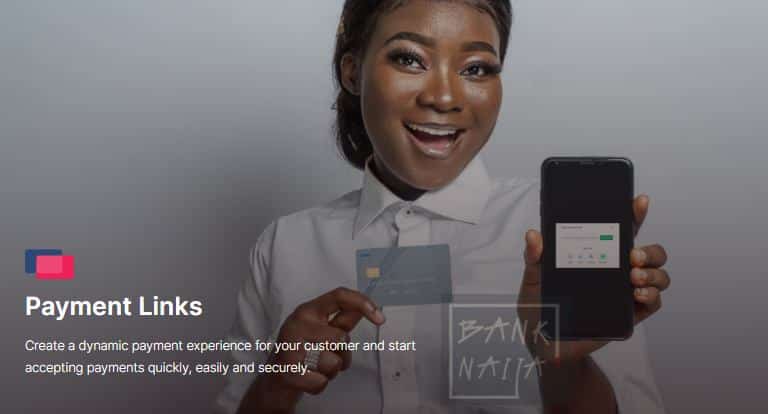
Payment links

As soon as you join up with Squad, the process of accepting payments becomes much simpler for everyone, regardless of whether they run a store, are developers, fashion designers, or content creators.

Squad By Gtco Signup Register

Through Squad, you have the ability to provide your customers with links that are mapped to their bank accounts on a variety of social media networks.

There are many different kinds of links, including:

Recurring payment links

Using this, you will be able to create a link that gives you the ability to request recurring and installment payments from your clients.

Simple payment links

You can also generate a link for a one-time payment that can be shared with your clients; the length of time for which the link is active is entirely up to you.

Product payment links

You can also make payment links that are unique to each product, and then share those payment links with your consumers wherever you contact them.

Donation links

Create a Squad donations link to distribute to people in your inner circle or on the various social media channels, and use it to help raise money for a cause that is near and dear to your heart.

Payment gateways

Debit and credit cards, as well as USSD and bank transfers, are the payment channels that are made available by Squad.

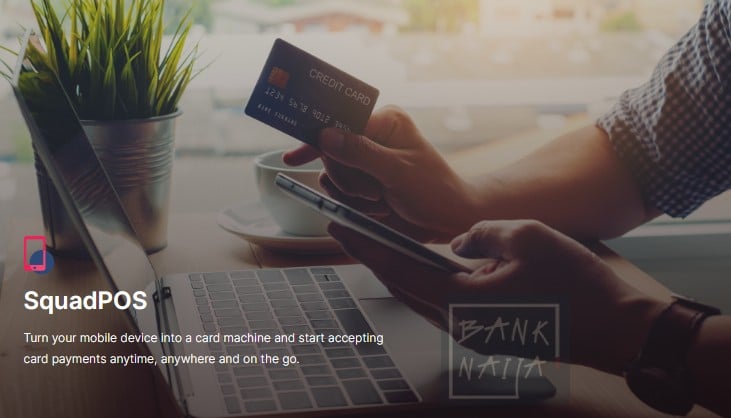
SquadPOS

The revolutionary new technology known as SquadPos enables business owners to accept credit card payments right on their mobile smartphones, without the need for any additional hardware or POS terminals.

Squad By Gtco Pos
Squad By Gtco Pos

It is possible for you to let your consumers pay merely by holding their contactless card close to your mobile device, making the transaction simple, efficient, and inexpensive. The conventional point-of-sale terminal is, in my view, even more easily replaced by this option.

Squad Pos
Squad Pos

Ecommerce

Once you have signed up for Squad, you will have the ability to promote your products by creating an account in the free Habari Deals Marketplace. Nothing is charged.

After signing up for Squad, you will benefit from having no ongoing maintenance costs, being able to show an unlimited number of products, support for the integration and migration of third-party services, and the ability to process payments both locally and globally.

How Much Does Squad Charge Merchants Per Transaction? (Pricing Information)

Not only is Squad an effective platform for conducting business transactions, but it is also one of the most cost-effective.

When you see how stupidly low the claimable commissions are on transactions, you’ll agree with what I’m saying.

The following is a comprehensive list of all of the pricing information for the various Squad Services:

Transaction TypePricing (Local Transactions)Pricing (International Transactions)
Payment Links1% + 50 Naira3.5% per transaction
SquadPOS0.5% per transaction (capped at 1000 Naira)
USSD0.6% per transaction (capped at 1000 Naira)
Virtual Accounts0.5% per transaction (capped at 1000 Naira)

Squad Support Center

Filling out the “Contact Us” form on the Squad by GTCO website allows you to get in touch with them in the event that you have a problem with one of their products or services, or if you just need to ask them a short question.

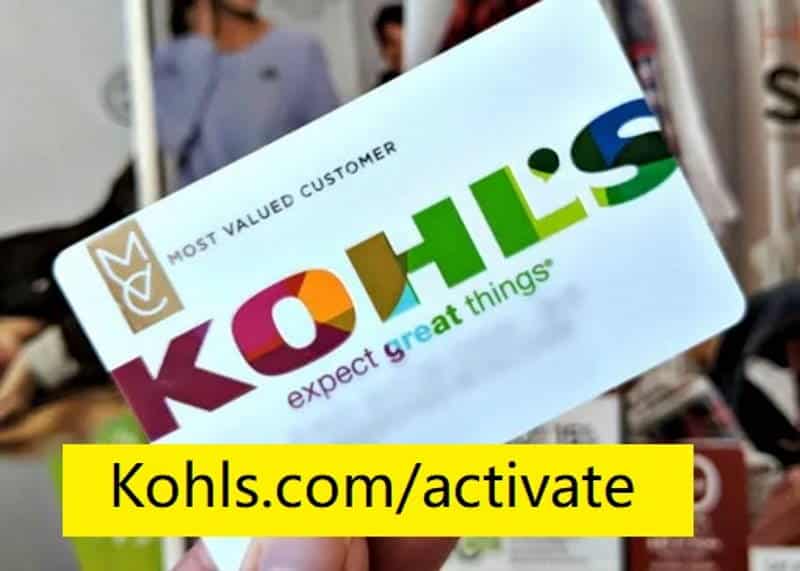
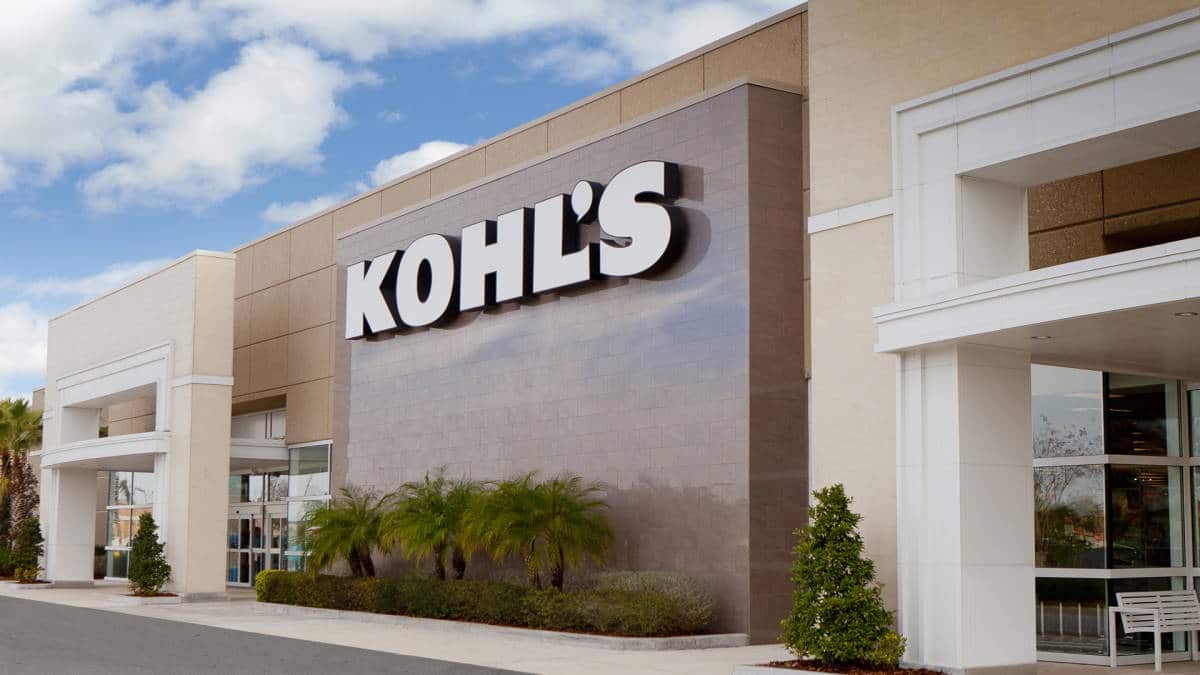
Best Tips to Activate Kohl’s Credit Card in 2026 at kohls.com/activate

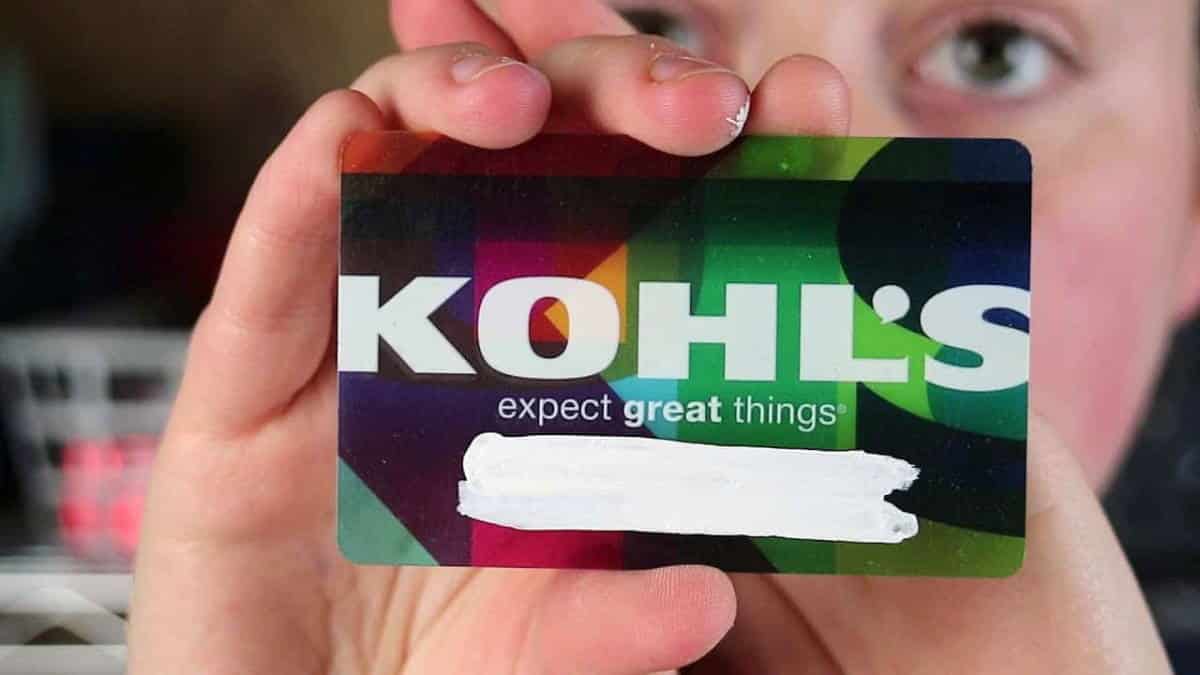
Kohl's Credit Card

Want to know more about kohls.com activate guide? Read on to find out more.

With the Kohl’s card, you can save money on all of your favorite clothes and accessories. It also gives Kohl’s credit card holders special benefits, such as discounts, rewards points, and early access to new items. But how do you get your Kohl’s card to work? If you follow our step-by-step guide, it can be easy!

When people finish reading this post, they will know: How to use your Kohl’s card, what Rewards Points are, and how Early Access works.

This blog post is best for people who want to learn how to use their Kohl’s cards for the first time or who want to find out more about what rewards points are.

Quick Guide to Activate Kohl’s Charge Card at kohls.com/activate

  1. Make sure you’re on the Kohls.com website.
  2. Click the link near the top of the page that says “Apply for Credit” or “Sign in to your existing account.”
  3. If you don’t already have a Kohls account, make one by filling out all the information needed to sign up on their website. (Note: Your card won’t work until you spend at least $5.)
  4. Sign in, then click “My Account” and then “Use Rewards Points.” 5. Enter either your 16-digit card number OR your 8-digit order number. You can find this near the top of your receipt within 45 days of your purchase, right next to your credit card number. 6. Click “Apply Points” to use your rewards points for this purchase.
  5. Voilà! Your Kohl’s card is now good to go!
  6. Right now, you can use your Rewards Points or get a code for early access to new items on Kohls’ website before they go on sale in stores. If you want to learn more about these two things, read the last sentence of this blog post.
Kohls Activate
Kohls Activate

Rewards Points

Applying for a Kohl’s Charge Credit Card ($45 annual fee) is the fastest way to earn rewards points. Cardholders get special deals and discounts just for having the card, like getting 1 percent back on every dollar spent at Kohl’s or other participating stores.

Rewards points can be redeemed for discounts on future purchases, exclusive coupons, and early access to new arrivals at Kohls.com before they are available in stores – just another way to save!

To use your rewards points online at Kohl’s, click the “Use Rewards Points” link next to “Your Account” near the top of the homepage. If you get 100 points, you get $5 off your purchase. One point is worth one cent.

You can also use your rewards points to get a percent-off coupon with no minimum purchase required. For example, 100 points will get you 25% off, 200 points will get you 30% off, and 350 points will get you 35% off (300 pts.). Note that you can’t turn rewards points into cash or use them with other discounts.

Early Access to New Arrivals at Kohls.com

Customers with Kohl’s cards can buy new items online before they are sold in stores. Go to Kohl’s website and click on “Shop Now” under “Deals & Coupons” to see the latest deals. “Enter your email address or sign up now” will show up in a drop-down menu.

Click on the black box below the line of text that says “Sign up with your email address.” Then type your email address into the white box and click “Submit.”

Once you’ve signed up, you’ll get an email with the deal of the day, which could be a coupon or sale for $10 or more off a $50 or more purchase. At Kohls.com, you can only shop in the “New Arrivals” section twice a week.

Rewards Points vs Early Access Codes

You may have seen in our quick guide that when you click “Apply Points” to use your rewards points, it says “Use Rewards Points.”

When it comes to early access codes for new arrivals on Kohls’ website, things are different because there is an extra step where you have to either sign up or put in your email address to get this special deal. Most of the time, these codes are added to your account in less than a week after you get your card.

Please share this with anyone you think could use the information in this article. If you have any questions about Kohl’s Charge Cards, Rewards Points, or Early Access Codes for New Arrivals at Kohls’ website, feel free to leave a comment below. We’ll get back to you as soon as possible! Thank you, and good luck with saving!

What Do I Do If I Forgot Kohl’s Charge Account Username or Password?

If you can’t remember the username for your Kohl’s Charge account, you can get it back by clicking the “Forgot Username” link near the top of the page. Click “Reset Password” if you can’t remember your password.

Then, enter either your 16-digit card number OR your eight-digit order number (which can be found right below your credit card on your receipt) into the “current” or “previous” boxes to get a temporary Reset Password email.

To confirm this information, type this email into the “Current Email Address” box and choose whether you’re an existing customer or a new one. Check your inbox for an email with a temporary password once you’ve sent in the form.

Put this in the “password” box and click “Submit.” If it works, you’ll get an email telling you that your account has been changed.

Forgot Kohl’s Charge Account Username or Password – How-To Reset

Please share this with anyone you think could use the information in this article. Leave a comment below if you have any questions about Kohl’s Charge Cards or if you forgot your username or password for your Kohl’s Charge account. We’ll get back to you as soon as possible! Thank you, and good luck with saving!

53i 1024x512.jpg

My Kohl’s Card Is Being Declined – What To Do?

If your Kohl’s card gets turned down when you try to shop online, this could be caused by a number of things. If you’re shopping at kohls.com and get a message saying you’re “not authorized to make this purchase,” it’s probably because your card information wasn’t entered correctly.

If the computer gave you the wrong Zip Code, try 000 (zero zeros) or 111 instead (one one one).

If none of these tricks work, there may be a problem with your card, such as:

Cardholder information isn’t shown on Kohl’s charge payment page for Mastercard customers: If you signed up for a Kohl’s Charge account but didn’t add your address before you paid for anything, your name might not show up on the payment page. To fix this, give a street address when you pay for your Kohl’s Charge purchases under “Billing Information.”

You can also add your name to the account by logging into your Kohl’s account and going to “My Account” in the top right corner of the page. You’ll find a field on this page where you can add a holding name. When you add this information, it will show up on every purchase you make with your Kohl’s card.

Cardholder information isn’t shown on Kohl’s bill-paying page if you use American Express. If you signed up for a Kohl’s Charge account with an American Express card but didn’t add your address before making a payment, your name might not show up on the payment page.

To fix this, add your billing address to your account profile before you make any online purchases with your Kohl’s Charge card.

If none of these solutions work, you can call Kohl’s customer service at 1-877-887-8884 or use their live chat to get help finishing your order. If you have an American Express card, you can also try calling American Express at 1-800-528-4800.

They might be able to help you get past this screen so that you can finish buying what you want. For all other cards, you might want to call your credit card company to see if there is a problem with the account.

How to Activate Kohl’s Card via Phone Number?

By calling the phone number, you can activate your Kohl’s card in a way that is very similar to how you would activate your card in person. If you haven’t activated your Kohl’s Charge yet, call your credit card company’s customer service.

Give them your 16-digit card number or 8-digit order number, which can be found right below your credit card on your receipt and near the top of your receipt 45 days after your purchase. Once they are sure they are talking to the account owner, they will ask for more information, such as:

  • Your billing ZIP code
  • The last four digits of your social security number
  • A personal identification number (PIN) that would be associated with all future transactions using this account.
  • When it comes to the PIN, just choose a number that you will be able to remember and is unique.

Why Kohl’s Charge Card Is Declined When Making Online Purchases?

When you shop online at Kohl’s and your card is turned down, it means that there is something wrong with the information you gave when you filled out your order. Incorrect billing address information, which should be put in the “Billing Information” section, is the main cause of this problem.

Another reason could be that your credit card company flagged the transaction as strange or suspicious. Tell your credit card company about any strange activity on your account so you won’t have trouble paying for future purchases.

How to Check Status of Order?

Customers can check on the status of their orders at any time by going to Kohls.com and clicking the “Track Your Order” button in the top right corner. This will bring up your most recent order, which you can see by clicking “View Order Details” in the bottom left corner of the screen.

How to Find Kohl’s Store Near Me?

On their online store locator, you can find a list of all the Kohl’s stores in the United States. Customers can use either an address or a postal code to look for stores near certain states or cities. If you need help finding a location near you, you can also call 1-800-991-8708 from your phone.

What is SINGER22?

SINGER22 has discounts and deals that are only good for a few hours. These are usually posted on Wednesdays. Kohl’s SINGER22 page tells customers what they can expect when they go to the store next, which makes it easier for them to find all the best deals.

Why Is There No Credit Card Number on Receipt?

Most credit card companies have recently put out new security measures to protect their customers from fraud and other bad things that could happen with their cards.

The biggest change was that stores had to take off the 16-digit number from receipts. This was done so that your personal information wouldn’t be exposed if someone stole your receipt before you could turn it in or throw it away. Even though the number was cut off, you can be sure that your payment went through successfully.

Kohl's
Kohl’s

What Is A Kohl’s, Charge Card?

A Kohl’s charge card is like a credit card, except that you can spend as much as you want. It can be used to buy anything in their stores or online.

Most credit cards are given out by banks like Wells Fargo or Chase. Kohl’s charge cards, on the other hand, are given out directly by the store. This lets shoppers build their credit while still shopping at one of their favorite department stores without having to pay any interest.

Also, if you use a Kohl’s charge card, you are automatically enrolled in their rewards program. Every time you swipe your card at checkout, you earn points that you can use for discounts and savings in the future.

Conclusion – kohls.com Activate

If you tried to shop at Kohl’s and your card was turned down, don’t worry. It’s possible that the information was wrong or that the transaction set off some alarms at your credit issuer.

To keep this from happening again, you should keep all of your billing information up-to-date and double-check it before you place an order.

We hope that we’ve answered all of your questions about using a Kohl’s charge card and given you the steps you need to shop at Kohls.com successfully. If not, feel free to get in touch with us and leave a comment below. Thank you for reading, as always.

Happy Savings!

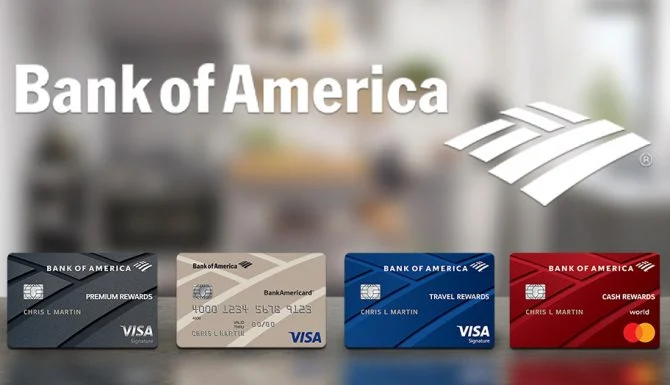
How to Activate Bank of America Credit Card

Photo 2021 11 12 03 11 59 3 1024x512.jpg

Are you trying to activate your credit card through Bank of America.com? Learn more by reading. If you have any more inquiries regarding the activation of a credit card issued by Bank of America, please feel free to contact us.

You can use CashPay to send money to other people who also have a CashPay account by sending it from your phone to theirs (Think PayPal but run by Bank of America). In addition to CashPay, the Wallet app allows for the storage of information pertaining to debit and credit cards. You can acquire additional information regarding it at the following location: https://promotions.bankofamerica.com/digitalbanking/mobilebanking/digitalwallets.

You will want to make sure that you upload your card or scan it in with the camera on your smartphone before attempting to add it to the Google Wallet application now that the products have been integrated into one.

There is no longer a distinction between the three types of Bank of America Cards (Credit, Debit, and CashPay). In order to successfully add your credit card, debit card, and CashPay to Wallet, you will first need to ensure that you have a product established for each of these payment methods.

You can activate cards by going to the app store on your device, downloading “Wallet,” selecting add a virtual wallet, selecting Bank of America from the list of institutions that allow load via NFC, and then entering your card information manually or scanning your card using the camera on your device. This will allow you to load money onto your card using the NFC technology.

How to Add Activate Bank of America.com Credit Card, Debit, and CashPay Cards on Google Wallet

Start the app known as Google Wallet.

Click the icon labeled Tools (It looks like an O with a circle around it). It can be found in the top right-hand corner of your screen, directly to the right of the icons for sending and canceling.

Click the Manage cards button. You can add credit, debit, or cash pay cards to your Google Wallet account here, as well as read information about those cards, such as credit limits and recent transactions. This is also where you can add cash pay cards.

Tap the Add a card from the Bank of America option that is located underneath the list of approved institutions that presently permit load via NFC tap virtual wallet. This will open a new window in which you can choose between using your credit card or your debit card.

To add a new payment method, select it by tapping either the Credit or Debit button. If you have either type of card, you only need to add it once to your account by selecting the debit or credit option. You will be presented with a window that will ask for the information on your physical card (The 16 digits on the front and your full name on the back of your physical card).

After providing the relevant information, select the Add Card option when finished. It ought to appear on your screen as if there are some green lines moving vertically across it, suggesting that it was successfully added to Google Wallet. After you have finished, tap the Done button; however, if you wish to add another card from Bank of America, you will need to repeat step 6 once more.

How to Transfer Money Using Google Wallet

You can send money from any of the email addresses associated with your Gmail account to any of the email addresses that Bank of America has on file for you.

Open the Google Wallet application.

You can contact customer service by tapping the person icon that is found in the bottom right corner of your screen next to the information about your cards and recent purchases. It consists of a head silhouette placed next to a white box that has a red arrow pointing out of it.

Select to send the money. A pop-up window will welcome you and ask you who you would want to email the money to after it has loaded. In the “To” field, enter their whole name or email address, and in the “Amount” field, enter the amount that you want to send them. Tap the Add a message option if you would like to include a personal note with your payment, and then tap the Next button after you are ready. If you don’t think this is necessary, all you need to do is touch the Send button without adding a note.

Click the Bank of America link located under Payment Methods. The button can be found near the bottom of the screen. If you have not utilized Google Wallet or Bank of America on that particular device before, you will be required to check in with your login and password in order to use either service.

After that, Google Wallet should prompt you to input the PIN number that is associated with all of your loaded debit cards. The convenience of using the same personal identification number (PIN) for both cards is preferred by the majority of consumers.

After that, you will be given the option to add an additional email address that is not currently associated with your Gmail account via Bank of America, or you can select Done. Tap “Add email” and carry out step 8 once more if you wish to send money to someone other than yourself. When sending money, the majority of people like to use multiple email addresses because it can become confusing if too many go into one account. If this is your preference as well, you are free to stop here after you have inputted the information. If this is not the case, hit the Next button located in the upper right-hand corner of your screen after providing all of the essential information.

Repeat entering your password and pressing the box that says “I agree with the terms and conditions” to reaffirm your payment. Google Wallet will notify you that the transaction has been completed successfully once everything has been checked out and found to be in order. Make sure you check your email for a confirmation from Bank of America once the payment has been sent to another account and received there.

After that, you may go back into Google Wallet and select the option with a green arrow that says Resend money if you want to resend the same payment again. Alternatively, you can amend it by selecting the option with a red arrow that says Edit next to it.

How to Add Money Using Cash with Google Wallet

If you have a Bank of America debit card, you can use Cash to add funds straight to your virtual wallet by visiting their website at https://cash.bankofamerica.com/GoogleWallet. This option is only available with Bank of America debit cards.

Open up your internet-capable web browser and navigate to the following address: https://promotions.bankofamerica.com/digitalbanking/mobilebanking/digitalwallets.

In the space designated for “Cardholder’s name,” type in your full name as it is printed on your actual card. Enter both names, separated by a comma, if the account is held jointly by more than one person.

Enter the 16-digit number that may be found on the back of your actual card, and then choose the Next button. In order to maintain a certain level of security, you might or might not see a star depending on whether or not you entered the correct numbers. Do not be frightened if you do not see a phishing scam as this is done to protect you from any scams that may be committed online.

Enter the final four digits of your Social Security number as they appear on the back of your physical card below the Card security code, and then select the Verify button. The same boxes will automatically fill out as they did before, and the final product will look like this: Cardholder’s name (How it appears on Bank of America) Card number with 16 digits The final four digits of the SSN

After you have successfully input all of the essential information, pick the Continue button. In order for you to verify the transaction, an email will be sent to the Gmail address associated with your account. You can also access it directly through the Bank of America website HERE. After entering your full name, as it appears on your physical card, along with your 16-digit card number, and then select the Login button, you will have access to it. Once you have logged in to that website, navigate to the Accounts section and pick My Wallet. After that, navigate to the Payment methods section and select Add funds using Google Wallet.

Choose debit from Bank of America from the list that is displayed on the left-hand sidebar of the services that are offered. It is a square with a red border that is blue on the outside and white text on the inside.

Benefits of Using Activate Bank of America.com Credit Card

There are no recurring costs.

When you activate, you will be eligible to receive up to ten percent cashback in different categories every three months.

Free of charge interest on debt transfers and purchases made within the first 15 billing cycles of having the credit card.

The points earned on a Rewards credit card from Bank of America can be redeemed for either a statement credit or a deposit into a savings or checking account.

How to Activate Bank of America.com Credit Card

After you have received the card, go to https://www.bankofamerica.com/ and select Sign in from the menu that appears in the top right-hand corner of any page on their website. This will allow you to access your account.

Choose Credit Cards from the list of options provided in the menu on the website’s sidebar to the left. To manage your credit cards, go to the Payment & Transfer options section, which is situated on the top left of the screen, below the Account balance.

In the area titled “Important details,” click the Activate Credit Card button. (This could be a little different depending on whatever version of Bank of America you are using.)

Enter a 16-digit number and then pick the Continue button on the new credit card. After that, you will be prompted to enter the final four digits of your Social Security number before being given the option to continue. After that, click Continue a second time to confirm the addition of this payment method as an option that will be used by default for all future transactions.

How to Activate Bank of America.com Credit Card

Bank Of America Credit Card

Log into your account at https://www.bankofamerica.com/ by entering the email address and password you made when you signed up for an account.

Under “Important details,” click on “Activate Credit Card.” (This could be a little different depending on which version of Bank of America you use.)

Enter the new credit card’s 16-digit number, then click Continue. Then you’ll be asked to type in the last four numbers of your SSN and click Continue again. Then, click Continue again to confirm that you want to use this method of payment for all future transactions.

How to Activate Bank of America.com Credit Card by Phone

Call the customer service number and talk to someone from the bank. You will get help from the right person.

How to Activate Activate Bank of America.com using a Mobile App

By using a BofA mobile app, you can activate your card.

  • Install the application to your smartphone.
  • Using online banking credentials do log in.
  • Look for your new card under accounts.
  • Follow the on-screen instructions to activate it.

The Online Banking ID is the quickest and easiest way to activate your Bank of America credit card. If you don’t use this service, sign up now so that it can be turned on for transactions in the future.

Benefits of Using Bank of America Debit Card

With a busy schedule, the Bank of America card makes life easier by giving you access to your money at any time.

  • The best way to use your money is when and where you want, so get out there!
  • Now you can add your card to a digital wallet for faster and more secure payments.
  • Avoid monthly bills and interest payments with a Bank of America debit card.
  • Secure and convenient.

Benefits of Using Bank of America CashPay Card

With a CashPay card from Bank of America, you can get your paychecks in a quick and easy way that doesn’t cost much. When you use a Bank of America CashPay prepaid card, you can do the following:

  • Control your money (take it when you need it).
  • Access your funds 24/7.
  • Added security (no need to carry cash).
  • Access to account information online and through customer service.
  • Convenience – Instant access to pay by 9 am on payday.

How to Activate the Bank of America CashPay Prepaid Card

The CashPay MasterCard is a great way to pay for everything you need. Just go to the link, enter your card number, and click “Continue.” Within a minute, your card will be activated.

FAQ’s

  • How to Activate Bank of America Credit Cards by Phone?

Follow the instructions below for a step-by-step guide on how to activate a credit card over the phone:

Sign in to your online account. Note that if you haven’t already set this up, it will take 24 hours.

  • How to Activate Bank of America Credit Card via Mobile App?

Follow the instructions below for a step-by-step guide on how to activate a credit card through a mobile app:

Install the app on your mobile device.

Log in using your online banking credentials.

Choose the “Go to Cards” option from the menu at the bottom of the screen.

Choose the card you want to use, then click Continue. With this account, you can now use your credit or debit card at any time. Once this option is turned on, you won’t even need cash because you can pay for things straight from your bank account.

  • How to Activate Bank of America Credit Card by Mail?

A: Follow the instructions below for a step-by-step guide on how to activate a credit card by mail:

Sign in to your bank account online. If you haven’t already set this up, keep in mind that it takes 24 hours.

Choose the “Go to Cards” option from the menu at the bottom of the screen.

Under Other cards, click Add and then follow the on-screen instructions. You can use this option to either activate a new credit card or replace an old one. If you want to add a new credit card, click “Activate Credit Card” under “Hard Credit Pull” and fill in all the necessary information, such as the phone number on the card, the PIN you want, and the account number. When you are done, click Continue.

Conclusion

It’s easy to activate a credit card from Bank of America online. Just follow the steps given above, and you should be ready to go in no time!

Now that your card has been activated, feel free to use it the next time you go shopping or pay for groceries at a nearby store.

If you have more questions about how to activate a Bank of America credit card, feel free to leave a comment below so we can see what you need help with. We hope this article made it clear how to activate a card by mail, through a mobile app, or through online banking.

How to download and use the eNaira Wallet App (iOS/Android)

Picture Of A Man Holding A Phone.jpg

The Central Bank of Nigeria has issued a digital currency called the eNaira for use in Nigeria.

It is a form of digital currency that can be used to conduct business transactions, but not with traditional financial institutions like banks. Naira note.

Transactions will be able to take place in a swift and secure manner thanks to the eNaira, Nigeria’s digital currency. In all practical respects, it is analogous to using your bank’s ATM card to make transactions.

Your bank will be the only place where you may add funds to your eNaira wallet. You might, for instance, be able to add funds to your eNaira wallet through First Bank.

In this post, I will walk you through the process of downloading, installing, and using the eNaira wallet program, which is a digital money. I will do it in a step-by-step manner.

Download eNaira Wallet App for Android

The following is the process that must be followed in order to install the eNaira Wallet app on your Android device:

  1. Open Google Play store on your android phone
  2. Search for the eNaira Speed Wallet, then Install
  3. Launch the eNaira Speed Wallet after successful installation.
  4. Click on “Signup” to commence the onboarding process
  5. Select your Relationship Bank or eNaira Partner
  6. Enter your mobile phone number and create password
  7. Enter the following personal details; First Name, Surname, Date of Birth, State of Origin, Account Number and BVN
  8. On successful validation of the above details. A wallet activation mail will be sent to the email address tied to your BVN.
  9. Click on “Activate wallet” in your mailbox to confirm your email and activate your Speed eNaira Wallet
  10. To access your eNaira Speed Wallet, log in with your username (the email address that is associated with your BVN) and Password.

How to Fund eNaira Wallet

Following are the steps that need to be taken in order to transfer money from your bank into your eNaira Speed Wallet:

  1. Log in to your Mobile Bank App or Online Banking Platform
  2. Locate and click on the eNaira quick button on your mobile app
  3. Select eNaira Account type (Individual or Merchant)
  4. Select Trrasfer type – Transfer to My eNaira or Withdram from my eNaira
  5. Enter your eNaira wallet username
  6. Enter your eNaira Wallet Password
  7. Add remarks then click continue where applicable
  8. Provide the correct authentication requirement such as transaction pin or token for your mobile/online banking.
  9. Your eNiara wallet is funded

Download eNaira App for iPhone iOS

The following is a step-by-step guide on how to download the eNaira wallet app onto the iOS operating system of your Apple iPhone:

  1. Select App Store on your home screen
  2. Search for eNiara Speed Wallet
  3. Select GET to install the app on your iPhone
  4. Launch the app after successful download
  5. Click on “Signup” to commence the onboarding process
  6. Select your Relationship Bank or eNaira Partner
  7. Enter your mobile phone number and create password
  8. Enter the following personal details; First Name, Surname, Date of Birth, State of Origin, Account Number and BVN
  9. On successful validation of the above details. A wallet activation mail will be sent to the email address tied to your BVN.
  10. Click on “Activate wallet” in your mailbox to confirm your email and activate your Speed eNaira Wallet
  11. To access your eNaira Speed Wallet, log in with your username (the email address that is associated with your BVN) and Password.

Before you may download the app on an iOS device with a study, you should be aware that Apple could require you to authenticate your identity by entering your passcode, using touch ID or Face ID, or both.

If you have any questions about the eNaira digital currency, please let me know in the comment box that is located below.

In addition, please use the social media sharing icons located below this post to distribute it to your friends.

Squad by GTCO: Guaranty Trust Holding Co Plc (GTCO) Launches Fintech & Payment Unit

Squad By Gtco New Banknaija23.jpg

“Squad by GTCO” is a product that was developed by HabariPay Limited, which is a subsidiary of GTBank Nigeria. GTBank Nigeria, in turn, is one of GTCO Plc’s 11 subsidiaries.

The official Twitter page of the Squad, @officialsquadco, made the announcement on June 1st, 2022, that the company was completely prepared to compete in the payments and e-commerce sector in Africa.

“At Squad, we give business owners with the tools they require to flourish in a digital economy. In addition, we promote their firm and introduce them to a market that is outside the reach of their present customer base. According to the statement made by the company, “We have designed a dependable, secure, and economical payment infrastructure that will make collecting payments in-person and online simpler.”

How Squad Started…

Reports indicate that Habari Pay has been actively searching for qualified individuals to fill open positions since 2021. The FinTech Unit of GTBank is affectionately referred to as HabariPay.

In point of fact, the leadership of HabariPay was transferred from GTBank’s EBanking Unit itself. Eduofon Japhet, the Managing Director of HabariPay, previously worked at GTBank as the Group Head (GH) of Business Solutions. Of a similar manner, Mr. Adeyemi Atanda, who is now the Chief Marketing Officer of Squad and formerly headed the Digital Sales Department in GTBank, was in charge of that department.

It is common knowledge that GTCO has always had a favorable attitude toward the progression of digital technology as well as electronic approaches to problems with payments, trade, and collections.

Their focus on the consumer ensures that they always strike the mark whenever they make significant headway in the realm of e-advancement.

The bank received honors at the Electronic Payment Incentive Scheme (EPIS) Efficiency Accolades, which were held by the Central Bank of Nigeria (CBN) and the Nigeria Inter Bank Settlement System. These awards were well-deserved by the bank (NIBSS).

What Services Will Squad Provide?

We hypothesize that Squad will be managing a plethora of services not only for its parent bank but also for other clients, based on all of the signs that have come from within the bank as well as reports that have come from outside the bank.

The following is a list of the services that will be provided by Squad by GTCO:

  • Payment
  • Payment gateway
  • POS Services
  • USSD Services
  • Software POS
  • Bulk payment services
  • Collections
  • eCommerce

There will be a variety of fees, but merchants will be assessed a fee equal to one percent of the total value of each transaction.

In the end, Squad is a payment and collection solution that just requires one stop for African enterprises. The features have been meticulously developed in order to satisfy the demands and requirements of even the smallest of roadside vendors, as well as those of small and medium-sized businesses (SMEs), and even of large organizations.

Do We Need Another Fintech Payments Company in Africa?

It appears that the market in Nigeria, in particular, is currently oversaturated with hundreds of different FinTech solution suppliers all competing to offer the same thing: smooth payments and collections. Nevertheless, one thing has remained the same, and that is the low adoption rate. There is a wide range of potential causes for the low rate of adoption of our homegrown financial technology solutions.

The widespread use of mobile e-payments and internet access on mobile devices are two major challenges facing the majority of African nations. For example, only 23.1% of people who use the internet in Kenya are actually making mobile payments, despite the fact that the country has the highest mobile payment adoption rate in Africa.

In addition to this, Africa suffers from the absence of a common currency that can be used as a common denominator in the processing of transactions that take place within the continent. This results in a chain of bottlenecks even when one is merely attempting to complete a straightforward transfer, for example between Ghana and Zimbabwe.

Another problem stems from the different government policies implemented in each nation. At the moment, sending money from Nigeria to a country in Europe is relatively simpler and less expensive than sending money to a country in another African region.

Due to the fact that HabariPay and GTCO have taken note of this situation, the Squad has been assembled with the intention of revolutionizing ePayments and eCommerce in Africa. Check to see if there are any APIs or complete products available in the public space.