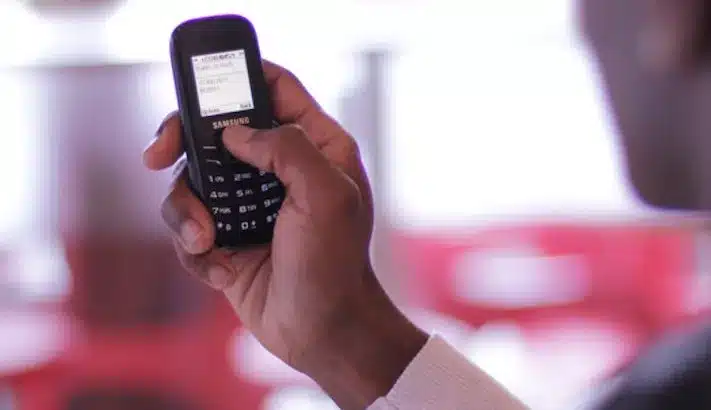
Nigeria Banks USSD codes – 2026 Complete List

bank transfer codes

In Nigeria, mobile banking has become increasingly popular due to its convenience and accessibility. One of the most common features of mobile banking is the ability to transfer money using USSD codes. USSD (Unstructured Supplementary Service Data) codes are short, easy-to-remember sequences of numbers that allow users to perform various banking transactions directly from their mobile phones, without the need for an internet connection. In this article, we will provide a comprehensive list of all the major banks in Nigeria and their corresponding USSD money transfer codes.

We are going to show you the different banks in Nigeria money transfer codes like; Access Bank mobile money transfer code, Diamond Bank mobile money transfer code, EcoBank mobile money transfer code, Fidelity Bank mobile money transfer code, First Bank mobile money transfer code, FCMB mobile money transfer code, GTBank mobile money transfer code, Heritage Bank mobile money transfer code, Keystone Bank mobile money transfer code, Stanbic IBTC Bank mobile money transfer code, Skye Bank mobile money transfer code, Sterling Bank mobile money transfer code, UBA mobile money transfer code, Union Bank mobile money transfer code, Unity Bank mobile money transfer code, Wema Bank mobile money transfer code and Zenith Bank mobile money transfer code.

Access Bank USSD

  • To transfer money from your Access Bank account to another account in any bank in Nigeria, dial *901*Amount*Account Number#.
  • For interbank transfers, dial *901*Amount*Account Number# and select the recipient’s bank.
  • Follow the on-screen prompts to complete the transaction.

First Bank USSD

  • To transfer money from your First Bank account to another account in any bank in Nigeria, dial *894*Amount*Account Number#.
  • Follow the on-screen prompts to complete the transaction.

GTBank USSD

  • To transfer money from your GTBank account to another GTBank account, dial *737*1*AmountAccount Number#.
  • For transfers to other banks, dial *737*2*AmountAccount Number#.
  • Follow the on-screen prompts to complete the transaction.

Zenith Bank USSD

  • To transfer money from your Zenith Bank account to another account in any bank in Nigeria, dial *966*Amount*Account Number#.
  • Follow the on-screen prompts to complete the transaction.

Wema Bank USSD

Wema Bank has decided to make transferring money and carrying out other financial activities a lot easier for its customers by providing the *945# code.

Dial *945*BENEFICIARYACCOUNTNUMBER*AMOUNT# to transfer money from your Wema Bank account to any bank account. You can also check your account balance, by simply dialing *945*0# and you can change your transfer by dialing *945*00#.

You can also buy airtime for your Alartz number by simply dialing *945*AMOUNT#.

Unity Bank USSD

Dial *389*215# to get started with Unity Bank’s Mobile Banking. You can also carry out various financial transactions such as one-on-one money transfers, utility payments, bills and goods payments, airtime recharge, etc.

UBA Money USSD

We can’t forget to add UBA to the list of Nigerian Bank’s Mobile Banking USSD Code for Money Transfer. United Bank of Africa (UBA) is one of the most reliable and oldest in the country. UBA mobile banking offers an easy way to carry out various financial transactions like money transfers, airtime recharge, bill payments, etc.

To carry out any financial transaction dial *919# from the number registered or linked to your UBA account.

EcoBank USSD

  • To transfer money from your EcoBank account to another account in any bank in Nigeria, dial *326*Amount*Account Number#.
  • Follow the on-screen prompts to complete the transaction.

Union Bank USSD

  • To transfer money from your Union Bank account to another account in any bank in Nigeria, dial *826*Amount*Account Number#.
  • Follow the on-screen prompts to complete the transaction.

Fidelity Bank USSD

Dial *770# on your phone and follow the on-screen instructions to get started. Fidelity bank to another bank account money transfer dial *770*Reciever’s Account number*Amount# e.g. You will need the last 4 digits of your ATM card to authenticate the transaction. Note that the daily transfer limit is N20,000.

To buy airtime for yourself, dial *770*amount#. While to buy airtime for family and loved ones, dial *770*Beneficiary Phone no*Amount#. The airtime recharge daily limit is ₦5,000 Naira.

Stanbic IBTC USSD Bank Money Transfer Code

You can carry out lots of financial transactions like salary payments, one-on-one money transfers, airtime recharge, bills, and goods payments with the Stanbic IBTC Bank money transfer code. Simply dial *909# to get started

You can also buy airtime on your mobile phone by dialing *909*amount#. The daily limit is 5000 naira.

Sterling Bank USSD Code

With *822# Sterling Bank USSD code, you can carry out various transactions, all you have to do is dial *822# to create a PIN that will be needed to authenticate transactions. You will be charged N5 for every transaction.

Skye Bank USSD

With Skye Bank’s USSD mobile money transfer code, you can carry out various transactions like airtime recharge, salary payments, one-on-one money transfers, bills, and goods payments can be done. Dial *833# to get started.

Standard Chartered Bank Money USSD

You must have a phone number that is registered or linked to your Standard Chartered Bank account in other to use the code.

To register for the Standard Chartered Bank transfer code

  • Dial *120*2345#. Then dial 1 to continue your registration.
  • They will also ask you to type in your Debit Card number.
  • Type in your ATM PIN.
  • Enter full ID Number.
  • Accept their terms and conditions then proceed to create a new PIN.
  • Input your new PIN from the next on-screen instruction.
  • You will see a welcome message on a new screen. Press 1 to continue banking.

First City Monument Bank (FCMB) USSD

As an FCMB customer, all you have to is dial *389*214# from your mobile phone. A welcome message will display alongside three options.

  • 1. Activate with a card,
  • 2. Activate with Account,
  • 3. and Activate with Mwallet.

Select option 2 to activate with your account number. After that, call FCMB Contact Centre with this number 01-2798800 in other to create a PIN for your transactions that will be sent within minutes.

Then dial *389*214# on your mobile phone, go to Security then choose Change PIN from the on-screen instructions. Type in the default PIN sent to you, then enter your desired new 4-digit PIN. You can now use the *389*214# for subsequent transactions.

Keystone Bank USSD Money USSD

Keystone Bank is another bank that made it to the list of Nigerian Banks Mobile Banking USSD Code for Money Transfer. In other to transfer money from your Keystone Bank account to another bank account, simply dial *322*082# then follow the on-screen prompts in other to complete your transaction.

Diamond Bank USSD

Diamond Bank is in partnership with MTN. For a customer to use Diamond Bank USSD for transfer, you must have a “Diamond Y’ello Account”. This is an account that combines both telecommunication and financial services, also coupled with a loyalty scheme that active MTN customers (targeted mainly at mass market and Youths) can easily subscribe to from their phones in accordance with CBN Financial Inclusion Strategy by simply dialing *710#

To send money to any bank in Nigeria, just dial *710*777*RECIEVER’S ACCOUNT NO*AMOUNT*PIN#. For Diamond Y’ello to Y’ello money transfer simply dial *710*710*PHONE NO*AMOUNT*PIN#. While you have to dial *710*556*PIN# to check your account balance.

To buy airtime for your phone, just dial *710*555*PHONE NO*AMOUNT*PIN#

Conclusion

Mobile banking has revolutionized the way we handle financial transactions, and USSD money transfer codes have made it even more convenient for Nigerians to transfer money on the go. By knowing the USSD codes for your respective bank, you can easily perform transfers without the need for internet access or visiting a physical branch. However, it’s important to note that transaction fees may apply, and it’s advisable to double-check the codes and follow the instructions carefully to avoid any errors.

Heritage Bank Mobile Transfer Code – How to Transfer Money with Heritage USSD

heritage bank.jpg

Let’s skip the formalities and get straight down to the business of the day which is; How to Transfer Money To Any Nigeria Bank with the Heritage Bank Transfer Code.

This post is going to show you the proper Heritage Bank Mobile Transfer Code for transferring money from your Heritage Bank to any other bank on your mobile device and the best part of it is that you don’t even need an internet connection for this.

Good news, Heritage bank currently supports fund transfers using the USSD code on your phone. And when I say your phone, I mean any mobile phone (whether Android, Windows, iOS, etc), and the best part of it all is that you can transfer money even without an internet connection and at any time of the day.

To send money, dial the USSD code on your phone number. The Heritage Bank Transfer Code works on different networks, whether MTN, 9Mobile (Etisalat), Airtel, Glo, Smile, Ntel, etc It is also important to know that the code must be dialed on the number linked with your account,

Heritage Bank Transfer Code

  • Heritage to another Heritage Bank Money Transfer (Intrabank money transfer).
  • Interbank money transfer, that is Heritage to another bank Money Transfer

Heritage Bank Transfer Code — How To Transfer Money From Your Heritage Bank To Other Banks On Mobile Phone

heritage bank
heritage bank

Here are the steps you need to take if you want to transfer money from your Heritage Bank to another bank using the Heritage Bank USSD Money Transfer Code;

  • Just dial *322*030*Reciever’s Account Number*Amount# and follow the on-screen instructions to complete your transaction. For instance, dial *322*030*1203456879*5000# to transfer N5000 naira.
    If this method poses to be difficult for you or for some reason you don’t want to use this method, then below is another way that you can still carry out your transfer.

Heritage Bank Money Transfer Via Heritage Mobile App

The Heritage Mobile application is another way that you can transfer money. Must Heritage Bank customers prefer using this method to send money because it’s more reliable than the aforementioned? Below are steps to transfer money with the Heritage mobile application:

Must Read: Zenith Bank Mobile App – How To Register, Login & Download (Android, BlackBerry & iOS)

  • To get started, Click here to download the Heritage Bank mobile application for iPhone and Android.

RELATED ARTICLES:

Here is where we draw the curtain on the subject of How to Transfer Money To Any Nigeria Bank with Heritage Bank Mobile Transfer Code. We will be glad to know if this article was helpful in any way. But if it wasn’t, please let us know how we can improve it for a better user experience. Thanks for stopping by.

How To Transfer Money, Buy Airtime, Check Balance With Polaris Bank USSD Code

Polaris Bank Recharge Code.jpg

Skye Bank, currently known as the ‘Polaris Bank’ USSD Code features things like the Polaris Bank transfer code, Polaris Bank airtime recharge code, and Polaris Bank account balance code.

MORE  TO READ: 20 Best Mobile Banking Apps in Nigeria for Android & iOS (2023)

The Polaris Bank mobile banking USSD code is not just limited to the three features mentioned above, it’s because they are the most used Polaris Bank USSD code.

There are two ways to use Polaris Bank mobile banking, one is through the use of the Polaris Bank USSD Code and the second is through the use of the mobile app.

But, in this article, we will be focusing on Polaris Bank USSD Code and how to use it for various transactions like transferring money, buying airtime, checking your account balance, and more.

The Polaris Bank mobile banking USSD code is quite different from its mobile app. It does not require you to access the internet and it perfectly works on any mobile phone that can receive and make calls. To crown it all the Polaris Bank mobile banking USSD code is easy to use, fast, and available 24/7 even on holidays and weekends.

polaris bank
polaris bank

If you are the type that roams with your Alartz number, even if it’s Mtn, Glo, Airtel, or 9mobile, you can still make transactions with the Polaris Bank mobile banking USSD code, even when you are outside Nigeria.

Polaris Bank Mobile Banking Code ~ *833# Various Features.

  • Funds Transfer.
  • Check Account Balance.
  • Airtime Recharge.
  • Update BVN Profile.
  • Pay with MasterPass.
  • Bills Payment.
  • Hotlist Debit Card.
  • Open an Account.

Note: Polaris Bank is occasionally adding more features to Polaris Bank Smart banking and we will constantly update this article to reflect any changes made.

How to Register or Activate Your Polaris Bank *833#Mobile Banking.

Before you can start making use of the Polaris mobile banking platform you will have to first register and create your transaction PIN on the platform. To register simply follow the steps below:

  1. Dial *833#,
  2. Choose number 6 to check the account balance,
  3. Type in your account number,
  4. Generate any 4-digit transaction PIN of your choice that will be used to complete transactions on the platform,
  5. If your balance is displayed, then you are successful with the registration.

Polaris Bank Mobile Transfer Code: Polaris 2 Polaris Money Transfer & Polaris 2 Other Banks.

With the Polaris Bank transfer code, you can transfer money from your Polaris Bank to another Polaris Bank account or from your Polaris Bank to a different bank in Nigeria like GTBank, Ecobank, etc. And there are actually two ways you can do this, by the direct or indirect use of the Polaris Bank mobile transfer code.

How To Transfer Using The Direct Polaris Bank Mobile Transfer Code

  • Dial *833*Amount*Receiver’s Account Number# using the phone number linked or registered to your Polaris Bank account.
  • Complete the transaction using your transaction PIN.
  • You will finally be notified of a successful or failed transaction.

How To Transfer Using The Indirect Polaris Bank Mobile Transfer Code

  • Dial *833# on your Alartz number.
  • Enter 3 to transfer funds.
  • Type in Amount.
  • Receiver’s bank.
  • Receiver’s Account number.
  • Enter your PIN.

Polaris Bank Airtime Recharge Code ~ For Self & Others

For Self Recharge ~ Dial *833*Amount# and in a few seconds you will receive your airtime.

Recharge For Others ~ This is to buy airtime for any number that is not your Alartz number. To do this just dial *833*Amount*Receiver’s Phone Number#. Finally, complete the transaction by using your authentication PIN.

How To check your Balance Via The Polaris Bank Account Balance Code.

To check how that is still left in your Polaris bank account simply dial *833*6# and you will receive your account balance details shortly, but you will be charged 10 Naira for this transaction.

Polaris Bank Daily Limit & Charges.

  • Limit On Transfer ~ Maximum of N50,000 daily.
  • Limit On Airtime Recharge ~ N5,000 daily and N20,000 monthly.
  • Charges On Transfer ~ Polaris Bank to other banks is 52.5 Naira, while Polaris Bank to other banks is 10.5 Naira.
  • Charges On Bills Payment ~ 53 Naira (LLC & Bet9ja) – 105 Naira (PHCN & DStv).
  • Charges On Airtime Recharge ~ Free.
  • Network Charges ~ 1 – 5 Naira per transaction. You can’t carry out any transaction if don’t have any airtime.

Other Polaris Bank USSD Codes.

  • To Open An Account ~ *833*1#.
  • To Pay with MasterPass ~ *833*7#.
  • For Bills Payment, ~ *833*2# then follow the on-screen prompt.
  • Hotlist ATM Card ~ *833*4# then follow the on-screen instruction.
  • To Change Your PIN ~ *833# >> 9 or * >> 1 to change PIN.

Note: To be able to reset your PIN, you will have to contact the Polaris Customer care agent and you can do that by using any of the phone numbers that have been provided below.

070075932265
08069880000
014482100
012705850

Diamond Bank Mobile App On Android & All Gadgets

diamond bank mobile app

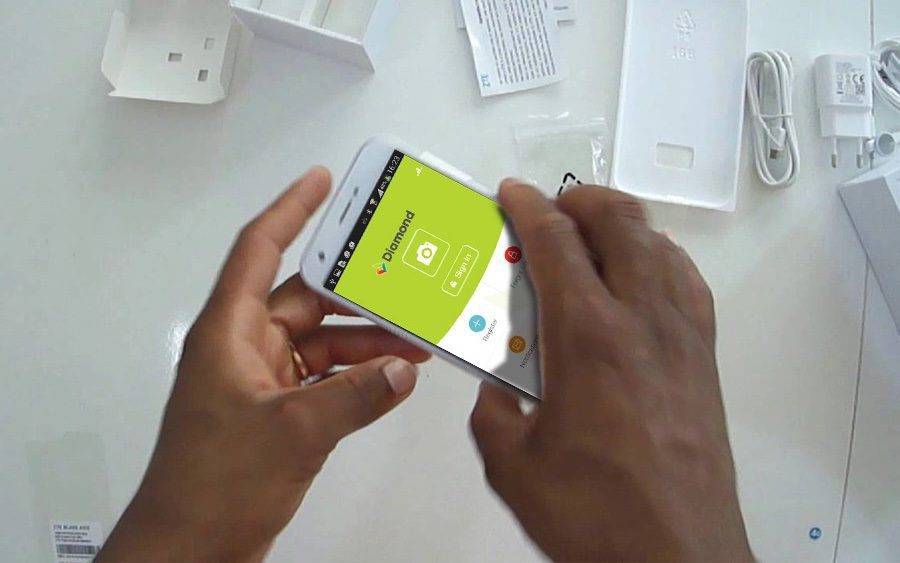
In an effort to enhance convenience for its customers, Diamond Bank has introduced the Diamond Bank Mobile App. This user-friendly application caters to individuals who hold savings, domiciliary, or current accounts with Diamond Bank. However, many people are unaware of the process to download and register for this platform. Therefore, we have created this informative article titled “How to Download & Register for the Diamond Bank Mobile App on Android & Other Devices” to guide you through the necessary steps.

Though most people don’t know where or how to download and register for this platform, and that is why we have decided to come up with this article ‘How To Download & Register Diamond Bank Mobile App On Android & All Gadgets’.

MUST READ: Zenith Bank Mobile App – How To Register, Login & Download (Android, BlackBerry & iOS)

The Benefits of the Diamond Bank Mobile App

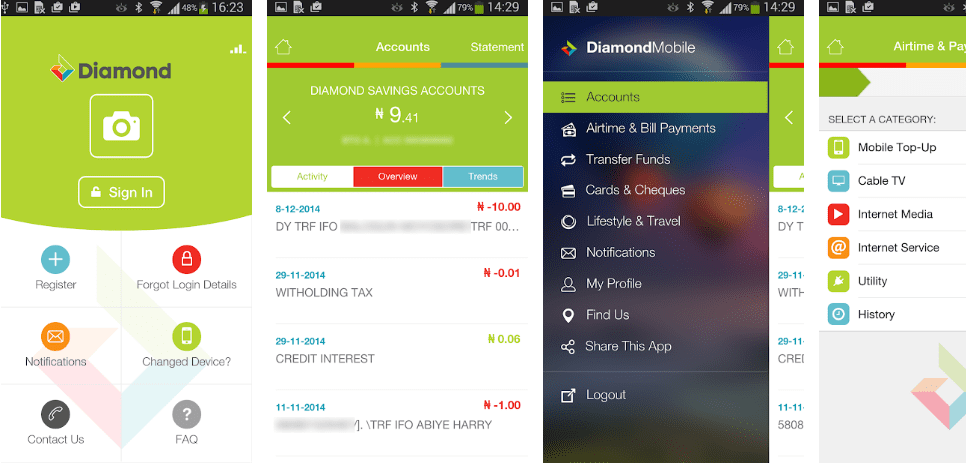
The Diamond Bank Mobile App brings a host of benefits to its users. By downloading and registering on this app, you gain access to a range of convenient banking services at your fingertips. Whether you want to check your account balance, transfer funds, pay bills, or manage your finances on the go, the Diamond Bank Mobile App offers a comprehensive suite of features to simplify your banking experience.

diamond bank mobile
diamond bank mobile

The Diamond Mobile app has now been refurbished with some amazing features that are sure to take you to a whole new realm of experience. With the Diamond Mobile app, comes a faster, better, and smarter banking experience.

The App is not limited to just banking services, it also comes with lifestyle solutions that really make your banking experience an exciting one. Below are the various activities that you can carry out with the Diamond Bank Mobile app.

AVAILABLE FEATURES ON THE DIAMOND MOBILE APP

  • Airtime Top-up and Bill payments
  • Events and Movie Tickets Purchase (Movie preview also available)
  • Search, book, and Pay for International and Local flights
  • Funds Transfer within and outside Diamond Bank
  • Konga Wallet Top-up
  • Credit card repayments
  • Account statement request
  • Switch on/off Debit cards
  • Diamond Money Transfer
  • Blackberry BIS Subscription
  • Cheque services (Confirm or Stop cheque and New cheque request)
  • Maintain/Manage beneficiaries for Bills Payments and Funds Transfer

HOW TO INSTALL & REGISTER DIAMOND MOBILE APP FOR INTERNET BANKING

  • First, Download the mobile app from Google PlayiTunes App StoreBlackberry Markets, and Windows phones then go ahead and install the Diamond Mobile App.
  • Secondly, The Diamond Mobile app icon will automatically appear on your device Download.
  • Thirdly, Open the App and click on ‘Register’.
  • The fourth step is, Go through the Terms and Conditions and Accept them.
  • The fifth step, Then follow the 3 simple steps below to Register for the Diamond Mobile App:

i) First, you will have to enter your diamond online user ID also known as the Internet Banking User ID or the 16-Digit debit card number, and any of your account numbers. A 4-digit registration code will be created and sent to you via an SMS on your registered phone number (even if you used the debit card number, your user Id will also be sent in the same SMS).

ii) Enter the diamond online user ID and/or registration code and select submit.

iii) Select any password of your choice that should be up to or more than 6 characters and re-confirm it.

iv) choose a 4-digit PIN that will be used to authenticate any transaction you carry out, reconfirm the PIN, and select confirm. After you have successfully completed the registration, you can now start using the Diamond mobile app.

This is where we call it a day with the Diamond Bank Mobile App. We hope this post was able to answer your questions, How do I download the Diamond Bank Mobile App? How do I Register for Diamond Bank Mobile App? or How to install the Diamond Bank Mobile App? If it did, then you can help this post to reach more people by sharing it.

The Diamond Bank Mobile App revolutionizes the way you bank, offering unparalleled convenience and flexibility. By following the steps outlined in this article, you can effortlessly download and register for the app, enabling you to manage your Diamond Bank accounts with ease. Embrace the power of mobile banking and enjoy a seamless banking experience anytime, anywhere. Discover the convenience of the Diamond Bank Mobile App today and take control of your finances in the palm of your hand.

New GTBank USSD Transfer Code – Transfer Money Without Internet

gtbank 737 transfer code

Life is simple with the GTBank mobile money transfer code. While you relax on your couch and watch a movie or series on a cool Friday night, it completes any type of transaction via SMS or USSD. For your daily banking, GTBank’s immediate banking is completely trouble-free and works amazingly on all phone platforms, including those running Android, iOS, Symbian, and Java. Numerous transactions, including checking your account balance, recharging your phone, and the mighty money transfer, are made simple with the Wema Bank mobile money transfer code. Its ability to be used on your phone without any kind of internet connection is another fantastic feature.

Everything To Know About The GTBank Mobile Money Transfer Code Service

  1. It is for all GTBank customers; I mean account holders.
  2. To benefit from the service, ensure you have a phone number registered with GTBank.
  3. It is open to all networks in Nigeria. Be it Etisalat, MTN, Airtel or GLO.
  4. Customers can make use of it throughout the day. 24 hours.

How To Send Money With GTBank Mobile Money Transfer Code

  1. To Transfer Funds from your GTBank account to another GTBank Account, simply dial *737 *1 *Amount *NUBAN Account No#. For example, *737 *1 *10000 *0987654321#
  2. To Transfer Funds from your GTBank Account to Other banks, Simply dial *737 *2 *Amount *NUBAN Account No#. For example, *737 *2 *10000 *0986745231#

Airtime Recharge Code From GTBank – USSD Banking

To Buy Airtime For your line, dial *737*Amount#. For example, *737*1000#. To Buy from a third-party, dial *737*amount*recipient’s number#. For example, *737*1000*08011223344#. Note – Daily recharge limit is N1000.

How to Check GTBank Account Balance On Your Phone

To Check your Account Balance, Simply dial *737#, then follow the on-screen prompts to check your GTBank account balance.

NOTE: the above methods have seized to work. The new GTBand USSD code is *737*73#. In order to transfer from GTBank to GTBank, or to other banks, just dial the new code and follow the steps. You will be welcomed with an advert, ignore it, and reply with “1” to continue.

All transactions use either the last 4 digits of your Debit Card Number or the *737# PIN for authentication depending on the transaction. There are still other amazing things that you can use the GTBank mobile money transfer code for, simply dial *737*73# to find out yourself.

Wema Bank ALAT Mobile App Download for Android and iOS

wema bank 1

The Wema Bank ALAT Mobile App is a digital banking application that enables customers to conduct banking business conveniently from the convenience of their own homes using their mobile devices.

By reading this post, you will learn about ALAT, its most important features, as well as how to download the app and set up an account in order to conduct mobile transactions.

What is ALAT?

ALAT is Wema Bank’s new digital bank. Because of ALAT, all Wema Bank customers now have the ability to complete any and all banking business from the convenience of their own mobile devices.

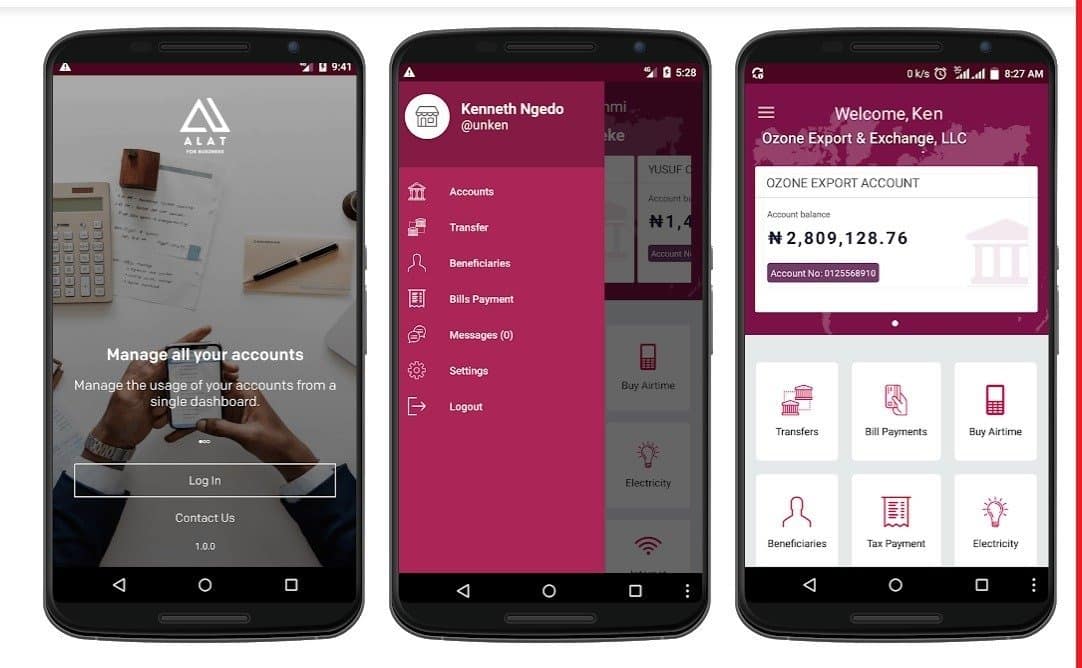
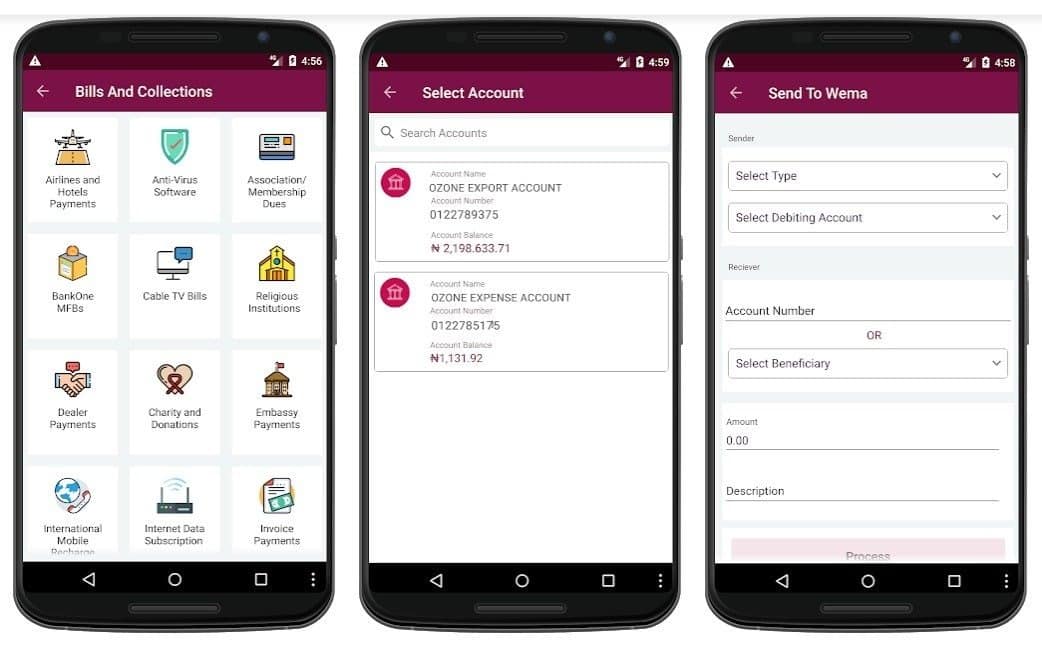
This brand-new initiative from Wema Bank has three primary goals: to make banking easier, more reliable, and more convenient. You can easily send money to any other bank in Nigeria using the Wema bank app. Additionally, the app allows you to pay bills, purchase airtime or data, and even apply for a loan.

Let’s look at some of the other ways the ALAT Wema bank app can be used.

wema bank alat
wema bank alat

Benefits of Wema Bank ALAT

  • Get to save money with discounts on your everyday needs.
  • Enjoy ALAT exclusives, including automated savings goals with up to 10% interest and discounts.
  • With Group Target & Rotating Savings, you can save with your friends.
  • More banking power is within reach wherever you can connect to the internet.
  • You can request a virtual dollar card to pay online in dollars.
  • Get personal loans with ease.
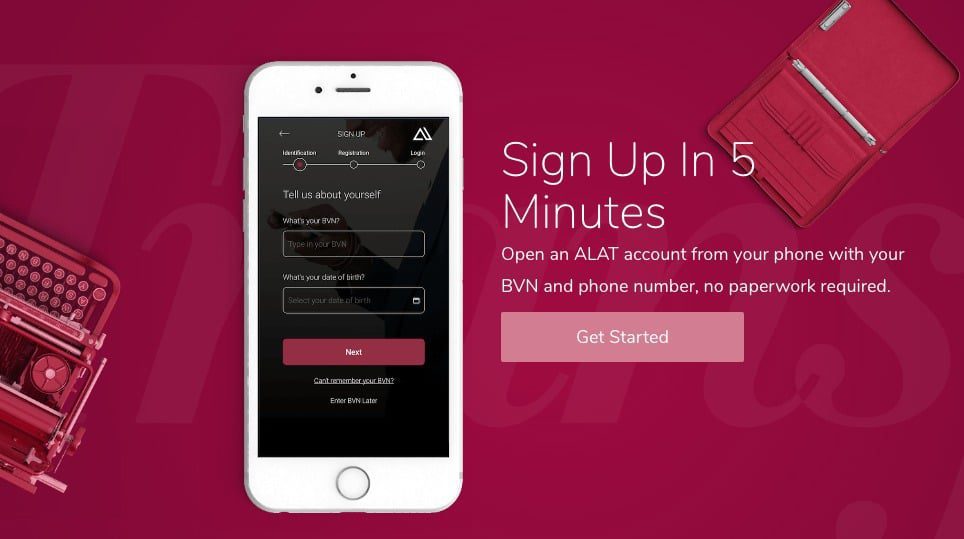
  • You can open an account in less than 5 minutes with ALAT
  • ALAT enables you to schedule transfers and bill payments.
  • Free bank card delivery anywhere in Nigeria.
  • Easy management and control of your bank card from your phone.
  • No hidden charges.

How to Download ALAT Mobile App

wema bank alat mobile apk

Below is how Android and iOS users can get Wema Bank’s digital banking app ALAT;

  1. For Android users, download the ALAT app on the Google play store
  2. For iOS users, download the ALAT app on the Apple App Store 

If you are already a member of Wema Mobile, log in to ALAT using the same login details you use for Wema Mobile, and then follow the instructions that appear on the screen.

You can sign up for ALAT as a new user even if you aren’t already using Wema Mobile if you just follow the on-screen prompts.

wema bank alat mobile

When you download the Wema Bank ALAT mobile app, you will be able to perform significantly more banking-related transactions than were previously available on the Wema Mobile app. These new capabilities include the ability to pay bills, purchase airtime and data, as well as send and track all of your banking transactions.

Also, Wema Mobile, the other mobile app from Wema Bank, will no longer get maintenance updates. In the future, they will only be using ALAT as their functional mobile platform. In addition, keep in mind that the USSD code for Wema Bank transfers is *945#. The code can be used for many banking tasks and doesn’t need to be connected to the internet. It also works on all networks.

Frequently Asked Questions

How do I open an ALAT account without going to a bank?

From your mobile device, you can quickly and easily create an ALAT account. After downloading ALAT from the Apple App Store or the Google Play Store, opening the application, and registering with a valid phone number and your Bank Verification Number are the steps required to use the service.

 Must I provide my BVN to open an ALAT account?

In order to comply with the regulations of the Central Bank, you are required to have a BVN in order to own an account that is in full working order. We require your BVN in order to automatically retrieve your personal information during the signup process. This will allow you to avoid having to fill out a lengthy form.

How do I change my ALAT password?

To modify your password, navigate to the Settings menu and then select the Change My Password option.

 Can I request a loan with an ALAT Lite account?

No, you cannot. Upgrade your account by uploading a photo of your government-issued identification card (international passport, driver’s license, national ID card, or voter card) and a photo of a utility bill (not older than three months) with an address that matches the contact address on your ALAT profile. Only then will you be able to submit a loan request.

4 Sure Ways to Withdraw Money from PayPal Without a Bank Account

paypal

The majority of PayPal users actually encounter issues when trying to withdraw money from their accounts without using a bank account. They have consequently come up with some alternatives, some of which may eventually result in PayPal suspending their account. And there as well, harming their nation’s reputation.

It goes without saying that there are a lot of ways to use the PayPal app to get money without having an account. One of them entails using Cash App or any other PayPal-accepted online payment method, which we’ll talk about in this article.

Can I Withdraw Money From My PayPal Without A Bank Account?

You can withdraw money from your PayPal account without a bank account. Despite the fact that it might seem impossible, there are still solutions, which we will demonstrate in this article. However, the majority of these techniques use deceptive tactics and are not simple.

How To Withdraw Money From PayPal Without Bank Account

Paypal
Paypal

Numerous options exist for transferring money without a bank account. These approaches are all very distinct from one another and do not require a bank account in any way for them to function. The methods for withdrawing money from PayPal without using your bank are listed below.

  • Paypal Debit Card.
  • Through Cash App card.
  • At Walmart.
  • Make A Peer To Peer Paypal Transaction.

1. Withdraw Money From Paypal Using Paypal Debit Card

With the PayPal debit card, you can withdraw money from a PayPal account without first needing a bank account. At any ATM, at the counter inside participating bank branches, or at other financial institutions, you can use that to withdraw money from PayPal.

To get money from PayPal with a PayPal debit card, you can do the following:

  • Open your PayPal app.
  • Log into your PayPal account.
  • On the PayPal account dashboard, click on Send Money.
  • Enter the amount that you wish to send.
  • Select card.
  • Click on the “add card”.
  • Enter the prepaid debit card details.
  • Click on Confirm.
  • Click on send money.
  • Confirm that the money has gotten into your prepaid debit card.
  • Visit an ATM.
  • Withdrawn your money as cash.

Note: This only works on prepaid debit cards, as prepaid cards, such as gift cards, do not work on ATMs.

2. Withdraw Money From Paypal Using Cash App

You can still withdraw money from PayPal without a bank account if you have a cash app card but no PayPal debit card.

Transfer funds from your PayPal account to your Cash App account, and then use your Cash App card to make cash withdrawals at any ATM of your choice.

You can use a cash app card to withdraw funds from PayPal by following the steps below:

  • Get your Cash App card.
  • Open the PayPal mobile app.
  • Log into your PayPal mobile app.
  • On the PayPal account dashboard, click on Send Money.
  • Enter the amount that you wish to send.
  • Select card.
  • Click on the “add card”.
  • Enter the Cash App card details.
  • Click on Confirm.
  • Click on send money.
  • Visit an ATM center where Visa cards are accepted.
  • Withdraw the money as cash.

Note: The Paypal money is transferred to the Cash App card, which is then withdrawn at an ATM. However, this comes with a $2 or $2.50 fee, depending on the ATM.

3. Withdraw Money From PayPal At Walmart Without a Card

At Walmart’s money services counter, customers are welcome to withdraw cash. The procedure is straightforward, and if everything goes according to plan, you might not need to spend more than an hour at the money center. Here are the steps for using PayPal at Walmart without a credit card:

  • Open your PayPal mobile app.
  • Log in to your PayPal account.
  • Choose the dollar amount that you wish to withdraw.
  • Generate the barcode.
  • At Walmart money services, show them at the counter, your barcode.
  • Take your money.

4. Make A Peer To Peer Paypal Transaction

Making a P2P, or peer-to-peer, transaction with another Paypal user is another option for getting cash out of the service without a bank account. In order to receive payment in cash using this method, you must first send another Paypal user money. The procedures for completing a peer-to-peer PayPal transaction are listed below.

  • Look for your friends or anyone that needs a PayPal fund.
  • Or tell people that you have a PayPal fund for sale.
  • When you finally find one who wants to buy your PayPal fund, you take the next step below.
  • Log into your Paypal account.
  • Click on Transfer Money.
  • Enter the amount that you wish to transfer.
  • Enter the details of the transaction recipient.
  • Select Paypal balance as transaction source.
  • Add a transaction message.
  • Tap Send.
  • Once the person receives your fund in their PayPal account, they should now pay you in cash.

How Long Does It Take To Withdraw Money Without A Card From PayPal To Walmart?

Most of the time, you don’t need a card to get money from PayPal to Walmart in less than ten minutes.

In some circumstances, though, it might take more time.

Is There A Fee Attached To Withdrawing Money On PayPal Without A Bank Account?

Using a method other than a bank account to withdraw money from PayPal will cost more than using a bank account.

The fees for the aforementioned withdrawal method are listed below:

Cash App Card-$0.25.

Prepaid debit card-$0.25.

Walmart without a card-$3.

Note: There is a chance that the fees for these withdrawal methods could go up, and this could depend on the exchange rate.

Frequently Asked Questions

Can I withdraw PayPal Cash?

You can indeed withdraw money from Paypal. The withdrawals can even be made without using a bank account.

Can I Get Money Off My PayPal Without A Bank Account?

Yes, you can withdraw money from your PayPal account without using a bank account.
I’ve gone over three ways to get money out of PayPal without a bank account above.

Does Walmart Allow PayPal Cash Withdrawals Without a Card?

Without a card, you can indeed withdraw cash from Walmart.
Generate your barcode, take it to the Walmart Money Services counter, and have it scanned.

Can You Withdraw PayPal Money To Venmo?

No, you cannot transfer funds from PayPal to Venmo. Both platforms do not support each other.

Can You Overdraft Cash App Card At The ATM?

Cash App ATM Overdraft

This guide’s major topic is Cash App ATM overdraft, and we’ll fill you in on all the details.

Are you trying to find out if I can use my Cash App card too much at an ATM? We are aware of your worries, and we will cover all of them in this essay. We will review all the information you require regarding overdrafts on your Cash App.

An overdraft develops when you spend more money than is available in your account. If you don’t have enough money to complete the payment, your account will have a negative balance.

The Cash App will overdraw your account in that situation. You technically owe the bank this sum of money.

Cash App ATM overdraft

At an ATM, there is no such thing as an overdraft. The Cash App’s debit card feature allows you to hold or withdraw money directly from your bank account.
The automatic overdraft feature in the Cash App occasionally overdraws your account to process secondary charges or pending payments that you have already authorized.

The Cash App balance will be negative as a result, though. The good news is that the Cash App won’t be assessed overdraft fees.

How much can you borrow from a Cash App?

A Cash App offers loans ranging from $20 to $200. The loan has a four-week repayment period and a 5% interest rate.

This amounts to a 60 percent annual percentage rate when compounded over a year, which may seem hefty but is much lower than a normal payday loan.
The loan must be repaid in full within 28 days. Following this lapse, you have a grace period of 7 days before the Cash App starts charging you 1.25 percent (non-compounding) interest weekly.

You cannot obtain a new loan if you have already defaulted on one.

How to fix an overdraft on a Cash App

You can resolve an overdraft by depositing one of your Cash App accounts. You have the following options for deposits:

Direct paycheck deposit

The quickest way to overcome this issue is to share your work number with Cash App. The deposit will erase the negative balance, and they will make a direct payment.

Using a credit card

You must submit your credit card details, phone number, and address to verify your address and total amount.

Using a bank account to make a deposit

Making a deposit will take care of any problems with the account balance. A straightforward bank transfer can eliminate any negative balance.

How do I add money to my Cash App card?

cash app card

Cash App provides users with cash cards. You have the option of moving your money to a bank account in the United States, sending it to someone else as a gift with a minimum cost of $1, or loading the card back into the Cash app wallet so that you can use it everywhere. Mastercard is accepted in-person or online.

A good number of us who are fans of well-known payment programs like Venmo and Cash App daydream of being able to make everyday purchases using Bitcoin. These payment apps offer a cashless alternative to traditional methods of payment; nevertheless, digital currency is still not generally recognized by retailers.

The issue is that Bitcoin wallets are not connected to bank accounts; as a result, it is difficult to make a purchase using Bitcoin online because of this lack of connectivity. If you want to make a transaction either in-person or online at this time, it is recommended that you convert your cryptocurrency holdings into US dollars or another fiat currency instead.

What is the Cash App Cash Card?

To withdraw money from your Cash App account, you can use what is known as a Cash App Card, which is a Visa direct debit card issued by Cash App. You can use this card to spend your Cash App dollars directly at stores (both online and offline) and receive money from ATMs as an alternative to transferring funds from Cash App to a traditional bank.

You can use your Cash App Card as your primary bank account given that it can be loaded with more funds. People who have a checkered past and are having problems opening a checking account with a traditional bank may want to consider this option. It is a viable alternative for those individuals.

How do I get a Cash App card?

Check out your Cash App if you are unable to locate a financial institution that will allow you to open an account. You are free to load money onto the card at any moment from your Cash App wallet, and you can use it to shop safely in-store or online. There are no fees associated with this feature.

The following is what you are going to need to do:

Launch the Cash app on your mobile device, click the “Get Free Cash Card” button located in the bottom-left corner of the screen, and then select the card design of your choice (color). Be warned that it may be somewhat costly to acquire some of the colors. Click the Personalize Card button, then the Order Card tab, in order to add a drawing or stamp to your card. Your new credit card number, which may be used for making purchases online and will be provided to you by Cash App as soon as it has been generated. You should expect to receive your genuine card in the mail within five to ten business days.

Can money be added or loaded to a Cash App Card?

Yes. Simply adding funds to your Cash App account is all that is required of you at this time. It is possible to accomplish this by:

Ask a close friend or member of your family to send you money through their Cash app.

You can move money from one of your other bank accounts into this one by using the Add Cash option.

At a retailer that participates in the Cash App program, tell the cashier that you wish to add money to your Cash App.

You are free to make purchases with the Cash App Card whenever you have funds available in your Cash App accounts.

How to Add Money to a Cash App in Person?

Ask the cashier at one of the following retail locations to put money into your Cash App account:

  • Family Dollar
  • Rite Aid
  • Target
  • Walgreens
  • Walmart
  • 7-Eleven
  • CVS
  • Dollar General
  • Dollar Tree

How Can I Add Money to My Cash App Without a Cash App Debit Card?

The Cash App card is not required in any way. If you do not have a card, you can still load money into your Cash App by using the option to transfer money from a bank account or by loading cash from a retail outlet.

How to Check the Cash App Card Balance

You will be able to check your new balance in the Cash App on your mobile device after you have loaded cash into your Cash App from a partner merchant by logging into the Cash App on your mobile device. After the process of refilling, it could take up to ten minutes for your cash to become visible.

How do I connect my bank account to my Cash App account?

The process of adding a bank account to your Cash App is straightforward; all you need to do is follow these steps:

Visit the Settings menu. Tap or click the Linked Accounts option. Choose the bank account that you want to link, then enter the routing number and checking account number that correspond with this particular kind of bank account. To verify, click the “Link Account” button located at the very bottom of the screen.

Alternatively, you can link a bank account to your Cash App by using the Add Cash option located in the main menu. After inputting as much information as you currently know regarding the account, click the “Search” button. Select your bank from the list of institutions that show in the search results, and then locate the “Link Account” button at the bottom of this page.

How to remove a bank account from a Cash App account?

Go to Settings > Linked Accounts > Unlink Account next to your chosen bank.

How do I set up my Cash App account with two-factor authentication?

To provide an additional layer of protection for your financial resources, activate two-factor authentication by navigating to Settings > Security Controls. You are going to be responsible for selecting a mobile device. After it has been configured, the Cash App will begin sending one-of-a-kind codes to your mobile device each time you log in to use the app.

How to Change Cash App Email Settings

This Bitcoin wallet comes complete with an email address for easy communication. You can log in to your account by using the email address that was supplied during the signup process; but, for better security, you should alter your settings by navigating to Settings > Profile > Password & Security > Edit.

How can the password for a Cash App account be changed?

If you log in using your email address, you will have the option to change your password. After selecting the “Change Password” option found in the Profile > Password & Security menu category, you will be prompted to input your current password before selecting a new one. Before the change to your password takes effect, you will be asked to confirm that you really do want to use the new one.

How do I report suspicious activity on my Cash App account?

If you observe any strange behavior in your Cash App account, the first thing you should do is open the Logs section at the bottom of the screen. Here, you may determine whether or not the activity was started by you using two-factor authentication. If it wasn’t you who made this transaction, contact support as soon as possible by going to Settings > Help & Support. If it was you, lock your device as quickly as possible.

What is the procedure to find out my Cash App balance?

By following these steps, you will be able to check the balance of your Cash App account:

Sign in with your email address, then navigate to the area titled “Profile > Your Cash > Cash app Balance” and press on the “Cash” option. If you have any funds, they will be displayed as soon as possible.

Final Thoughts:

People who have to use cash but don’t want to take the risk of carrying and spending large quantities of paper currency can benefit greatly from using a Cash App Card. This is a great solution for those people. This digital card can be used anywhere that accepts cash cards, including online and in-store retail establishments. When traveling, this is a fantastic choice because you may withdraw cash from any automated teller machine (ATM) that acknowledges debit cards (which most do).