Want to know how to get Google Pay set up? You might also want to know how to add a payment method, send money, or pay a request. Google Pay is a mobile payment app that lets you pay for things online or through contactless payment. It is a digital wallet platform and an online payment system.
Google recently teamed up with Wise and Western Union, which makes it possible for people to send money overseas using Google Pay. Google said in a blog post that Western Union will let people send money with Google Pay without any fees until June 16.
Apple Pay and Google Pay both work the same way. You can get money out of any ATM that has the symbol for “contactless.” Open your Google Pay Wallet.
Google Pay works with credit cards and debit cards from American Express, Discover, MasterCard, and Visa, as well as most other US banks. US banks and credit unions like Bank of America, Capitol One, Chase, Citi, Discover, PNC, US Bank, Wells Fargo, and more give out these cards.
What kind of transaction can be done with google pay?
You can use Google Pay to make purchases with your phone, Buy items in apps and on websites. You can also use it to send money to friends and family (the US only). Google pay is available on Android and iOS and users can easily download it and start enjoying seamless transactions from their comfort zone
How to Set up Google Pay on Android or IOS
To set up the Google Pay app on Android kindly follow the steps below:
Simply download the Google Pay app from the Play Store or App Store; Make sure your phone’s Android version is Lollipop (5.0) or higher.
Signed in with your Google Account
Link the app with your phone number through a texted code
You will receive an OTP on your registered mobile number. Enter the OTP
Select your bank from the list and add all the required details including bank account number
Open the Google Pay app and follow the setup instructions.
When you’re asked to, add a card.
On your Android device, you might be asked to set up a screen lock. Google Pay works with screen locks that use a PIN, pattern, password, fingerprint, or scan of the retina. Face recognition and screen locks like Smart Unlock and Knock to Unlock won’t work.
Add a card
How to Send money to friends & family with Goggle Pay
With a bank account or debit card, you can send money to friends and family. Verify your identity to send money from your Google Pay balance. Using your Google Pay balance or a debit card is the fastest way to send money to someone.
To use Google Pay to send money to friends and family, you need:
An internet connection
A US phone number
An email address
To send cash to family and friends with Google Pay kindly follow the instructions below.
Open the Google Pay app. Make sure you’re on the main “Pay” tab.
On the Pay screen, tap a suggested friend. People you paid recently are listed in the first
Tap the contact you want to pay. …
Tap Pay.
Enter the amount
Choose a payment method
Tap Pay.
How to Transfer money out of Google Pay (the US only)
Open the Google Pay app.
On the top right of the home screen, tap your profile icon.
Below your profile and tap Google Pay balance.
Tap Transfer out.
Enter the amount you want to transfer.
Tap Next.
Choose a payment method
Tap Transfer out.
Please note that transferring money to your bank account can take anywhere from one to three business days. Most debit card transfers happen right away. When you take money out with a debit card, you pay either 1.5 percent or $.31, whichever is higher.
How to Add money to your Google Pay balance (the US only)
To add money to google pay follow the steps below:
Open the Google Pay app.
Click your profile icon on the top right of the home screen.
Click on your Google Pay balance.
Tap +Add money.
Enter the amount you want to add. The minimum amount is $10.
Click Next.
Choose a bank account or debit card as your payment method. …
Tap Add.
How do I transfer money from my bank to Google Pay?
Follow the steps below to move money from your bank account to the Google Pay app.
Open the Google Pay app.
On the “Start a payment” page, click Self Transfer.
Select 2 bank accounts: One for “transfer money from” one for “transfer money to…”
Enter the transfer amount and notes, if required.
Click Proceed to Pay.
How do I add a debit card to my Google Pay?
You can add your debit card to Google Pay by following this guild:
On your mobile device, open Google Play.
Click on your Profile Picture Bank Accounts and Cards. …
Enter the card number, expiry date, CVV, and the cardholder’s name and billing address.
Click Save. …
Next to your new card’s payment method listing, tap Activate.
input your one-time password.
How do I get a Google Pay number?
Follow these steps to find your Google Pay number, which is also called your Virtual Account Number.
Open the Google Pay app.
Tap Payment.
Choose a Payment card.
Scroll down to the bottom to find the Virtual Account Number (only the last 4 digits are visible).
Want to know about letsgetchecked.com activate online guide? Then you should read this article, so let’s get going.
LetsGetChecked is selling their home drug tests at a great price. They have the kit you need to find out what’s in your body. You can be sure that their kits are correct because they test for 20 different drugs and are correct 99 percent of the time. Taking a test at home has never been easier or cheaper, so why not take advantage of this great deal today?
The LetsGetChecked Home Drug Test is simple and takes only 5 minutes to use. And if you aren’t happy with the results, they will immediately give you your money back. What a great thing! Don’t wait any longer… place your order now!
How to Activate Your Test Kit Via letsgetchecked.com activate Online
Click “Buy Now”
Add to Cart then check out
Enter the Activation Code you received in your email into the box provided on checkout
Click “Activate“, then print your order form & use it to send back with your saliva sample
Your results will be ready in 3-4 working days
SIDE NOTE: Here, you can also compare these drug tests to other drug testing kits. They are 95 percent accurate, and some of them cost less. It’s a great deal, especially if you want to test yourself more than once, because you get a 10% discount on any future orders after sending back your samples. So act quickly before this deal ends!
Click the link in the article and enter the code you got when you paid for your LetsGetChecked home drug tests. Once activated, you will print a form that tells LetsGetChecked where to send your results. If you sent them a pre-paid envelope to send back your results, they should get there in 3–4 business days. You can also choose between other ways to test:
Enhanced Drug Screen: This test looks for 20 drugs at once and is a lot like a regular drug test. The only difference is that with this option, you will be tested for a wider range of drugs. But if you want to be safe or check for a specific drug, the standard test, which costs just £10, is the way to go.
Unisex Drug Screen: This drug test gives you an extra level of safety because it checks for drugs that are only used by one gender or the other. It checks for drugs that are only used by men or women, so you can be sure that it is safe no matter who takes it.
The price of the Unisex option is £20, while the price of the regular option is £14.99. Women’s Drug Screen: Choose this if you want to protect them even more by testing for drugs that only women use, which is great if they are pregnant or nursing. Again, this test was made to be 100 percent accurate, even though it only checks for drug use by women. A normal drug test costs £15.99, but the pack cost £20.
Enhanced Women’s Drug Screen: This test is only for women and checks for the most common drugs that only affect women. It also checks for drugs that are only used by men or women, so you can be sure that it is safe no matter who takes it.
The standard option costs £14.99, while this one costs £20 [5]. LetsGetChecked made the home drug test kit to meet customer needs and make it easy and accurate for people to do saliva or urine drug tests at home without having to go to a clinic [3].
Their website says that they sell drug testing kits that are cheap and accurate, work well, and give results in 3–4 days [5]. The Food and Drug Administration (FDA) has approved their tests, and the Department of Transportation (DOT) and other federal agencies agree with them.
LetsGetChecked is a great place to start if this is your first time using a service like this and you want to buy a drug testing kit. They make it easy to test yourself at home by giving clear instructions on how to use their kits.
Letsgetchecked
For Test Alpha Codes to
Turn on your home drug test by clicking here. Click here to learn more about how the home drug test kit works. LetsGetChecked makes it easy for people to test themselves at home by offering more than 100 different kinds of drug tests.
Since they are FDA-approved, they are very accurate, and even if you’ve never bought a drug testing kit before, you can still buy this one [3]. This gives you the chance to find out if you, a friend, or a family member is using drugs.
To sum up, there are a lot of good reasons to use these kits: * They are very accurate * They are approved by the FDA * You can do them at home * They are very cheap * You can choose between a single drug test and a test that checks for more than one drug.
For Test Numerical Code to
Your Numerical Code for LetsGetChecked is a 15-character alpha-numeric code that starts with “LGC.” The Test Numerical Code is on the inside lid of your test kit, and you should check it before entering it into any fields. This will save you time on the activation pages (which are typically quite long).
You must put the “ABCD” characters that are written next to our numerical codes in the right spot on an activation tab. There is also plenty of room below for more information about yourself, which may help speed up the processing time. However, if no other information needs to be entered, feel free to leave those sections blank!
How to Troubleshoot Sign-In and Activation Issues
Almost all websites make it easy to find the passwords, terms, and sign-in information you need. To get to our Sign-In page, just click the “Sign in” button at the top of the page (or at the bottom if you’re on a mobile device).
In our Sign-In section, there are 8 tabs. The number of tabs matches the number of your numerical code. Each tab tells you how to do one step or how to activate your test kit. LetsGetChecked’s activation pages are very easy to read, but some people may get stuck on one note or another. Each tab here has a short description below: *Username and Password: Your username is your email address.
You can either type in your password or ask for it to be sent to your email. If you don’t want to set up a password, use the “Forgot Password” tab to get a temporary one from LetsGetChecked. This will give you access to our site in case there are any problems.
* Not Registered? – We recommend making an account and entering all the necessary information (including your test kit number, which you should double-check to make sure it’s correct). If this isn’t possible, you can create an account through Facebook by clicking on this tab.
This will prove that you are who you say you are, so no one else can use these accounts to try to buy things from LetsGetChecked.com in the future. * Register – If you already have an account on Facebook or Google+ and would rather use that instead of making one on our site, click on this tab. The rest of the process is the same as what was explained above under “Not Registered.”
* Login – This tab simply brings up your username (email) and password; if either has changed since the last time you used our service please make sure to change it now! * Forgot Password? – As we mentioned earlier having your password sent to your email will serve as an extra safety measure for all users especially those concerned with Internet security.
It’s important that everyone who uses LetsGetChecked’s services knows how to protect their email and other personal information. If you need help or advice about security measures, this tab is the place to go!
* Password Change – This is the last tab before the actual activation process. We recommend that everyone uses it to make sure their password (username) is up-to-date and relevant. If both of these pieces of information are wrong or out of date, it may be hard to keep going with activating your test kit. Again, some devices will show the different tabs on separate pages, while others will show them all on one long page.
Letsgetchecked Test Kits
FAQS: LetsGetChecked.com
1. How do I become a member of LetsGetChecked.com?
Joining our program is very easy! All you have to do is sign up for free on our website, choose your test kit number and color, pay online with a credit card or PayPal, activate it by entering the alphanumeric code on the instruction sheet (which will also be sent with your kit) into the right field, and start testing! Here, you can find out more about how to sign up.
2. Can I pick my own test kit number?
No, I’m afraid not. When an order is processed, all kits are given out at random. Please keep in mind that there are no other kits to choose from right now.
3. How does my kit work?
Once your order is shipped, it will take between 5 and 7 business days for the kit to arrive in North America. If you live outside of North America, it will take between 10 and 12 business days. From our fulfillment center in New York, we send out our kits.
Please check out our Shipping & Returns page for more information about shipping times and costs by country or region. If the date on the instruction sheet for the test kit has passed, please send us an email at [email protected] with “KIT EXPIRATION” as the subject line so we can look into this further.
When you turn on your kit online, you will have 24 hours to send in your sample (s). This must be done before the date on the instruction sheet of the test kit has passed (please see product description and FAQs to learn more about this).
4. What do I need to know about shipping? [Updated]
So that our customers have the best possible experience, please note that we currently ship kits using FedEx Express from New York City. Most of the time, you’ll get a tracking number for your package soon after it leaves our warehouse, so you can follow its journey to your door.
Please be aware that once a package leaves our building, it is out of our hands and in the hands of FedEx. We can’t promise when a certain package will be delivered, if it will be left in a safe place, or exactly where it will be left if no one is at the delivery address when our carrier tries to deliver.
FedEx is known for delivering packages very early in the morning (before 9:30 am) and late at night (after 9:30 pm). Please use a delivery address where someone will be there to get your package. Once it leaves our warehouse, we can’t be responsible if it gets lost or stolen.
5. What if I live outside of North America? [Updated]
We ship worldwide and accept orders from all over the world. However, please note that it can take 10–12 business days for international orders to arrive, depending on where they are going and how long it takes for customs to process them.
Please send us an email at [email protected] if you need shipping to happen faster. We also suggest that you check with your local post office before getting in touch with us. Your tracking number may not be updated yet, even though your kit has already been sent.
When we ship with FedEx Express, most customers get their kits within 4 to 5 business days in Europe and 6 to 9 business days in Australia and New Zealand from the time we let them know our package has been sent.
6. Do I have to sign for my package when it arrives? [Updated]
No, FedEx is not required by law to leave a note telling you to sign for the package, even though this is part of their standard operating procedures. So that you can get your kit on time, we recommend that you be at the location where our carrier will try to deliver when they do.
If you aren’t home when FedEx tries to deliver your kit(s), they will either leave a note telling you to pick it up when it’s convenient for you (even if you don’t ask for it to be left with a neighbor) or return the package to our warehouse so we can send it again.
7. Where will my kit(s) ship from? [Updated]
Our kits are made and sent out from our fulfillment center in the middle of the state, which is in New York City.
Charley Adams knows a lot about technology and has worked in the field for more than seven years. Charley calls herself a “techie” and loves everything to do with technology. She also loves working with businesses to help them grow and succeed.
Charley has always been very interested in everything technical. He would spend hours taking computers apart and putting them back together, which made his parents very upset. But this early interest would lead him to a successful career in technology years later.
Today, Charley uses his skills to help both big and small businesses reach their goals. He likes working with teams to come up with new ways to solve problems in the real world.
Cash App is one of the most popular mobile applications in the United States and a payment provider. It was founded and launched by Square Inc., which was founded by Twitter co-founder Jack Dorsey. Cash App, formerly known as “Square Cash,” was released in January 2015 and allows users to transmit up to $2,500 every week using a linked debit card.
What is the Cash App like?
The app provides a straightforward method for sending money to friends and family members online or using the phone’s camera. You can fund your app wallet using a debit card or bank account. When requesting payment from another party, you can either enter their email address or just take a picture of the cash register receipt or invoice.
The application is excellent for checking accounts, sending money to friends, paying bills, and even buying Bitcoin. Cash App also allows for international money transfers. It just takes approximately two days to complete the transaction, so it’s a great option to shift money fast without having to visit an office or bank location.
Who is the CEO of Cash App?
Since the company was started in 2009, Jack Dorsey has been the CEO of Square Inc. Cash App. Even though it has the same name as a popular social media site, Cash App was not made by Twitter, which is also owned by Jack Dorsey, nor is it related to it in any way. Even though both services were started by the same person, which may be confusing to some users, they are different companies and should not be thought of as the same.
In 2009, Jack Dorsey started his first business. It was called Square. Square was a mobile payments company that made devices and software for accepting credit cards. It was made in 2010, and by 2012, it had more than two million users.
At this point in his career, it’s clear that Jack Dorsey has a knack for making apps that do well.
Jack Dorsey
Square Inc., which is based in San Francisco, California, runs the Cash App. Together with Jim McKelvey, who is the Chief Technology Officer of both Square Inc. and Cash App, Jack Dorsey started Square Inc. Keith Rabois was the former COO and VP of Engagement and Strategy for the Cash App. Tom Kakuei was the former VP of Engineering and Engagement and is now the EVP of Strategic Initiatives for Square Cash.
What is Cash App’s worth?
As of March 1, 2018, Square was worth $31.6 billion on the stock market. One of the main reasons for this rise is Cash App, which is also likely to play a big role in Square Inc.’s continued rise in value.
Since the last quarter, both the number of users and the amount of money that Square Cash App makes have gone up. At the moment, 10 million people use the app every month, compared to 4 million during the same time in 2017. In the first quarter of 2018, sales were $71 million, which is a 53 percent increase from the first quarter of 2017, when sales were about $47 million.
How do you buy things on Cash App?
Sending money or a message to a family member or friend is a simple transaction. On the app, you can also buy and sell Bitcoin.
Cash App
Most Cash App purchases are made electronically with debit cards, credit cards, and bank accounts. All you have to do is link your card to the app and make sure it can handle charges that happen regularly.
Cash App also has a prepaid debit card called Cash Card that you can load with money from your wallet. Each load should be less than $200, but you can put as much money on the card as it can hold. You can get cash from ATMs and stores that take American Express cards. There are some other rules about the Cash Card that you can find out about online.
You can use these apps to buy things or get services anywhere that accepts credit cards by taking pictures of your receipts with your phone’s camera. You only need their phone number or email address to send money to someone else. Cash App isn’t even necessary.
What Bank is Cash App Funded by?
Cash App is not backed by any one bank. It uses banks to move money from one party to another. Lincoln Savings Bank is the bank that the Square payment app works with. It means that the Lincoln Savings Bank stores take care of and control all of the money in the Cash App.
For the Cash App to help people pay each other, users have to set up their personal banking information with Cash App. Users are responsible for keeping an eye on their bank accounts and reporting any suspicious activity or transactions right away.
What Is Cash App’s Profit Model?
The Cash App makes money by charging a very small transaction fee, usually between 1% and 2%. That’s a lot less than what regular banks charge for wire transfers and other services related to transactions.
Advertisers can use Cash App to talk about their products, services, or events right on the app.
How To Recieve Money On Cash App – The Ultimate guide
Do you like using the Cash App? If you said yes, you should know about the app and what it can do. Cash App is a very useful and well-known cash and debit card app that lets users pay directly from their phones.
Square Cash App
Many people use it as their cash and debit card app of choice because it has so many benefits. But have you ever wondered how to use the Cash App to get money? If so, you’ve come to the right place. This article will show you how to get money on Cash Apps and other cash and debit card apps that work the same way. Read on to learn everything you need to know about this popular app.
Cash App Download
You can now use Cash App to easily manage your money if you have an iPhone or an Android device. You can: with Cash App:
It’s easy to pay for goods and services.
Keep track of your investments and spending.
Money can be sent between friends and family.
See your bank balances in real-time
Get updates on your transactions and account balances
Find stores near you that take Cash App.
With Cash App, you can handle your money in a new way. This app does not store private information like credit card numbers, debit card numbers, or PINs. Take a few minutes to figure out how the app works.
You can get Cash App from the App Store or the Google Play Store.
How do I download Cash App?
Here are instructions on how to get Cash App from the Apple and Android stores to make it easier for you to get it:
Users of Apple’s iPhone: Go to the Apple store and then use your phone’s browser to click “Download.” Follow the on-screen instructions and sign up if you need to.
After you’ve downloaded the app, open it and sign in with your account information. You will see a screen telling you that Cash App is ready to use. Sign in, and you can start using it!
Android users: Go to the Google Play store and then use your phone’s browser to click “Download.” Follow the on-screen instructions and sign up if you need to.
After you’ve downloaded the app, open it and sign in with your account information. You will see a screen telling you that Cash App is ready to use. Sign in, and you can start using it!
Cash App Login
Before you can use Cash App, you have to make an account. Setting up an account is free, but each mobile device can only have one account.
Cash App Login
How to get Money through Cash App
Cash Apps and traditional banks are like apples and oranges when it comes to their features and benefits. The only thing the Cash App has in common with the old way of banking is cash.
The Cash App doesn’t have accounts or balances. Instead, users receive money and have it sent straight to their bank accounts. This is the number one reason why the Cash App has become so popular: it’s easy to use.
Using someone’s phone number, Cash App can be used to send and receive money with anyone, even if they are in a different country. When you send money to a country outside of your own, Cash App uses the mid-market exchange rate at the time the payment is made to convert the money. The money is then sent to the recipient in their own currency.
Money Transfer: How to Send Money
To send a payment, follow these steps:
Activate the Cash App
Fill in the amount you’d like to send.
Click pay
Enter an email address, a phone number, or a Cash App hashtag (£Cashtag)
Optionally, enter the purpose of the payment Tap Pay
The funds will be reflected in your recipient’s account immediately.
Payments are governed by 3DS2, which will ask you to prove who you are before you can send them. This will make you want to double-check information or go straight to the website of your bank.
Check out this page to learn more about the 3DS2, this page to learn more about how Cash App keeps your account safe, and this page to learn about best practices and how to spot scammers.
How to Get Money: Receive Money on Cashapp
You may also use the Cash App to make a money request. To do so, follow these steps:
Activate the Cash App
Enter the amount you’d like to request in the box below.
Click Request
Enter an email address, a phone number, or a Cash App hashtag (£Cashtag)
Enter a reason for asking for donations if you want to.
Click Request
When you ask someone for money, that person has 14 days to accept or reject your request. If they don’t answer within 14 days, the request will end on its own.
Limits on sending and receiving
When you first start using Cash App, you’ll be able to:
Send up to £250 per 7 consecutive days
Receive up to £500 for seven days in a row.
Maintain a total stored balance of £500.
If you send or receive more than the limit, Cash App will ask for your full name, date of birth, and address to make sure your account is safe.
After your account has been confirmed, you can:
Send up to £1,500 over a seven-day period.
Receive up to £10,000 for seven days in a row.
Maintain a total stored balance of £10,000
Before sending or receiving a cross-border payment, you will have to check your information in the app.
After you’ve confirmed your account, you’ll be able to:
Send up to £1,000 over a seven-day period.
Receive up to £1,000 for seven days in a row.
Cash App direct deposit
One thing that makes the Cash App stand out is that users can make direct deposits into their bank accounts online. A user can add these funds to their account in one of two ways: A. The user starts the payment process. B. Asks the employer to send the money to their account.
Say, for example, a customer pays $500 in cash through their Cash App. The Cash App sends the money straight to the bank account of the customer. This is the easiest way to get cash from your Cash App balance. But some banks also let you send money to your account through a third party, like Western Union or MoneyGram.
How to make Money on Cash App
The following are some simple ways to make free money on Cash App:
Cash App referral bonus: When you refer someone to the Cash App, you will get a $5 bonus on each transaction made.
Get free money with Cash App: You can get free money when you make a referral.
Earn $5 When You Sign Up: You can get $5 when you sign up.
Cash Card Boosts: You can get cash card boosts depending on your app activity, which can be redeemed to get more money or buy gift cards.
Bitcoin Boost: You can also gain free money on Cash App Bitcoin Boost if you use your Cash App debit card to make qualified transactions. The money you make comes in the form of bitcoin, which you may sell for cash.
Cash App For Business
Cash App For Business
The Cash App for business is a trend that is growing quickly. It makes it easy for businesses to accept and process payments. Businesses can get paid by bank transfer, debit card, or credit card through the app.
This easy-to-use option makes it easier for businesses to run transactions and helps them process payments faster. Also, the Cash App for business has more features than apps like Apple Pay which are usually used to pay for things.
For example, the Cash App for businesses has tools like invoicing, tracking expenses, predicting sales growth or decline, and managing inventory that helps businesses manage their money.
Merchants who have a Cash App business account can use the app to sell things as long as they follow the rules and the terms of service. Here are some things that a Cash App business account has:
Special payment URLs and QR codes can be utilized for transactions.
Allows you to receive payments using a peer-to-peer (P2P) system.
There are no restrictions on the amount of money you can get.
Allows you to take credit cards from the Visa, Mastercard, American Express, and Discover networks.
Business Fees
Cash App for business has transaction fees on top of the optional fees that personal accounts pay for fast bank deposits. This may be annoying if you’re used to peer-to-peer transaction apps being free.
Fees for Cash App business accounts are as follows:
Per transaction, 2.75 percent
On instant deposits, there is a 1.25 percent charge (minimum $0.25).
How To Create A Business Account On Cash App
It’s simple to open a Cash App business account:
Download Cash App
Make an account for yourself.
Tap the icon in the upper right corner of the app that looks like a person. When you do this, your account information will be shown.
The “Personal” submenu should be at the top. That needs to be touched. There, you can find information about you. If you scroll all the way to the bottom, you should see the option to Change Account Type. Click Change type of account.
From the drop-down menu, choose Change This Account.
Take the answer that has been confirmed.
If you haven’t already, you should link your Cash App to a bank account. Choose Linked Banks from the drop-down menu and do what it says on the screen.
You can verify your account before or after changing it from a personal account to a business account.
When you first try to go beyond what an unverified account can do, you’ll be asked to verify your account. After that, you’ll be asked for personal details like your full name and Social Security number.
You can make a payment link with your $cashtag that you can send by text, email, message, or put on your website. They will be sent to a “Cash.me” website where they can log in to their Cash App or enter their name, email address, and credit or debit card information.
Why You Should Use Cash App For Business?
Cash App is a great help for businesses that only do small transactions occasionally. You’ll be able to take Cash App and credit card payments without making any extra work or buying any extra equipment. All you need is your current mobile device.
You can also link a PayPal account to your business account and accept payments through PayPal.
Cash App is perfect for small businesses that want to accept credit cards but don’t have a bank or credit card processor merchant account.
Cash App has the same features as Venmo, which is a popular service for sending money between people. It’s simple to use and doesn’t cost much. You can also connect your Cash App bank account to Venmo so that any deposits you make can be easily turned into Venmo payments.
And unlike services like PayPal, you won’t be limited by the number of transactions you can make each month or charged for each one.
Who owns Square?
Square was started in 2009 by Jack Dorsey, who helped start Twitter Inc. (TWTR), and Jim McKelvey. It began as a small business in the back of Dorsey’s restaurant in San Francisco. The company has grown to become one of the most popular ways for small businesses and people to process payments. Square is worth $17.66 billion, and more than 10 million people use it regularly.
How to receive money on the Cash App for the first time?
Download Cash App
Activate your account
Enter the amount you’d like to request in the box below.
Click Request
Enter an email address, a phone number, or Cash App hashtag (£Cashtag)
Enter a reason for asking for donations if you want to.
Click Request
When you ask someone for money, that person has 14 days to accept or reject your request. If they don’t answer within 14 days, the request will end on its own.
Why can’t I receive money on the Cash App?
Your app and wallet could be doing a few different things. Something went wrong, and it’s possible that you can’t get money from the Cash App yet. Try again later, or call 1-800-969-1940 to talk to our customer service team for more help.
If you are having trouble with Cash App, try the following first:
Clear your app’s cache and data.
Try again later.
Contact customer service at 1-800-969-1940 for help.
Will Cash App refund money if scammed?
Cash App does keep an eye on your account to see if anything out of the ordinary happens. Cash App will cancel any payments that might be fake so you don’t get charged.
If this happens, your cash will be returned right away to your Cash App balance or the bank account linked to it. If not, they should be available within 1–3 business days, depending on your bank.
Is it safe to Cash App a stranger?
Yes, because the Cash App only stores the user’s public information, and the user only gives that information to the person with whom they are doing a transaction. So, if you send money to a stranger through Cash App, you are really sending them money.
Can you reverse Cash App payment?
Cash App can’t be taken back. Payments made through Cash App happen right away and usually can’t be taken back. To be sure, check your activity stream to see if the payment receipt has a “cancel” button. The person who got your money might give it back to you. Ask them to give you your money back.
Cash App Bank Statement
A Cash App bank statement is a digital document that shows how much money you have in your account and what transactions have happened. This document can help you check your account, make sure you have money, and make sure you owe money.
In the top-right corner, click the Statements button.
You may choose whatever monthly statement you wish to look at.
Monthly statements will be accessible 5 business days after the end of the month.
Cash App customer service hours
Please use your Cash App or the Cash App phone line to get in touch with Cash App Support (1-800-969-1940).
Is the Cash App Safe?
The Cash App is a very safe app. Before you can use the app to buy or sell anything, you have to make a PIN number. You and anyone you share your PIN with are the only ones who can send money from your account.
Every payment made through the Cash App is protected by 128-bit SSL encryption, which keeps sensitive information from being seen by people who shouldn’t be able to see it as it moves between devices or servers. You can only spend as much money as you have, and each transaction disappears as soon as it is sent.
Cash App also has a number of optional security features, like TouchID or FaceID, for people who want to use their fingerprint or face to log in to their accounts. It can be set up so that you need a passcode to do things like transfer money or check your balance.
Users can limit logins based on their IP address and even make Cash App transactions anonymous, which keeps other users from seeing how much money they get or spend. If you lose your phone or think someone else might be using it without your knowledge, you can also get two-step verification login codes by text message.
Final Thoughts
Cash App is a great new app for iPhone and Android phones that lets people send money to each other. It has some problems, but it works well enough that you should look into it if you need access to your money at all times. It’s helpful if you want an easy way to send money quickly without going to the bank or waiting for checks to arrive in the mail.
Cash App is a well-known cash and debit card app that has a lot to offer. It is easy to use, safe, and reliable, and it was made for people who want to pay quickly and easily. It works well as a cash card, but you can also use it as a travel card, a business card, and other things.
The goal of Opensky is to help you grow your credit over time by reporting your credit activities to all three major credit sections. Low credit is no problem with OpenSky, as long as you’re willing to go above and beyond what your service provider is offering in terms of rewards. Consider the OpenSky credit card as one of your many options when making a credit card purchase.
With no credit assessment needed when applying for the card, this is because there are no prerequisites for the application process. The $35 yearly charge on OpenSky credit cards is an excellent opportunity to improve credit.
To use your OpenSky Credit Card, you must first activate it at openskycc.com/activate if you plan on applying for one or already have one. Activate your OpenSky Credit Card as instructed here.
OpenSky Credit Card (OpenskyCC) Activation
Because there are no requirements, you can apply for the Opensky credit card without worrying about your credit score.
Payments like gas and groceries, regular fees, and phone airtime can all be made using your card once it has been activated.
As an option, you may set up an email account that serves as a reminder for things like when a payment is due or how much credit you’ve accrued.
How to Apply for Opensky Credit Card
All you need to do to get an Opensky credit card is follow the steps outlined in this section.
First and foremost, you’ll need to enter some personal data about yourself (First name, middle name, Last name, and email address)
The second step requires your contact information and address (home address, apartment/suite number, zip code, state, and city) once you’ve completed the first.
Once you’ve completed step 2, you can proceed to Step 3 and enter your personal and financial information.
Proceed to step 4 after entering your financial and security details.
During this phase, you will have to agree to the terms and conditions of the agreement.
Then, you’ll need to fill out your security deposit information.
Next, you should scroll down and click on the following link.
You must now apply for the card and activate it whenever it arrives. You must complete the form by following the directions listed above.
The first step is to open an Internet browser on a mobile phone, tablet or computer and then proceed to the OpenSky credit card activation page by entering the website domain in the URL field.
When you arrive at the OpenSky credit card activation page, you will be prompted to complete the necessary fields.
Credit Card Account NumberFirst nameInitial MiddleLast NameLast 4 digits for the social security numberExpiration DateDate of birthStateZip
To proceed to the next step, you can click on the Submit button once you’ve filled out all of the needed fields.
The system can be activated by following the on-screen instructions.
You will be able to make purchases and pay your creditors after activating your OpenSky card.
In order to activate your OpenSky credit card on https://myaccount.openskycc.com/Activate/Activate, you will need to perform these steps: There are a few other ways to activate your OpenSky credit card in the event that the prior methods fail.
In order to access your OpenSky credit card account on a tablet, computer, or phone you will need to type in the URL https://myaccount.openskycc.com/ into your browser.
Click or tap the activate card button in the upper-right corner of the OpenSky credit cards webpage after you’ve reached there. You will be taken to the next page.
Put in the bare minimum: credit card account number, name (with or without middle initial), date of birth (with or without state), last four digits of social security number (with or without expiration date), state, and zip code.
Click or tap the Submit button once you’ve finished entering the required information into the appropriate fields on the form. Please click here to continue.
The system can be activated by following the on-screen instructions.
Purchases and payments can be made with the OpenSky card after activation.
To activate your OpenSky credit cards in a different way, follow these steps. Please contact OpenSky customer service if you still have trouble activating your OpenSky card after following these instructions. Find out how to get in touch with OpenSky customer service by following the guidelines below.
How to Contact OpenSky Customer Care
Just follow the guidelines below to discover how to contact Opensky customer support:
Open a web browser on your mobile phone, tablet, or PC and visit the Opensky credit card homepage to begin the process of applying for a credit card.
Take a look in the upper right-hand corner of the website and click on HELP. to a website with information on how to use it
If you can’t find the answer you’re looking for, try browsing the list of frequently asked questions on the support page.
Don’t worry if you can’t find an answer to your issue under the “Need assistance finding answers online?” area, just scroll down and select the FAQs option.
Search for answers to your query by browsing through other alternative inquiries on the next screen.
There are a number of steps you need to take in order to get a credit card, and this guide should help you through the process. If you enjoyed reading this, please spread the word to your family and friends.
Do you need a loan right away from Quickteller – Interswitch but don’t know how to apply? Quickteller is a strong consumer services platform that makes it easy to Recharge Airtime, Transfer Funds, and Pay Bills. As a customer, you can also get Instant Credit Facilities.
You can get small loans from our different loan providers through the Quickteller loan service. They offer easy-to-use loan options that are backed by Nigeria’s best lenders.
This kind of Loan doesn’t cause a lot of stress and lets you get cash quickly from your phone. Quickteller will use your credit history. The loan amounts range from N1,000 to N50,000, and the interest rate is 15%. This is based on your personal information and how often you use your card on their platform.
Quickteller-Interswitch is an electronic payment and digital platform that makes it easy to pay for everyday things on a variety of platforms. The platform connects users to more than 8,000 billers, so people can pay for almost anything from their mobile devices.
You will need to go to their platform and find Quickteller loans in order to get instant loans. To borrow money, you don’t need collateral or a guarantor. It’s easy to get and doesn’t require you to fill out any paperwork.
What is Quickteller Loan Interest Rates?
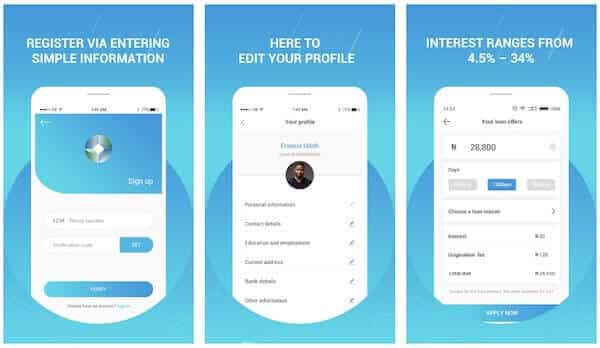
The interest rates for Quickteller loans range from 3% to 15% for 10 days to 3 months, depending on your personal information and how often you use your card on Quickteller.
If you use the service often and pay back some small loans early, you may be able to borrow more money.
How to apply for Quickteller Loans on the go?
Use the Quickteller website, smartphone app, or USSD (Unstructured Supplementary Service Data) by dialing *322# to get started.
To finish your loan application after registering, dial *322*6# from your mobile device and follow the prompt message.
Choose the loan offer you like from the list of available options. Depending on a customer’s eligibility, loan amounts, periods, and interest rates may vary.
To finish the transaction, enter the details of the ATM card you chose from your list of numbers. On www.myverveworld.com, you can set up your chosen debit card.
You will be notified of the progress of your loan application by your chosen loan provider.
Apply for Quickteller Loans Online
Kindly follow the below steps to take a quick loan from Quicktelller online via their website:
Login or Create an account on the Quickteller website at https://www.quickteller.com/ and get started right away. You register by providing your name, email address, password, and mobile phone number.
OTP (One-time pin) will be sent to your mobile device after you complete the form. To activate your Quickteller account, you’ll need to enter your One-Time Pin in the appropriate field on the Quickteller website.
Adding your bank account information and requesting a loan are the following steps after signing in to your Quickteller account.
Quickteller Loan Requirements
The prerequisites for Quickteller Loans are based on the number of transactions made on Quickteller. The more transactions you have, the better off you are in terms of getting a loan. Begin the process by signing up for the service.
Conclusion:
Your credit rating improves the more frequently you pay back your Quickteller loan on time. The amount of money you can borrow depends on your credit rating. Also It’s as simple as taking out the loan to repay it. You can pay back your loans in a variety of ways. Payments can be made through an ATM, the Quickteller app, or in person at a bank.
Have you heard of quick loan apps for your phone? Do you want to know about some of the best quick loan apps in Nigeria that you can use when you have to pay some bills quickly? Some of the best services are listed here.
It has always been stressful to get a loan. You have to be a cooperative group member or have a bank account if you want a loan from a bank.
And that’s not the end of it. When we use the traditional methods we’re used to, getting loans for personal needs and small businesses is hard because you have to go through a lot of paperwork.
It’s common for us to think about how to get quick and economical digital financial services that make borrowing easier when we’re in a pinch for money. Through Fintech, machine learning and mobile technology are redefining the face of financial services in developing countries worldwide.
Due to the widespread use of fintech in Nigeria, borrowers with solid credit histories and a track record of financial transactions can now obtain loans within 24 hours of applying.
Because you may need money immediately and have no idea where to find it, this post aims to present the finest online loan apps in Nigeria to get instant credit. So get a hot beverage, cozy up, and read on for more information.
The following are the best loan applications in Nigeria that allow you to get a loan quickly and easily.
Top 6 Loan Apps in Nigeria For Quick Loan
1. Branch
The Branch loan platform is the best and quickest loan app in Nigeria. We have tested them, and you can repay your loan in 2 months as a first-timer with very low interest rates. Another thing about it is that it doesn’t just work in Nigeria; it also works in Kenya, Mexico, and India.
Branch App
The Branch makes it easy for you to get loans for whatever you need, whenever and wherever you want.
You can sign up in less than a minute, apply for a loan, and have the money sent straight to your bank account. It’s a fast, easy, and reliable way to get cash quickly, even in an emergency.
To apply, all you need is your bank verification number (BVN), bank account number, and your phone number or Facebook account. In addition, to construct your credit score, they will ask for access to the information stored on your phone.
You can use the Branch loan app to borrow between 1,000 and 200,000.
Okash is our second choice. It has a very low-interest rate but a little delay in processing the loan; at least 6 hours in our case. A loan of up to 50,000 Naira can be obtained with the Okash Loan, also known as the Opay Loan. It doesn’t necessitate any supporting papers or collateral.
In order to apply, you must download the Okash mobile app, open an account with your personal information, and then wait for the approval. Within 24 hours, you’ll receive a confirmation call followed by your loan.
A loan from FairMoney might be for as long as 18 months and up to 1 million Naira. To be eligible, you must have an Android phone and a BVN. Download the FairMoney app from Google Play as well. The phone number linked to your BVN must be used to sign up.
Fairmoney
Documents aren’t necessary when using FairMoney. When you apply for a loan, you will simply need to provide us with your BVN number and your bank or credit card information so we can debit your account for the repayment.
Palmcredit is also one of the top 5 applications for getting a loan in Nigeria. You can get a loan for as little as 2,000 and 100,000 from the Palmcredit app.
Palmcredit
You can get the PalmCredit loan app from the Playstore or find out more about it on any of PalmCredit’s social media sites.
Loan Duration
It gives loans for between 91 and 180 days. The interest rate can be anywhere between 14% and 24%. If you want to borrow $100,000 for six months, you will have to pay back $124,000.
Students at least 18 years old can apply for a loan through Palm Credit.
The problem with PamCredit is its very high-interest rates. ARRRHG!
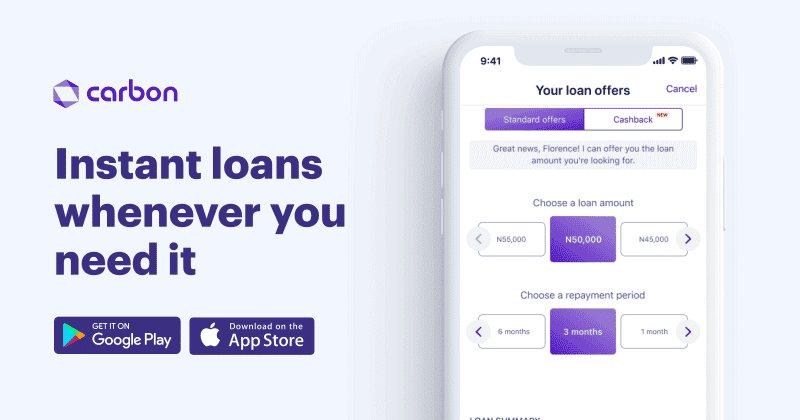
5. Carbon Loan
You can get a loan of up to N500,000 without putting up any security with the Carbon Loan, which was previously known as Paylater. Once your application has been granted, you may expect to get your money within one to three business days after it has been approved. You must pay your debts on time to get a greater credit limit for your next loan.
Carbon Loan
Carbon Loan out credit facility to everyone working or not, student or monthly pay earner, even entrepreneurs. The online lending app uses your Bank Verification Number (BVN) to determine how much you can borrow. There is a maximum loan amount of N20 million, and the interest rate might change at any time. If you’ve forgotten your BVN credentials, follow these steps to retrieve them.
Renovating your home, purchasing a new automobile, paying school fees and medical bills, and expanding a small business are just some of the things you may do with a loan from Renmoney.
Renmoney
You will receive the money in your bank account within 24 hours if your loan application is granted.
There is no requirement for any type of collateral during the application process.
In order to be eligible for a Renmoney loan, you must be:
22 – 59 years old
Have a verifiable source of income
Live and/or work in cities where we operate
Have a savings or current bank account with any commercial bank
You need your bank statement, a government-issued ID card, and a utility bill
NOTE: RenMoney seems to have issues as of the time of testing. Their loan application keeps throwing errors.
Other Loan Apps You can Try in Nigeria
Below listed Nigeria loan apps are not tested or recommended by us. Users are to download and use at their own risk.
7. QucikCheck
QucikCheck uses machine learning to predict the behavior of borrowers and rapidly analyze loan applications. If you’re eligible, you’ll get your money in your bank account in a matter of minutes. With no collateral, you can borrow as much as $5000 for 15 or 30 days at no interest.
Quickcheck
QuickCheck requires your BVN and bank account information for security and verification purposes.
Page Financials is a financial company in Nigeria that the CBN licenses to give out personal loans.
Page Financials
The organization says that getting a loan from them is easy and that they have a flexible way of handling the paperwork.
Loan Amount
Loan amounts range from 100,000 yen to 5,000,000 yen, and interest rates range from 3.76 percent to 120 percent per month and from 29 percent to 120 percent per year.
Loan Tenure
The length of the loan is between 60 and 180 days, and you can choose to pay it back manually or through the auto-debit service.
9. Jumia Loan
Jumia Loan allows you to get up to N500,000 from your phone to make everyday living a little bit more convenient. If you solely use the JumiaPay Android app, you’ll have access to larger loans with cheaper interest rates in the future.
Jumia One Loan
How to Apply for Jumia Loan:
Please follow these procedures to apply for a Jumia Loan:
Visit the JumiaPay Android app
Scroll down to the ‘Financial Services’ section and click ‘Loans’
Provide all the requested information
Approval takes a few minutes and you get an email requesting your details for disbursement
Once you provide your details, the loan is paid into your account instantly
You may borrow as much as $5 million through Specta, an online lending platform, in as little as 5 minutes! There is no collateral, paperwork, or office visit required.
Specta Loan
When you have Specta on your phone, you can take care of personal or commercial emergencies on the go. Loan interest rates range from 25.5 percent to 28.5 percent. For Insurance, a one-time payment of 2.5% is required. Management fees are paid in one lump sum at a rate of one percent. 1 to 12 months of repayment. 1% of the total fine.
Migo, formerly known as Kwik Money, allows borrowers to get loans of up to N500,000 without putting up security. Interest rates on Migo loans range from 5 to 15%, with repayment terms ranging from 14 to 30 days.
Migo Loan
You can visit their official website at Kwikmoney.com to complete the loan in seconds using only your phone number and have the money deposited directly into your bank account.
12. Credit Ville
Credit Ville
Those who qualify can obtain Payroll-based consumer loans from Creditville, an online moneylender. After then, a portion of your monthly take-home pay is withdrawn to pay back the loan. An urgent or emergency loan of up to NGN 100,000 can be swiftly deposited into your bank account if you meet the terms and restrictions of this loan app.
13. ALAT Loan
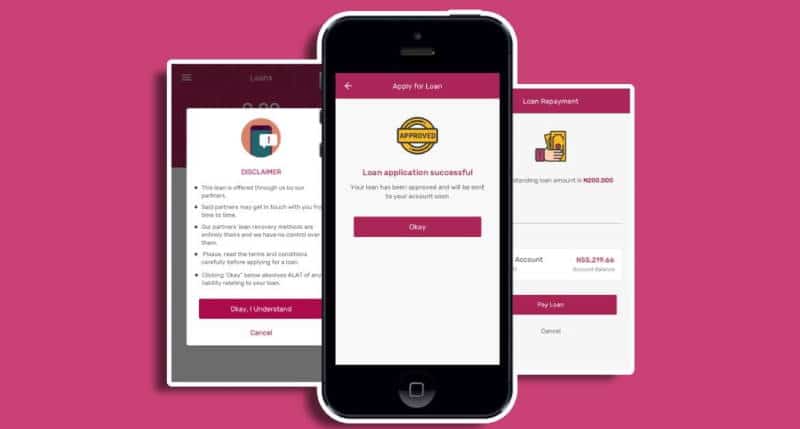
ALAT is now Nigeria’s leading digital bank. Without collateral, you can now borrow up to N2,000,000 (Two million naira). ALAT’s Payday Loan is available to both new and existing customers. However, there are some conditions that must be met in order to receive an ALAT Payday Loan.
Alat Loan
Those who are employed will be eligible for a loan up to the amount of their monthly paycheck, with a repayment period of one month (i.e, before the next salary payment day). Payday loans have a 2% interest rate.
Aella Credit is another loan app in Nigeria that offers quick loans. It offers loans of up to $1 million with interest rates that range from 6% to 20%.
Aella Credit
The loan is for 1–3 months, and there are no fees for being late or rolling it over.
You can get the software from the Android Play Store, the Apple App Store, or both (iOS), Fill out all the information needed to use the app and get quick loans wherever you are.
Make sure your details are correct and match the information you gave, because if they aren’t, you might not be able to use the app.
15. SokoLoan
A microfinance institution like Soko Lending Company Limited wants to make it easier for poor people to get financial services by giving loans to low-income businesses, students who are still in school, and other people.
Sokoloan
Sokoloan is a simple app that can be used to get short-term loans in Nigeria at any time of day or night.
The more quickly you pay back the money you borrowed, the more you can borrow. As a student in Nigeria, you can always use the Sokoloan platform or app to get a loan right away.
16. KiaKia Loan
The KiaKia Platform is another safe way for people in Nigeria to borrow money and get loans right away. KiaKia means “fast fast” in Yoruba country, which is in Nigeria. This means that giving money is a quick process.
Kiakia Loan
KiaKia Money can give you a loan if you are a student who needs to pay your school fees for the semester or a business owner who needs money to grow.
By dialing *822# on your cell phone, you can get a loan from Sterling Bank, which is in charge of Kiakia loans.
To start the loan process, all you have to do is go to the Kiakia website (kiakia.co) at any time of day.
17. Blocka Cash
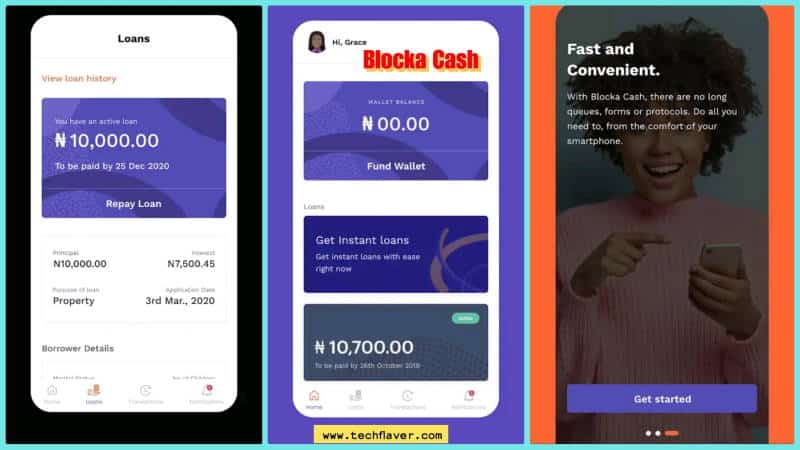
Blocka Cash makes it easy and convenient for Nigerian students to get loans. Blocka Cash can be found in both the Apple App Store and the Android Playstore.
Blocka Cash
Depending on your past payment history, you could get a short-term loan from Blocka for as little as 5,000 or as much as 50,000.
To apply and participate, you must be at least 21 years old. You could also. You might have to show a valid government ID. You might have to show a valid government ID.
The main features of Blocka Cash include:
Loan tenure: 60 to 180 days.
Rate of interest: 3% – 10% per month
iOS, Android,
Loan Amounts: ₦5,000-₦50,000
APR (Annual Percentage Rate): 36% to 120%
18. Lidya
Lidya was one of the first loan apps in Nigeria that helped small and medium-sized businesses get fast, secured loans online.
Lidya Loan
Loan Amount
The platform gives businesses credit of between 500 and 50,000. The amount of this loan is just what you want.
Lydia looks at how much money a person or business needs to get a loan. This evaluation is used to give each business its own unique credit score.
Lydia also gives out loans in less than 24 hours. The loan amount determines how long you have to pay back the loan, and you can’t get more than one loan at once.
Debit cards and direct deposits are two ways to pay. And as a student or salary earner, you need to own a business to be eligible for this loan.
19. Newcredit
Newcredit
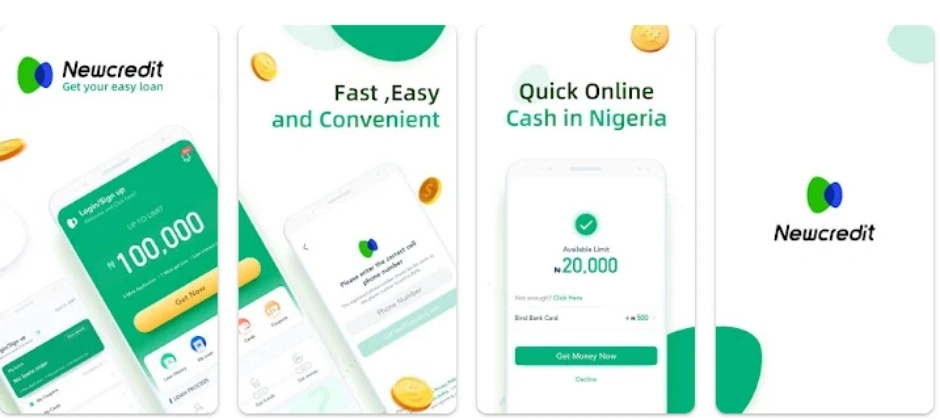
Another app in Nigeria that provides rapid loans and has more than 1 million downloads is called Newcredit. The mobile loan application allows Nigerians to borrow up to N300,000 without having to put up any collateral. The app employs artificial intelligence (AI) to examine the financial records of prospective clients. This includes the bank transaction SMS on the users’ phones as well as their credit worthiness as determined by other lenders.
20. Umba instant loan app
umba instant loan app
The 7th best loan app in Nigeria is Umba, which enables users to apply, draw down, and repay loans. Once a person’s identity has been confirmed, Umba uses a risk assessment to make loan choices.
In addition to mobile loans, Umba is also a full-fledged mobile bank. To expedite loan disbursement, Umba, available 24/7, eliminates the need for documentation, collateral, or in-person visits.
You may use your Umba loan to transfer funds straight to your M-Pesa account, retailers, and utility service providers.
Umba does not impose late fees or rollover costs, and you may have access to larger loans, reduced rates, and more flexible payment terms as you repay. It uses your phone’s data, including your SMS history, to authenticate your identity and generate a credit score, making obtaining a personal loan straightforward.
As one of the best loan apps in Nigeria, Umba also ranks among Nigeria’s most secure, as they prioritize your privacy and pledge never to share your information with other parties.
There is a maximum term of 62 days for Umba loans, with a minimum loan amount of 1,115 NGN and a maximum sum of 89,182 NGN. The maximum APR is 10% with no commission or VAT.
Several automated variables determine your loan offer: as you continue to make repayments, the loan amount will rise over time.
How to borrow from the Umba instant loan app
Install the app using the installation button above
Create an account
Apply within minutes.
Receive an Umba Loan
Increase your borrowing limit whenever a loan is repaid on time.
A list of the finest loan applications for Android and iOS in Nigeria.
Carbon (formerly known as PayLater)
FairMoney (by WEMA)
Branch
Palmcredit
RenMoney
Benefits of online loans in Nigeria
Quick and simple to obtain in a matter of minutes, online loans offer a number of advantages that set them apart from traditional loans and make them a desirable alternative in many situations. The following is a list of some of the advantages of online loans:
Easy availability
Unrestricted availability 24 hours per day, 7 days per week
No collateral or papers required
Quick disbursement
The funds will be deposited directly into your account.
What to know before getting an online loan in Nigeria
Please note that each loan application has its own terms and conditions. Therefore, you must read and comprehend the requirements before applying. In addition, it typically includes interest rates, penalty fees, and other loan restrictions.
Conclusion
There are many apps that students in Nigeria can use to get instant loans online, but I can’t list them all. That’s why I’ve decided to list the top 20 best apps and platforms you can use to get instant loans.
But you should know that if you want to borrow money, especially for business, you should plan everything out carefully so you don’t get into debt. If you want to borrow money for personal reasons, you should ensure you have the money to pay it back on time because of interest.
Add this post to your bookmarks so you can recheck your choices later. If you know of any other quick loan apps for students, please let us know in the comments.
PenFed is a banking company that provides financial services for consumers and businesses in the United States. They are headquartered in Alexandria, Virginia. PenFed was founded in 1935 as the Pentagon Federal Credit Union by a group of U.S. military officers who were not being served by existing financial institutions at the time.
PenFed has over $3 billion in assets and more than 1.6 million members, making it one of the largest credit unions in the United States. PenFed offers a variety of financial services to their customers, including insurance products and mortgage loans.
Penfed offers many different types of financial services, including insurance products and mortgage loans.
With PenFed Credit Union’s online banking and Mobile App, you can keep track of your money and bank on the go by transferring money, paying bills, looking at your transaction history, and doing many other financial tasks without going to the bank.
Before you can use this service, you need to sign up for online banking and a mobile app. If you are already a PenFed customer, you can read this post to find out how to sign up as a new customer.
You also find out how to change your contact information, get E-Statements, raise your credit card limit, upload documents, and make mobile deposits. If you are not a member yet, see How to Join PenFed Credit Union to learn how.
How to become PenFed Credit Union Member
Anyone can join the Pentagon Federal Credit Union. All you have to do is open a savings account and put $5 in it. Then you’re a PenFed member and can start taking advantage of the benefits and discounts on all products and loans. Also, you have to choose whether you want to open a Regular Share account or a Premium Online Savings account.
Benefits of Penfed Credit Union Mobile app and Online banking
You can use online banking and mobile banking from Penfed Credit Union to check on and manage your accounts from your home office.
You can pay your bills right from your bank account when you use online banking.
Online banking will save you time
You can also make payments to a PenFed loan, mortgage, or credit card account.
Penfed Mobile Banking lets you deposit checks in the bank.
You can check your account balance and see what transactions have been made.
Check the status of your loan or credit card applications
Create travel notification alerts for all PenFed credit and debit card accounts.
You can easily move money between your PenFed accounts and accounts at other banks or set up automatic transfers.
How to Enroll in PenFed Online
Before you can use Pentagon Federal Credit Union’s Online Banking and Mobile App to transfer money, pay bills, deposit checks from your phone, and do many other things, you have to sign up for them.
After you sign up for online banking, you can download the PenFed Mobile app to access your PenFed accounts while you’re on the go.
To start PenFed online enrollment process, kindly visit PenFed.org
Tap Setup your online account
Input your phone number, date of birth, and Social Security Number.
Complete the one-time-passcode step by verifying your identity
Set your user name and password, then Tap Submit.
Once done, you should receive a success notification.
You may also like: Bank of America online banking and Mobile app registration process
How to Increase Credit Card Credit Lines
You can use PenFed Online to submit an application to raise the credit limit on any of your card products. This will give you more credit on your credit card.
To do that simply log in to your online banking.
Then search for a credit card and click the arrow next to More account info and actions.
Tap Request a Credit Line Increase.
Complete the application.
How to Enroll for Penfed credit union E-Statements
To sign up for E-Statements from PenFed Credit Union, go to PenFed Online and tap the Account Actions tab at the top. Then, choose whether you want to get your statements, documents, and alerts on paper or electronically, and click Save.
When using PenFed Mobile
Click the Menu icon
Click Settings, then tap Go Paperless.
Select Go Paperless… for Everything! if you want PenFed to deliver all available statements, documents, and alerts electronically, or individually select the items you want PenFed to deliver electronically.
Read and then check the boxes acknowledging the disclosure for PenFed Paperless settings, and the Electronic Tax Disclosure.
How to Upload Documents via Penfed credit union
PenFed uses the Secure Upload portal, which lets customers upload their documents from home instead of having to go to the bank.
If you are A Member:
Go to PenFed Online and sign in. Scroll down to the box that says “I Want to” on the right side of the screen and click “Secure Document Upload.”
Select the most appropriate Category and Document Type. If you are unsure about which category to use, select Other.
Click Upload Files to select your file.
If you want to upload more documents click the Upload another document button.
Click Submit.
Penfed credit union: How to Make Transfers
By following the steps below, you can easily send money from your Penfed online banking account or mobile app:
Login to PenFed Online.
Tap the Transfers tab.
Select Transfer money between your PenFed Accounts or Transfer to/from your External Accounts.
Set the amount, date, frequency, and other transfer options.
Click Continue.
Review the transfer details and click Submit.
PenFed Mobile App money transfer
By following the steps below, you can easily send money from your Penfed app on mobile:
Tap the Menu icon
Tap Deposits & Transfers, then tap Transfer Money.
Select the transfer details, such as the accounts sending and receiving the transfer, amount, and frequency.
Tap Continue to review your transfer details.
Tap Make Transfer to complete the transfer.
Penfed credit union Mobile Check Deposit
By following the steps below, you can easily send money from your Penfed app:
Click the Menu icon
Tap Deposits & Transfers, then tap Make Deposit.
Select the account to deposit the funds into and enter the amount.
Tap the Front of Check image icon, then the Back of Check image icon, to take clear, well-lit photos of both sides of the check.
Tap Continue.
Review the deposit details for accuracy and tap Deposit Check.
How to Make Payments from Penfed credit union
By following the steps below, you can easily pay your business partner, loans, credit cards, and mortgages from your mobile app and online banking:
From PenFed Mobile
Log in to the mobile app
Tap the Menu icon
Tap Loan Payments > Make Payment, or tap Credit Card Payments and select the card you want to pay.
Select the payment details, such as amount, date, and frequency.
Tap Continue to review your payment details.
Tap Make Payment to complete the payment.
From PenFed Online
To pay your PenFed mortgage or home equity loan, use the Mortgage and Home Loan Dashboard accessed through PenFed Online. To get there Login to PenFed Online.
Mortgages and Home Loans
Scroll to your account and click the View Account Details button. This navigates to the dashboard.
Click Payment Information and follow the prompts to submit your payment.
Credit Cards, Loans, and Lines of Credit
Log in to PenFed Online.
Scroll to find your account and click the blue Payment button. (Loan accounts display Make a Payment and Credit Card accounts display Make Payment.)
Set the amount, frequency, and other payment options.
FAB is a new type of bank that is powered by AI. It combines the benefits of digital banking with the power of AI to provide personalized and customized financial services.
FAB Bank has an AI-powered chatbot that can answer customer questions, provide financial advice and make personalized recommendations. FAB Bank also uses machine learning to analyze customer data and offer tailored products and services.
Are you looking for an inquiry regarding your FAB balance? Now, we are aware that quite a few individuals might be looking for this information. Absolutely, and this is especially true when they are anticipating receiving their pay. If you are anticipating receiving payment or paycheck at the end of the month, it is in your best interest to verify the current balance in your bank account before doing anything else.
Indeed, this is the most effective method for minimizing unnecessary expenditures on your part. If you are looking for a simple method to check the balance in your FAB bank account, then you should read this post. Let’s not waste too much time and instead take a cursory look at First Abu Dhabi Bank and the history of its operations in the UAE.
One of the most reputable financial institutions in the United Arab Emirates and Dubai is the Fab Bank, also known as the First Abu Dhabi Bank. When consumers make use of the Star card, This Bank is able to supply them with supplementary services. You may simply check the balance of your account using the Card, in addition to doing a wide variety of other things online.
Fab Balance Enquiry Online
Through the FAB portal, you will have the most convenient access to checking the balance of your account. If you are prepared with your prepaid card, it will not be difficult for you to check the balance of your account. To accomplish that, follow the actions that are listed below.
Step 2: Enter the last two digits found on your prepaid card as well as your card ID. After that, the remaining balance on your card will be presented to you.
FAB Bank Prepaid Cards
If you have the FAB bank prepaid card, then you are all set to take advantage of the many perks that come along with online banking. When it comes to using FAB prepaid cards, there are a number of advantages to doing so. The following elements are pre-cut onto the card for your convenience:
Activation is not required
There is no need for a bank account
There is no monthly or minimum balance charge
Acceptance of cards at domestic ATMs and international in-store purchases
Using FAB ATMs, the cardholder can choose his / her own “PIN”
Statements are free for cardholders
Prepaid Online Portal is available 24/7 for free
You can find ATMs and CDMs 24/7 using the largest ATM network or CDM network
Offer More Protection And Security
One of the main reasons why many individuals are still reluctant to use prepaid or debit cards is out of concern that thieves may get their hands on them. If someone with criminal intent gets their hands on your card, they can use it to drain your bank account completely. On the other hand, this is not the situation with FAB bank. In point of fact, they provide the following amenities to their customers.
Protection from skimming fraud with a chip and PIN card
Online purchases require an OTP for security
Payment solutions for corporate customers to meet authorization
limits and control requirements
Manage cash flow, generate reports, and track expenditures with expense management solutions.
Employees who earn up to 5,000 AED per month are eligible to get the online payroll solution Ratibi using the FAB prepaid card, which is yet another attractive aspect of this convenient payment option. Additionally, FAB offers a card management solution that is user-friendly, quick, and astute for its customers. You won’t have any problems checking the balance of your account if you use the online inquiry service to do it.
More Ways to Check Your FAB Account Balance
Via Mobile Apps | Android & iOS
The answer is yes, a mobile app can be found for virtually every bank these days. There is no need for anyone to remind you that mobile banking is the simplest and safest way to conduct any transaction because you already know this. You won’t have to deal with the anxiety of going to your bank anymore. On the home screen of the Faba mobile banking apps, you will be able to view the current balance in your account.
All that is required of you is to log in to the mobile app using the information you have been provided with, and you will immediately be shown with your account balance as well as any other relevant information. You can get the FAB mobile app from the Google Play Store or the FAB Mobile Banking from App Store if you do not already have it on your mobile device.
Call Customer Service
You may easily determine the current balance of your account by calling the customer support number. The only thing left for you to do is call the number listed on FAB’s main website to speak with a customer service representative. Using this information, they are able to deliver your Fab balance to you via SMS.
Visit ATM Machine
At the automated teller machine, you have the ability to carry out a variety of transactions using your card. You don’t need a lot of stress in your life. All that is required of you is to insert your card into the ATM machine, pick the appropriate option, and finally key in your PIN. It’s quite easy, and in addition to that, you can take money out of the ATM if you choose.
How to Locate FAB ATM Near Me
Utilizing the Google MAP application is going to prove to be the most successful strategy for locating the FAB ATM machine that is located in your general vicinity. To make matters even better, open the browser on your device and type “Fab ATM Near Me” without quotation marks. This will bring up the directions from Google Map for each ATM machine that is located in near proximity to you. You are now able to check the balance of your FAB account from that location.
You can quickly add a bank account and card to Cash App by reading this post as we concentrate on the procedures to add an account to this App. The process of adding a bank account to Cash App is not as complicated as many users believe it to be.
At this time, using The Cash App to pay for your online purchases, as well as send and withdraw money, is a handy way to do so. It is highly recommended that you become familiar with the process of linking your bank account and card to your Cash App so that you may execute transactions easily while remaining in your familiar environment.
Credit and debit card services provided by Visa, MasterCard, American Express, and Discover are all supported by Cash App. Additionally, the vast majority of prepaid cards are supported, although deposits cannot be made using these cards. However, ATM cards, PayPal, and company debit cards cannot be used at this time because they are not supported.
How to Add Bank Account to Cash App
You will need to go through the following procedures in order to link your bank account to the Cash App:
Click the Banking tab on your Cash App home screen after you login with your user ID
Select Link Bank
Follow the prompts to complete the bank linking process.
How to modify a linked bank account to Cash App:
Click on the Banking tab on your Cash App home screen after login
Also, Select Linked Banks or Linked Accounts
Tap the account you want to modify
Select Remove Bank or Replace Bank
Follow the prompts
How to add a card to Cash App
Credit and debit card services provided by Visa, MasterCard, American Express, and Discover are all supported by Cash App.
To add a debit card to the Cash App, take a look at the Cash App home screen, and click the “My Cash” tab, which is located on the far left at the bottom of your screen.
Click “+ Add Credit Card: On the “My Cash” page
Enter your card number on the page that will display it.
How to add cash to Cash App
Please follow the procedures below carefully in order to add cash to your Cash App balance.
Click the Banking tab on your Cash App home screen
Press Add Cash
Choose an amount
Tap Add
Use Touch ID or enter your PIN to confirm
How to order for Cash App Card
The cash App card can be used everywhere that accepts Visa payments, including online and in stores, and there is no fee associated with using it. Please follow the procedures below to place your order for a cash card:
In order to place an order for your Cash App Card:
Tap the Cash Card tab on your Cash App home screen
Press Get Cash Card
Tap Continue
Follow the steps to complete the process.
Kindly take note that in order to apply for a Cash Card, you need to be at least 18 years old. It should take no more than ten business days for the cards to arrive. You can begin using your Cash Card as soon as you place your order for it by adding it to Apple Pay or Google Pay, or by using the card details that can be found in the Cash Card page of your account.
How to Activate Cash Card
You will need to activate your cash card after you have received the bank; please follow the steps that are outlined below to do so.
Using the QR code, you can activate your Cash Card as follows:
Click the Cash Card tab on your Cash App home screen
Click the image of your Cash Card
Tap Activate Cash Card
CLICK OK when your Cash App asks for permission to use your camera
Scan the QR code
If you no longer have the QR Code:
Click the Cash Card tab on your Cash App home screen
Tap the image of your Cash Card
Click Activate Cash Card
Click Use CVV Instead
Enter the CVV code and expiration date of your new Cash Card
Bank of America is a large financial institution in the United States. The company offers a variety of banking and financial services to its customers.
Bank of America was founded in 1904 by Amadeo Pietro Giannini. The bank is headquartered in Charlotte, North Carolina. It has a network of branches and ATMs across the United States.
Bank of America is one of the most popular banks in the United States. It provides a wide range of banking services and products to its customers. The bank offers many types of accounts to its customers, such as checking and savings accounts, credit cards, mortgages, auto loans, and more.
Do you want to close your Bank of America account but you can’t find an easy way to do it? The positive news is that you are free to close your account with Bank of America. I am aware that some individuals plan to wind down their operations at their offshore banks. I’m sorry to have to tell you this, but canceling your bank account is not something that can be done easily or quickly online.
According to the terms and conditions of the Bank of America, an individual is required to put their desire to close their account in writing and send it in. This indicates that you will not be able to just walk into any branch of the bank and request that your account be closed.
You will need to write a letter and then wait for permission before your account can be closed, which may sound like a burdensome process to you. As for us, we don’t have anything to say about this right now, and we can’t really say anything about whether or not they can make it possible for someone to deactivate their account even if they aren’t physically present.
How to Close Bank of America Account
In order to close your Bank of America account, you will need to prepare a letter that includes your signature and then mail it to the location listed below.
You can also call Bank of America through the line at +800.432.1000, 1.315.724.4022 (international collect; cell phone roaming charges may apply) to confirm the process of canceling your account and receive additional information.
Support is open from Mon-Fri 8 a.m.-11 p.m. ET to Sat-Sun 8 a.m.-8 p.m. ET.
How to add cash and transfer money from Cash App to a bank account – Are you looking for a way to transfer money from your Cash App to your bank account, or do you want to know how to Add Cash but don’t know the basic steps?
The Cash App enables you to transfer funds to your card, bank account, or even contacts. You can withdraw via the Cash App if you have already linked a card to the account. You have the option of transferring payments to your bank account or to one of your contacts.
Cash App offers Standard Deposits to bank accounts and Instant Deposits to associated debit cards, with Standard Deposits arriving between 1-3 business days…. Instant Deposits incur a cost of 0.5 percent to 1.75 percent (with a minimum fee of $0.25) and are credited to your debit card immediately.
Send the cash to the Cash App wallet if you do not have a bank account or debit card and wish to withdraw money from Cash App. You may ask your friends or family members to help you withdraw the funds.
Adding a bank account to cash app is the only method to get the account confirmed and enhance the sending and receiving limits; without a bank account, you can only send $250 per week and get approximately $1,000 per month.
How do I withdraw cash from Cash App without a card?
Prior to withdrawing money from the Cash app without a debit card, users must link their bank accounts to their Cash app accounts. Consequently, you can access the funds through your bank account.
Does Cash App impose Transaction Fees while withdrawing funds?
Standard Cash App deposits are free and arrive within one to three business days. However, Instant Deposits incur a cost of 0.5% to 1.75 % (with a minimum fee of $0.25) and are credited instantaneously to your debit card.
How long does it take to receive funds on Cash App?
When you transfer money from your Cash App account to another account, the amount of time it takes for the funds to arrive depends on the withdrawal method you choose. The Standard withdrawal takes one to three business days, whereas Instant Deposits withdrawals arrive instantly but incur a cost of 0.5% to 1.75 % (with a minimum fee of $0.25).
How to Withdraw Money from Cash App to your bank account or card?
To withdraw money from the cash App login to Cash App which is available for both Android and iPhone
Look for and tap the Balance tab on the Cash App’s landing page.
Once you see the balance tap, then click on Cash Out
Choose an amount and click Cash Out
Select a deposit speed, Selecting the “Standard” option will end up with a 1-3 day waiting time until the money appears in your bank account.
Confirm with your PIN or Touch ID
How to Receive Money to Cash App
Users of Cash App can request and receive money by following the instructions below.
Launch Cash App
Indicate the amount you wish to seek
Tap Request
Provide an email address, telephone number, or £Cashtag
Indicate, if desired, why you are requesting funds.
Tap Request
Please remember that when you request money through Cash App, the recipient has 14 days to accept or deny the request. If no response is received within 14 days, the request expires automatically. However, when you get a Cash App payment, the funds will be immediately available in your balance.
Sending and Receiving Limits for Cash App without verification
If your Cash App account is not verified, the following limits apply:
Send up to £250 per 7 consecutive days
Receive up to £500 per 7 consecutive days
Hold a stored balance of £500 in total
Once Cash App account is verified you will be able to:
Send up to £1,500 per 7 consecutive days
Receive up to £10,000 per 7 consecutive days
Hold a stored balance of £10,000 total
To transfer or receive a cross-border payment, the cash app will request you to verify your information. After authentication, you will be able to:
1. Send up to £1,000 per 7 consecutive days
2. Receive up to £1,000 per 7 consecutive days
How to send money with Cash App
To send money via Cash App follow the steps below.
1. Login to your app to Open Cash App
2. Enter the amount you would like to send
3. Tap Pay
4. Enter an email address, phone number, or £Cashtag
5. Optionally, enter what the payment is for
6. Tap Pay
7. Once done the payment will be available instantly in your recipient’s balance.
As its name suggests, the Commonwealth Bank is the most significant financial institution in Australia. It is said that the Bank is not the number one bank in the country, but it is considered to be the fourth-best bank in the country.
According to corporatefinanceinstitute.com, it is ranked as the number one company on its top list, and it is speculated to have more than 11,000 locations. The Bank’s main office can be found in Sydney. It has a total asset value of approximately $740 billion, approximately 51,800 employees, and a total income was approximately $19.52 billion.
That is all there is to know about the Bank’s brief history. Now that we have it out of the way, let’s move on to the Commonwealth Bank login and internet Banking.
Commonwealth Bank Netbank Login Page
If Commonwealth Bank is your financial institution of choice, then you may take advantage of the bank’s convenient access to online and internet banking. The concept of online banking refers to the use of a website that, once registered for, enables users to carry out a variety of banking-related tasks, such as making payments and many others. You can use either your desktop computer or your laptop to do your regular banking transactions.
Step 2: Now, click on the Register for Netbank button, and you will be brought to a different page.
Step 3: After that, you will be directed to the following page, where you will be required to fill in several details, one of which is the registration of your debit card, credit card, keycard, or Travel Money Card.
Step 4: After that, enter the Personal Identification Number (PIN) associated with your card as well as your cell phone number.
Step 5: After that, proceed to click the Next button, and then fill out the remainder of the form.
Step 7: Simply provide your phone number where it asks for the Client number, and then proceed to enter your password.
This is how you access your Commonwealth bank account online.
Commonwealth Bank also has a mobile application that offers similar features as the NetBank login. The application is available for both Android and iOS. Once you downloaded the app, you can follow the onscreen instruction for registration and banking via the app.