Step-by-Step Guide: Get Opay POS Machine and Become an Agent

How Apply for Opay POS Machine and open account

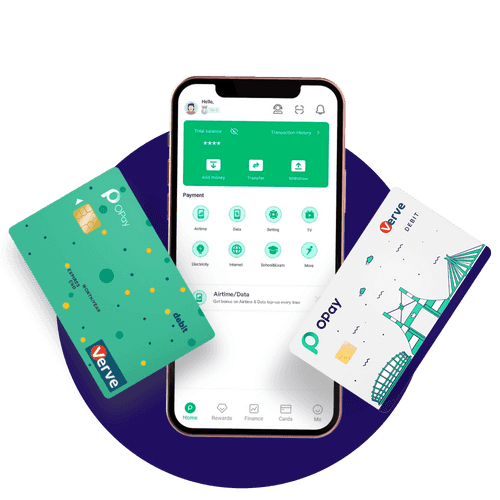
Are you interested in becoming an OPay Merchant/Agent and would like to learn how to open an OPay account and apply for a POS machine? Opening an OPay account and applying for an OPay POS machine is a straightforward process. This post will provide a step-by-step guide on how to create an account and apply for an OPay POS to become an OPay Merchant/Agent.

OPay is a mobile money platform licensed by the Central Bank of Nigeria that provides various financial transactions such as money transfers, bill payments, airtime purchases, and more.

As an OPay Merchant/Agent, you have the power and control to earn as much money as you possibly can by providing financial services in your community.

By becoming an OPay Merchant/Agent, you get discounts and vouchers for airtime purchases, earn more money on commissions when you help customers pay for their TV subscriptions with zero fees, pay their electricity bills, and you can also send and receive money in real-time from any bank for as low as 10 Naira.

How to Open an OPay Account

If you’re interested in opening an OPay Account, then visit the mobile application via AppStore.

  • Download and install the OPay personal or business app by visiting your Play Store/Apple Store with the search word “OPay” or use the magic code *955# to download the OPay app and set up your wallet with your name and phone number.
  • Select “Merchant” or Personal from the OPay app and register.
  • Enter your credentials, such as your name, phone number, and address location.
  • Upload your house verification, which can be a PHCN bill, water bill, rent receipt, or LAWMA waste bill.
  • Enter your BVN and upload your picture.
  • Enter your means of identification, which can either be a NIN, voter card, driving license, or an international passport.
  • Follow the onscreen message to complete the OPay account opening to create your username and password.
  • Once you’re done, you can upgrade your KYC from level 2 to level 3, which will enable you to receive and send money above N500,000 Naira.
  • You can also open an OPay wallet on this page when you click “sign up”.

It takes 24-72 hours for the OPay team to review and approve/decline your KYC. You will receive email and SMS notifications once your KYC is approved.

How to Become an OPay Merchant/Agent

You can get an OPay POS terminal and enjoy low fees on all your transactions, which provides solutions to help you carry out financial services nationwide.

  • Visit opayweb.com/merchants.
  • Tap Create an Online Merchant Account

OR

  • Create a POS Merchant Account.
  • Follow the on-screen message to complete the registration process.

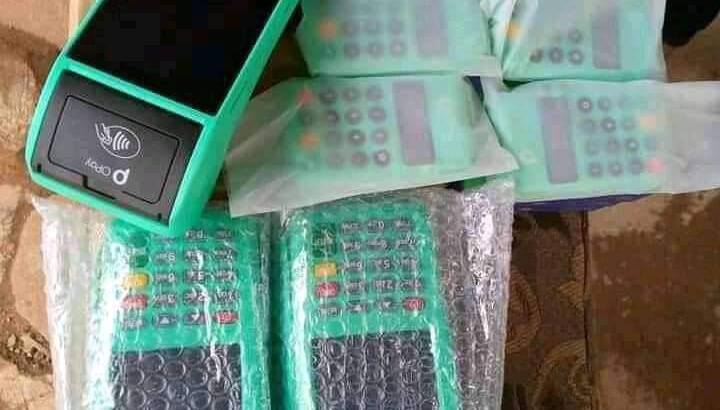
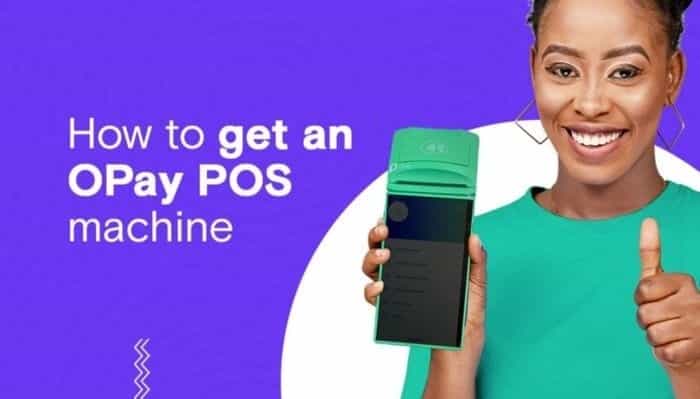
How to Apply for an OPay POS Machine?

Once your profile is upgraded to KYC level 3, you can switch your OPay profile to Merchant. You can now go to ‘Merchant Apply’.

how to apply for opay pos machine
  • Log in to the OPay app on your device and click on More.
  • Then tap on my POS.
  • On the next page, enter all necessary information as requested.
  • Upload your transaction history for the past 3 months.
  • Upload a valid ID Card (Intl Passport, Voters’ Card, National ID, or Driver’s License).
  • Upload a photo of your business station and upload it to the portal.
  • Deposit N20,000 caution fess on your OPay wallet. Upon completing the application, the money will be deducted.
  • Submit for review which will be reviewed and processed within 48 hours. Once done, the OPay Team reviews and approves/declines your request.

Get Help from Opay Customer Care: Contact via Phone, Email, and WhatsApp

How to contact Opay Customer Care: Phone Number, Email and Whats app

Are you looking for ways to contact Opay’s customer care service here in Nigeria? Or, are you interested in learning more about the financial services offered by Opay? With Opay’s goal of deepening financial inclusion through technology, you can gain the freedom to access more financial services.

Opay Digital Services Limited is a company founded by Opera Norway with over 30+ million registered app users and 500,000 agents in Nigeria. The financial institution has extended its services to other parts of Asia, Africa, and Latin America, including countries like Mexico, Nigeria, Egypt, and Pakistan.

This one-stop mobile-based platform offers payments, transfers, loans, savings, and other essential services to every individual. Opay has also unveiled ways that customers can register complaints or request services or loans right from the comfort of their homes.

Services provided by Opay

Opay Digital Services Limited gives account holders the ability to add money to their Opay wallet and transfer it to other bank accounts for free. They also offer bonuses on airtime and data top-ups and fast bill payments at no extra charge.

Customers can enjoy up to 15% annual interest paid daily when they save with Opay and spend without paying any withdrawal charges.

Opay provides means for the unbanked to access basic financial services to invest in their education and businesses using a sophisticated mobile platform. The company also makes financial services more efficient for millions of users starting with the ability to pay and access the right opportunities at the right time.

Opay also offers investment options on its platform, allowing users to invest their money in different financial instruments and earn returns. Additionally, they provide loan services through microloans via their mobile app, enabling individuals and small businesses to access quick financing.

How to contact Opay Customer Care

There are several ways to contact Opay’s customer care service:

1. In-App Customer Service

Customers can use the self-service feature or the live chat feature on the app to chat with a customer service representative.

2. Mobile Phone Call

You can call Opay’s customer care service on 0700 888 8328 or 01 8888328 (for app and card queries), 0700 888 8329 or 01 8888329 (for POS business queries), or chat with Opay on WhatsApp via +2349165998936.

3. Email

You can send an email to Opay’s customer care service at [email protected].

4. Social Media

You can also reach Opay’s customer care service through their verified social media pages:

  • Instagram: instagram.com/opay.ng/
  • Twitter: twitter.com/OPay_NG
  • Facebook: facebook.com/Nigeria.OPay, facebook.com/opaymerchants

5. Address

Opay’s headquarters is located at Alexander House, Otunba Jobi Fele Way, Alausa, Ikeja, Lagos.

Complete List of UK Commercial Banks and Building Societies

list and names of commercial banks and building societies in UK

As of February, 2026, the banking and building society industry in the United Kingdom is subject to regulation by the Prudential Regulation Authority (PRA). This regulatory body oversees around 1,500 banks, building societies, credit unions, insurers, and major investment firms. The PRA works in conjunction with the Financial Conduct Authority (FCA), which is responsible for regulating how banks conduct themselves within financial markets and how they treat their customers.

The UK boasts a wide range of commercial banks, each offering various products and services to individuals, businesses, and organizations that require financial assistance. Some of the most well-known banks in the UK include Abbey National plc, Abbey National Treasury Services plc, ABC International Bank plc, Access Bank UK Limited, and Ahli United Bank (UK) plc.

Other commercial banks operating in the UK are as follows:

  • Airdrie Savings Bank
  • Allied Bank
  • Alpha Bank
  • AMC Bank Ltd
  • Anglo-Romanian Bank Ltd
  • ANZ Bank (Europe) Ltd
  • Banc of America Securities Ltd
  • Bank Leumi (UK) plc
  • Bank Mandiri (Europe) Ltd
  • Bank of Beirut (UK) Ltd
  • Bank of China (UK) Limited, Bank of London and The Middle East plc
  • Bank of New York Mellon (International) Limited
  • Bank of Philippine Islands (Europe), PLC, and Bank of Scotland plc.

Additionally, there are Saderat Bank plc, Bank Sepah International plc, Barclays Bank plc, Bradford & Bingley plc, British Arab Commercial Bank Ltd, Broadcastle Bank ltd, Brown Shipley & Co. Ltd, Butterfield Bank (UK) Ltd, C Hoare & Co Investec Bank (UK) Ltd, CAF Bank Ltd, Capital One Bank (Europe) plc, Cater Allen Ltd, Charity Bank Ltd, Church House Trust plc, CIBC World Markets plc, Citi Financial Europe plc, Citibank International plc, Close Brothers Ltd, Clydesdale Bank plc, Consolidated Credits Bank Ltd, Conversbank (UK) Limited, Co-operative Bank plc, The, Coutts & Co, Credit Suisse International, Crown Agents Bank Ltd, DB UK Bank Limited, Dresden Kleinwort Limited, and Dunbar Bank plc.

Furthermore, there are EFG Private Bank Ltd, Egg Bank plc, Europe Arab Bank Plc, European Finance House Ltd, European Islamic Investment Bank Plc, FBN Bank (UK) Ltd, FCE Bank plc, FIBI Bank (UK) plc, First Trust Bank, Gatehouse Bank plc, GE Capital Bank Ltd, Ghana International Bank plc, Goldman Sachs International Bank, Gulf International Bank (UK) Ltd, Habib Allied International Bank plc, Harrods Bank Ltd, Havin Bank Ltd, HBOS Bank, and Heritable Bank Ltd.

The list of commercial banks in the UK continues with HFC Bank plc, HSBC Bank plc, ICBC, ICICI Bank, Intercontinental Bank (UK) plc, Islamic Bank of Britain plc, Ivobank Limited, J P Morgan International Bank Ltd, Jordan International Bank plc, Julian Hodge Bank Ltd, Kaupthing Singer & Friedlander Limited, Kexim Bank (UK) Ltd, Kingdom Bank Ltd, Kleinwort Benson Private Bank, Kookmin Bank International Ltd, Liverpool Victoria Banking Services Ltd, Lloyds TSB Bank plc, London Scottish Bank plc, Macquarie Bank International Limited, MBNA Europe Bank Ltd, MediCapital Bank plc, Melli Bank plc, Methodist Chapel Aid Ltd, Mizuho International plc, Morgan Stanley Bank International Ltd, N M Rothschild & Sons Ltd, National Bank of Egypt International Ltd, National Bank of Kuwait (International) plc, National Westminster Bank plc, Nomura Bank International plc, Northern Bank Ltd, Northern Rock plc, Northern Trust Global Services Limited, Persia International Bank Ltd, Philippine National Bank (Europe) plc, R Raphael & Sons plc, Rathbone Investment Management Ltd, Reliance Bank Ltd, Royal Bank of Canada Europe Ltd, Royal Bank of Scotland plc, The, Ruffler Bank plc, Sainsbury’s Bank plc, Schroder & Co Ltd, Scotiabank Europe plc, Scottish Widows Bank, Secure Trust Bank plc, SG Hambros Bank Limited, Smith & Williamson Investment Management Ltd, Sonali Bank (UK) Ltd, Southsea Mortgage & Investment Co Ltd, Standard Bank Plc, Standard Chartered Bank, Standard Life Bank Ltd, State Street Bank Europe Ltd, Sumitomo Mitsui Banking Corporation Europe Ltd, TD Bank Europe Ltd, The Hampshire Trust plc, Turkish Bank (UK) Ltd, UBS Bank, Ulster Bank Ltd, Union Bank UK plc, United National Bank Ltd, United Trust Bank Ltd, Vanquis Bank Ltd, VTB Bank Europe Plc, Weatherbys Bank Ltd, Wesleyan Bank Limited, West Merchant Bank Ltd, Westpac Europe Limited, Whiteaway Laidlaw Bank Ltd, and Zenith Bank (UK) Limited.

Apart from commercial banks, building societies also operate in the UK. Building societies are financial institutions owned by their members. These institutions offer savings accounts, mortgages, and other financial services to their members. The list of building societies in the UK includes Bath Building Society, Beverley Building Society, Buckinghamshire Building Society, Cambridge Building Society, Capital Credit Union, Chelsea Building Society, Chorley & District Building Society, Coventry Building Society, Cumberland Building Society, Darlington Building Society, Dudley Building Society, Earl Shilton Building Society, Ecology Building Society, Family Building Society (a trading name of National Counties Building Society), Furness Building Society, Glasgow Credit Union, Hanley Economic Building Society, Harpenden Building Society, Hinckley and Rugby Building Society, Leeds Building Society, Leeds Credit Union, Leek United Building Society, London Mutual Credit Union, Loughborough Building Society, Manchester Building Society, Manchester Credit Union, Mansfield Building Society, Market Harborough Building Society, Marsden Building Society, Melton Mowbray Building Society, Monmouthshire Building Society, National Counties Building Society (also trades as Family Building Society), Nationwide Building Society, Newbury Building Society, Newcastle Building Society, Norwich & Peterborough Building Society (now only used for some existing mortgage customers), No 1 Copperpot Credit Union, Nottingham Building Society, Penrith Building Society, Principality Building Society, Progressive Building Society, Saffron Building Society, Scottish Building Society, Scotwest Credit Union Ltd, Skipton Building Society, Stafford Railway Building Society, Suffolk Building Society (formerly Ipswich Building Society), Swansea Building Society, Teachers Building Society, Tipton & Coseley Building Society, Vernon Building Society, West Bromwich Building Society, and Yorkshire Building Society (also the parent company of trading names Chelsea Building Society and Norwich & Peterborough Building Society).

In conclusion, the UK banking and building society industry is regulated by the PRA and FCA. There is a wide range of commercial banks offering different financial products and services to customers in the UK, while building societies offer savings accounts, loans, and mortgages to their members.
Standard Chartered Bank Customer Care Contact Details in UAE

Standard Chartered Bank

Standard Chartered Bank is a renowned international bank that operates in over 60 countries, providing a wide range of financial products and services to individuals, businesses, and corporations. With a strong presence in the United Arab Emirates (UAE), Standard Chartered Bank offers excellent customer service to its clients, ensuring their banking needs are met efficiently and promptly. In this article, we will provide you with the essential customer service contact numbers for Standard Chartered Bank in the UAE.

How to Contact Standard Chartered Bank Customer Care UAE – Dubai

standard chartered bank logo

If you have any queries, complaints, or feedback to provide Standard Chartered Bank, you can always contact the bank customer care executives using any of the methods mentioned.

Customer SupportContact Details
Contact Number (from anywhere)600 522 229
Live Chathttps://www.sc.com/ae/
Facebook Messengerm.me/standardchartereduae/
Twitterhttps://twitter.com/StanChartUAE
Instagramhttps://www.instagram.com/stanchartuae

Contact Details for Banking Services

Standard Chartered Bank provides you with different banking services with the following contact numbers.

Banking ServiceStandard Chartered Bank Contact Number (24-hour) – UAEContact Number (24-hour) – Overseas
Personal Banking600 5222 88 +971 600 5222 88
Corporate & Institutional Banking (8 am to 5 pm: Sat to Thu)600 5482 82 +971 4 509 6464
   
Priority Banking800 4949 +971 4 403 9639
Commercial Banking or Corporate & Institutional Banking Customers600 548 282 Email: [email protected] +971 4 509 6464 
Commercial Banking(8 am to 5 pm: Sat to Thu)600 5482 82 +971 4 509 6464
Priority Banking 800 4949+971 4 403 9639 

Standard Chartered Bank Branches & Contact Details

You can check all Standard Chartered Bank branches and other details below to contact them.

Standard Chartered Bank Branches in Dubai:

CityAddressTelephone No
DubaiOpposite Khaleej Centre, Al Mankhool, Bur DubaiP.O Box: 999Fax: 04-352667904 3138888
DubaiCrystal Tower, Khalidiya StreetP.O Box: 999600522288
DubaiThe Galleries Bldg, Downtown Jebel AliP.O Box: 999600522288
DubaiNear Twin Towers, Baniyas SquareP.O Box: 999600522288
DubaiEmaar Business ParkP.O Box: 999600522288
DubaiSheikh Hasher Maktoum Bin Juma Al Maktoum Bldg, Al Ras SoukP.O Box: 999600522288
DubaiDubai MallP.O Box: 999600522288
DubaiFirst Floor, Dragon Mart 2, Intl CityP.O Box: 999600522288
DubaiDowntown Dubai, Shk Zayed RdP.O Box: 999600522288
GarhoudP.O Box: 999600522288
DubaiBurjuman CentreP.O Box: 999600522288
DubaiSharjah Islamic CentreP.O Box: 999600522288

Other Branches:

CityAddressTelephone No
Abu Dabhi Al Fardan Tower, Hamdan StP.O   240Fax: 02-678686602 6777400
Abu Dabhi Najda St P.O Box: 999600522288
Abu Dabhi MusaffahP.O Box: 999600522288
Al AinMain Street, opposite to Mubarak CentreP.O Box: 999600522288
Al AinMain StreetP.O Box: 1240Fax: 03-765482403 7643400
Jebel AliJebel Ali Free ZoneP.O Box: 16920Fax: 04-881667004 8816600
SharjahInside Hamriya PortP.O Box: 999600522288
SharjahAl Burj Avenue, Bank StreetP.O Box: 999600522288
SharjahAl Burj Street, RollaP.O Box: 5Fax: 06-568633606 5687788

Contacts for Other Banking-Related Works

SMS Banking Service:

Standard Chartered Bank made it easy to pay your bill through SMS Banking. Check out these services and sample messages below. 

SMS BANKING SERVICESSMS FORMATSAMPLE SMS FORMAT
Account balance enquiryAB Account nicknameAB 5896
Account last five transactionsMS Account nicknameMS 4552
Cheque book requestCB Account nicknameCB 2552
Credit card last five transactionsFT Card Last 4 digitsFT 3235
Credit card outstanding balanceOB Card Last 4 digitsOB 1235

Note: An account nickname for your cards is the last 4 digits of your credit cards.

Standard Chartered Bank provides you with different banking services with the following contact numbers.

Banking ServiceContact Number
Credit Card Balance+971 600 5222 88
Account Balance+971 600 5222 88
Transaction details+971 600 5222 88
Debit Card Blocked+971 600 5222 88
Contact Details Change+971 600 5222 88
Debit Card PIN Creation+971 600 5222 88
Close Credit Card+971 600 5222 88

Grievance Redressal Cell

Escalation How to Contact
Call+971 600 5222 88
(Source: 1 | 2 )

Complaint about Bank

If you are not satisfied with the solution provided by Standard Chartered bank then you can contact Central Bank (UAE) consumer complaint cell through these below ways.

Central BankWays to contact
Contact Number80022823
Complaint Email ID[email protected]
Consumer Complaint Formhttps://www.centralbank.ae/en/form/complaints
Contact Formhttps://www.centralbank.ae/en/form/contact
Fax+971 2 6916004
Head Office
Contact Numbers (Sun-Thu: 9 AM to 2 PM)02 665 222002 691 5555 
E-Mail [email protected]
Fax +97126652504
Mail Box P.OBox: 854

Complaints can be registered by walking through any of these central bank branches

BranchP.O BoxNumberFAX
Al Ain 1414 Al Ain+971 37656656(+971) 37664777
Dubai Box 448 Dubai+971 43939777(+971) 43939933 – 3937802
Fujairah 768 Fujairah+971 92224040(+971) 92226805
Ras Al Khaimah 5000 Ras Al Khaimah+971 172284444(+971) 172284646
Sharjah 645 Sharjah+971 65592592(+971) 65593099 – 5593977
(Source: 1 | 2 | 3 | 4 )

Hot Customer Service Contact Numbers:

General Customer Service: For general inquiries, account information, or assistance with any banking-related matter, you can reach Standard Chartered Bank’s customer service helpline. The dedicated team is available 24/7 to assist you with your queries. Dial the following number to get in touch:

  • Customer Service Helpline: 800 4949 (within UAE)
  • International Helpline: +971 4 403 9639 (outside UAE)

Credit Card Support: If you have any questions or require assistance regarding your Standard Chartered Bank credit card, such as card activation, balance inquiries, or reporting lost or stolen cards, the credit card support team is ready to help. Reach out to them using the following contact details:

  • Credit Card Customer Service: 800 4949 (within UAE)
  • International Credit Card Helpline: +971 4 403 9639 (outside UAE)

Online and Mobile Banking Support: For inquiries related to Standard Chartered Bank’s online and mobile banking services, including internet banking, mobile app assistance, or troubleshooting technical issues, you can contact the dedicated support team using the following contact information:

  • Online and Mobile Banking Support: 800 4949 (within UAE)
  • International Online and Mobile Banking Helpline: +971 4 403 9639 (outside UAE)

Priority Banking: Standard Chartered Bank’s Priority Banking offers personalized services and exclusive benefits to its high-net-worth clients. If you are a Priority Banking customer and require assistance, you can get in touch with the Priority Banking team through the following contact details:

  • Priority Banking Customer Service: 800 4949 (within UAE)
  • International Priority Banking Helpline: +971 4 403 9639 (outside UAE)

Phone Banking: Standard Chartered Bank’s Phone Banking service allows customers to perform various banking transactions over the phone. If you need assistance with Phone Banking services, have questions regarding specific transactions, or require guidance on using this service, you can contact the Phone Banking team using the following contact information:

  • Phone Banking Customer Service: 800 4949 (within UAE)
  • International Phone Banking Helpline: +971 4 403 9639 (outside UAE)

For more information about Standard Chartered Bank’s customer service and contact numbers, you can visit their official website at Standard Chartered Bank UAE.

It is important to note that contact numbers and services may be subject to change. For the most up-to-date information, please visit the official Standard Chartered Bank website or contact their customer service helpline.

Abu Dhabi Finance Customer Care Contact Details in UAE

abu dhabi finance

Abu Dhabi Finance, one of the leading financial institutions in the United Arab Emirates (UAE), provides a wide range of financial products and services to its customers. Whether you have inquiries about mortgage loans, personal finance, or any other financial matters, reaching out to their customer service team is essential. This article provides you with the necessary contact numbers to get in touch with Abu Dhabi Finance’s customer service department.

How to Contact Abu Dhabi Finance Bank Customer Care UAE – Dubai

abu dhabi finance logo

If you have any queries, complaints, or feedback to provide to Abu Dhabi Finance Bank, you can always contact the bank’s customer care executives using any of the methods mentioned below.

Customer CareContact Details
Contact Number (Inside UAE)800 233
Contact Number (Outside  UAE)+9712 401 8555 +9712 6591900
Email Address[email protected]
Contact Formhttp://www.adf.ae/en/about/contact-us/
Facebook Messengerm.me/AbuDhabiFinance
Bank TimingsSunday to Thursday: 8.30 am to 5.00 pm

Abu Dhabi Finance Bank Branches & Contact Details

You can check all Abu Dhabi Finance Bank branches and other details below to contact them.

CityBranch Location
Abu Dhabi7th Floor, Aldar Headquarters, Behind Al Raha Mall, Abu Dhabi
DubaiOffice #9029th Floor, Al Habtoor Business Tower, Al Sufouh RoadOpposite Habtoor Grand Resort & Spa HotelDubai Marina

Grievance Redressal Cell

Complaint to ADCB BankContact Form
Complaint Formhttps://www.adf.ae/en/about/contact-us/
Note: Choose “Complaint” in Subject
(Source: 1 | 2 )

Complaint about Bank

If you are not satisfied with the solution provided by Abu Dhabi Finance Bank then you can contact Central Bank (UAE) consumer complaint cell through the below ways.

Central BankWays to contact
Contact Number80022823
Complaint Email ID[email protected]
Consumer Complaint Formhttps://www.centralbank.ae/en/form/complaints
Contact Formhttps://www.centralbank.ae/en/form/contact
Fax+971 2 6916004
Head Office
Contact Numbers (Sun-Thu: 9 AM to 2 PM)02 665 222002 691 5555 
E-Mail [email protected]
Fax +97126652504
Mail Box P.O.Box: 854

Complaints can be registered by walking through any of these central bank branches

BranchP.O BoxNumberFAX
Al Ain 1414 Al Ain+971 37656656(+971) 37664777
Dubai Box 448 Dubai+971 43939777(+971) 43939933 – 3937802
Fujairah 768 Fujairah+971 92224040(+971) 92226805
Ras Al Khaimah 5000 Ras Al Khaimah+971 172284444(+971) 172284646
Sharjah 645 Sharjah+971 65592592(+971) 65593099 – 5593977
(Source: 1 | 2 | 3 | 4  )

Hot Customer Service Contact Numbers:

  1. General Inquiries: If you have general questions or need assistance regarding Abu Dhabi Finance’s services, you can contact their customer service team at +971 2 696 2222. Their dedicated representatives are available to provide you with the information you need.
  2. Mortgage Loans: If you are interested in applying for a mortgage loan or have queries related to existing mortgage loans, dial +971 2 696 2222. Abu Dhabi Finance’s mortgage specialists will guide you through the process and address your concerns.
  3. Personal Finance: For inquiries about personal finance solutions, including personal loans and financing options, call +971 2 696 2222. The customer service team will provide you with the necessary details and assist you with your requirements.
  4. Investments and Wealth Management: To discuss investment opportunities or seek advice regarding wealth management services, contact Abu Dhabi Finance at +971 2 696 2222. Their experts will provide insights and guidance tailored to your financial goals.
  5. Online and Mobile Banking Support: If you encounter any issues or require assistance with Abu Dhabi Finance’s online or mobile banking platforms, call +971 2 696 2222. The customer service team will help resolve technical problems and answer your queries.
  6. Complaints and Feedback: In the event that you have a complaint or wish to provide feedback about Abu Dhabi Finance’s services, you can reach their dedicated complaints department at +971 2 696 2222. They will ensure that your concerns are addressed promptly and professionally.

It is worth noting that these contact numbers are for Abu Dhabi Finance’s customer service department and should be used for non-emergency purposes only. For urgent matters or emergencies, please refer to the appropriate emergency contact numbers provided by the relevant authorities.

For more information about Abu Dhabi Finance and their financial products, you can visit their official website at www.abudhabifinance.com. The website offers comprehensive details about their services, eligibility criteria, and frequently asked questions to assist you further.

Remember, Abu Dhabi Finance’s customer service team is dedicated to providing exceptional support and ensuring customer satisfaction. Feel free to reach out to them for any financial inquiries or assistance you may require.

Easy Debt Relief in UAE: 5 Simple Steps to Financial Freedom

easy debt relief in uae

Dealing with debt can be overwhelming and frustrating. It can take a toll on your present and future financial well-being, leaving you with no clear path forward. It’s common for people to feel stuck and unable to take control of their finances, but it doesn’t have to be that way. In this article, we’ll explore five practical steps to help you start the journey toward becoming debt-free.

1. Consider Debt Consolidation

If you have multiple credit cards or loans, consolidating them into one single loan can be an effective solution. By combining all your debts into one loan, you’ll make only one monthly payment, which can be more manageable and less stressful. This option also allows you to potentially benefit from a lower interest rate, reducing your debt burden and helping you pay it off faster.

One way to consolidate your debts is by contacting your primary bank and requesting the best loan you’re eligible for. Alternatively, you can approach the bank with the most substantial outstanding amount and ask for debt consolidation. However, note that the UAE Central Bank’s Debt Burden Ratio (DBR) guideline, which states that your monthly repayments shouldn’t exceed 50% of your income, might limit your debt consolidation options.

2. Adjust Your Spending Habits

Impulse buying and overspending are two of the most common reasons people fall into debt. To avoid such issues, it’s important to assess your spending habits and make adjustments where necessary. For instance, avoid purchasing things you can’t afford and use cash instead of credit whenever possible to reduce the temptation to overspend.

Moreover, creating a list of essential items and prioritizing those that are most important can help you avoid unnecessary expenses. Additionally, comparison shopping and taking advantage of sales and discounts can help you save money, allowing you to focus on paying off your debts.

3. Start With Your Most Expensive Debt First

To make real progress toward paying off your debts, it’s best to start with your most expensive debt first. This could be the debt with the highest interest rate or the one with the largest outstanding balance. By focusing your extra payments on this debt, you’ll reduce the amount you’ll pay in interest over time and ultimately pay off the debt faster.

Once you’ve paid off the most expensive debt, move on to the second most expensive one and make extra payments until it’s also paid off. This approach is known as the “debt snowball method” and has helped many people rid themselves of debt quickly. The key is to stay motivated and committed to the process until all your debts are paid off.

4. Save on Groceries to Pay Off Your Debt Faster

Grocery bills are another significant expense that can eat into your finances and slow down your debt repayment plan. To save money on groceries, start by making a list of essential items you need and avoid purchasing unnecessary items or impulse buys. Look for sales and discounts, and buy in bulk when it makes sense, as this can help you save money over time.

Additionally, use websites and mobile apps that compare prices between multiple shops and supermarkets to find the best deals and lowest prices. These strategies can help you save money, reduce your grocery bill, and put more money towards paying off your debt.

5. Buy a Used Car Instead of a New One

Buying a new car can come with significant expenses, including depreciation, interest charges, and maintenance fees. However, buying a used car can be a more financially sound decision, as you’re likely to pay less money overall, and the car has already undergone its initial depreciation.

By purchasing a used car, you can save a significant amount of money, which can go toward your debt repayment plan. Additionally, used cars are generally cheaper to insure, making it easier for you to save more money annually.

Conclusion

Debt can be a challenging obstacle to overcome, but with these five practical steps, you can start to take control of your financial situation. Consolidating your debts, adjusting your spending habits, paying off the most expensive debt first, saving on groceries, and buying a used car are all effective ways to reduce your debt burden and move toward financial freedom. Remember, the key is consistency, motivation, and a willingness to make sacrifices and changes to achieve your financial goals.

Easy Steps to Activate ENT Credit Union Card Online at ent.com/activate this 2026

ent credit union branch

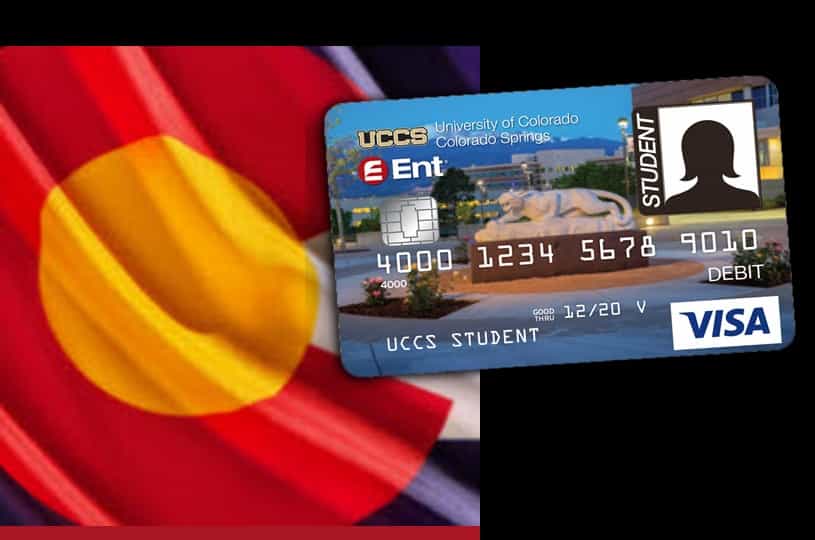
ENT Credit Union, also known as ENT, is a reputable credit lending company that caters to the financial needs of Ent Air Force Base and surrounding communities along the Front Range. With a strong presence in the region, ENT has garnered over 400,000 members and operates more than 40 service centers. Their product and service offerings include Banking, Checking, Credit and Debit Cards, as well as Loans.

If you have recently received a new ENT card, it is important to activate it online at ent.com/activate before you can use it for online or offline payments. In this article, we will provide you with a step-by-step guide on how to activate your ENT card online.

Complete Guide to Activate ENT Debit or ATM Card

There are two convenient methods to activate your ENT card: visiting the ent.com/activate webpage or using the phone service. While phone activation is a quick process, online activation at ent.com/activate requires you to have an online banking account with ENT.

ent debit or atm card

How to Sign Up for ENT Online Banking?

  1. Go to the ENT online banking registration page.
  2. Fill out the registration form with information such as – account number, first name, last name, last 4 Digits of SSN, birth date, zip code, home phone number, and email address.
  3. After entering the required information, click on the SUBMIT button.
  4. Then, follow the on-screen prompts to complete the registration process.
  5. Your ENT online banking is now active.

So, now as you have an ENT online banking account, you can follow the steps suggested below to activate your ENT Card at ent.com/activate.

Activate ENT Card at ent.com/activate

Before following the below-mentioned steps, please keep your card details ready, as you will be prompted to provide them during the activation process.

  1. Go to the ENT Card activation page – ent.com/activate on a web browser.
  2. Click the login button on the activation page.
  3. On the next screen, enter your Username and tap the CONTINUE button.
  4. Then, enter the password to sign in to your Online Banking account.
  5. Once logged in, go to the Services tab.
  6. Under the Services tab, select Card Controls.
  7. Here, you will need to confirm your new debit or ATM card information and submit it to complete the activation.
  8. Post-activation, you can begin using your new ENT card.

Activate Your ENT Card over the Phone

If you prefer to activate your new ENT debit card over the phone, you can do so by calling 833-285-1741. Make sure to have your card information readily available and follow the prompts provided during the call to activate your card.

Frequently Asked Questions

My ENT card is about to expire. How will I get a new one?

ENT will send your new card 10 days before the expiration of your old card. So make sure to activate your new card before using it. Alternatively, you can order a new debit card by calling ENT or getting it issued instantly at a Service Center.

What is a Call Center Password?

A Call Center Password is a verification password configured by you. It is used to identify your identity when contacting ENT by phone. If you wish to set up your Call Center Password, you can visit any nearest Service Center or sign in to your Online Banking account.

How can I get my name updated in my account?

To get your name updated in your ENT account, you must provide legal documentation of the name change and a current Government Issued ID containing your new name.

How do I add/change the designation of a beneficiary?

Only Primary Account Holder can request a change in beneficiary designation. If you have a nearby ENT service center, you can visit with a valid Government Issued ID. However, you can call 800 525 9623 for assistance.

By following these simple steps, you can easily activate your ENT Credit Union card online at ent.com/activate. Enjoy the convenience and security of using your new ENT card for all your financial transactions.

Easy Steps to Activate Green Dot Card at greendot.com/activate in 2026

green dot card

A Green Dot card is a prepaid debit card that provides a convenient and secure way to manage your finances. With a Green Dot card, you can make purchases online and in-person, withdraw cash from ATMs, and even receive direct deposits. Known for its convenience and user-friendly services, Green Dot offers an easy activation process for its customers. Whether you prefer using a computer or a mobile app, this guide will walk you through the simple steps to activate your Green Dot card at greendot.com/activate.

To enjoy the benefits of a Green Dot card, it’s essential to understand how to activate it and set it up properly. In this article, we’ll guide you through the process of activating your Green Dot card and using it effectively.

Complete Guide to Activate Green Dot Card

Before you begin the activation process, make sure you have everything you need. Keep the following items handy:

Requiremets to Activate Green Dot Card

  • Stable internet connection.
  • A computer or phone to access greendot.com/activate.
  • Your Green Dot Card details (card number, expiration date, and CVV).
  • Personal information (Social Security Number or ITIN)

Step 1: Purchasing and Receiving Your Green Dot Card

To get started with a Green Dot card, you’ll first need to purchase one. Green Dot cards are available for purchase at various retail locations, such as convenience stores, drugstores, and supermarkets. Look for the Green Dot card display and choose the card that best suits your needs.

green dot cards on sale

Once you’ve purchased your Green Dot card, you’ll need to remove it from its packaging and activate it. The activation process ensures that the card is linked to your personal information and ready to use.

Step 2: Registering Your Green Dot Card Online

After purchasing your Green Dot card, visit the official Green Dot website to register your card online. Registration typically involves providing your personal information, such as your name, address, and Social Security number. This information helps verify your identity and protect against fraud.

During the registration process, you may also be asked to create an online account with Green Dot. This account will allow you to manage your card, view transactions, and reload funds in the future.

Step 3: Activating Your Green Dot Card via Phone or Online

Once you’ve registered your Green Dot card online, you can proceed with the activation process. Green Dot offers two primary methods for card activation: phone activation and online activation.

To activate your card over the phone, call the activation number provided on the packaging or the Green Dot website. Follow the automated prompts and provide the necessary information to activate your card.

Alternatively, you can activate your Green Dot card online. Log in to your Green Dot account and navigate to the activation section. Enter the required card details, such as the card number and expiration date, to complete the activation process.

Activate a Green Dot Debit Card at greendot.com/activate

green dot card
green dot card

To activate your Green Dot prepaid card through the official website, follow these steps:

  1. Ensure you have a stable internet connection and access to a computer or smartphone.
  2. Open a web browser and visit the Green Dot card activation page: greendot.com/activate.
  3. Enter your 16-digit Green Dot card number, expiration date (MM/YY), and CVV in the provided fields.
  4. Click “Next” to proceed.
  5. If prompted, provide additional details such as your first name, last name, address, phone number, email, Social Security Number or ITIN, and date of birth.
  6. Click “Continue” to proceed.
  7. Follow the remaining guided instructions to complete the activation process.
  8. Once activated, you can start using your Green Dot card for online and offline transactions.

Activate a Green Dot Debit Card via Mobile App

If you prefer to activate your Green Dot Visa debit card using the mobile app, here’s what you need to do:

  1. Open your smartphone’s app store.
  2. Search for the “Green Dot” app using the search option. The app is available both for iOS and Android.
  3. Select the app from the search results and proceed to download and install it on your mobile device.
  4. Launch the Green Dot app after installation.
  5. Tap on the “Have a New Card in Hand?” option to activate your card.
  6. Enter your 16-digit card number, expiration date (MM/YY), and CVV in the provided fields.
  7. Tap “Next” to continue.
  8. Provide the required personal information to complete the card registration, including your name, address, date of birth, mobile phone number, Social Security number, and PIN number.
  9. Once you’ve entered all the necessary information, tap “Continue.”
  10. Verify your address and click “Continue.”
  11. A verification code will be sent to your phone number. Verify your phone number by entering the code.
  12. After successful verification, you will be prompted to create your login credentials.
  13. Your Green Dot money card is now active, and you can deposit funds onto your card for immediate use.

Activate a Green Dot Platinum Secured Credit Card

The Green Dot Platinum Card is a prepaid credit card that requires a deposit to secure your line of credit. To activate your Green Dot Platinum Card, follow these steps:

  1. Open a web browser and visit the Green Dot Platinum Card activation page: platinum.greendot.com/activate.
  2. Enter the following information on the activation page:
    • Account Number
    • First Name, Middle Name, Last Name
    • Last four digits of your Social Security Number
    • Card expiration date
    • CVC/CVV Number
    • Date of Birth
    • State
    • Zip Code
  3. Click the “Activate Card” button.
  4. Follow the guided instructions on the next screen to complete the activation process for your Green Dot Platinum Card.

Step 4: Setting Up a Personal Identification Number (PIN)

To enhance the security of your Green Dot card, it’s important to set up a Personal Identification Number (PIN). A PIN is a four-digit code that allows you to access your funds at ATMs and make secure transactions in-person.

To set up your PIN, follow the instructions provided with your Green Dot card or contact the Green Dot customer support for assistance. Choose a PIN that is easy for you to remember but difficult for others to guess.

Step 5: Loading Funds onto Your Green Dot Card

One of the key advantages of a Green Dot card is the ability to load funds onto it. There are multiple ways to add money to your Green Dot card, including direct deposit, cash reloads at participating retail locations, and bank transfers.

If you receive direct deposits, such as your paycheck or government benefits, you can set up automatic deposits to your Green Dot card. This eliminates the need for manual reloads and ensures that your funds are available promptly.

Additionally, you can visit participating retail locations, such as Walmart or CVS, to add cash to your Green Dot card. Simply present your card and the desired cash amount to the cashier, who will assist you with the reload process.

Step 6: Using Your Green Dot Card for Online and In-Person Purchases

Once your Green Dot card is activated and loaded with funds, you can start using it for online and in-person purchases. When making online purchases, provide your card details, including the card number, expiration date, and CVV code, during the checkout process.

For in-person transactions, you can use your Green Dot card anywhere that accepts major debit cards. Simply swipe your card or insert it into the card reader, and follow the prompts to complete the transaction. You may be asked to enter your PIN or sign a receipt, depending on the merchant’s requirements.

Step 7: Managing and Monitoring Your Green Dot Card Account

To effectively manage your Green Dot card, it’s important to regularly monitor your account and track your transactions. Green Dot provides online account access and a mobile app that allows you to view your balance, transaction history, and other account details.

By reviewing your account regularly, you can ensure that all transactions are accurate, detect any unauthorized activity, and track your spending habits. Additionally, you can use the account management tools to set up alerts and notifications for account balances and transactions.

Troubleshooting: Common Issues and Solutions

While activating and using your Green Dot card is generally straightforward, you may encounter some common issues along the way. Here are a few troubleshooting tips to help you navigate potential challenges:

  1. If you’re having trouble activating your card, double-check that you’ve provided accurate information during the registration process.
  2. If your card is lost or stolen, contact Green Dot customer support immediately to report the issue and request a replacement card.
  3. If you encounter any technical issues with your online account or the mobile app, try clearing your browser cache or reinstalling the app.

Remember, if you need further assistance or encounter a problem that isn’t resolved by these tips, don’t hesitate to reach out to Green Dot customer support for personalized help.

Frequently Asked Questions (FAQs) about Green Dot Card Activation

u003cstrongu003eCan I activate my Green Dot card over the phone?u003c/strongu003e

Unfortunately, Green Dot does not allow card activation over the phone for security reasons.

u003cstrongu003eHow can I improve my credit score with the Green Dot Platinum Credit Card?u003c/strongu003e

Using the Green Dot Platinum Credit Card responsibly can help you build credit over time. Keep your card usage low and make timely payments to avoid any negative impact on your credit score.

u003cstrongu003eHow can I report my lost or stolen card?u003c/strongu003e

To report a lost or stolen card, visit the u003ca href=u0022https://www.greendot.com/replacement-cardu0022u003ecard replacement pageu003c/au003e. Your card will be blocked, and a new one will be issued.

u003cstrongu003eCan I still access my funds after reporting my lost or stolen card?u003c/strongu003e

Yes, you can access available funds on your account by using the Green Dot mobile app. Simply visit the u0022Manage Cardu0022 section in the app and follow the instructions to generate a time-sensitive barcode. This barcode can be used to withdraw cash at Walmart. Please note that a service fee of $3 will apply.

u003cstrongu003eHow can I reset my Green Dot account password?u003c/strongu003e

To reset your password, visit the GreenDot recovery page or click u0022Forgot login infou0022 on the Green Dot app sign-in screen. You will need to provide your Social Security Number, 16-digit card number, and security code (CVV) to reset your password.

u003cstrongu003eWhere can I find my card number, expiration date, and CVV?u003c/strongu003e

You can find these details on the card itself. The 16-digit card number is located on the front of your Green Dot card, while the expiration date is below the card number. The CVV code can be found on the back of your card.

Activating your Green Dot card is a crucial step in unlocking its benefits and accessing convenient financial management. By following the steps outlined in this article, you can confidently activate your card, set up a PIN, load funds, and start using it for both online and in-person transactions. Remember to monitor your account regularly and reach out to Green Dot customer support if you encounter any difficulties. Enjoy the convenience and flexibility of your Green Dot card while staying in control of your finances.

How to Activate USAA Debit Card on Mobile App or via usaa.com/activate

activate usaa card via mobile app

USAA, a prominent Fortune 500 financial services group, offers a wide range of insurance, banking, and investment services to current and former members of the United States Armed Forces. As part of their offerings, USAA provides credit and debit card services to their customers. If you’ve recently received your USAA debit or credit card and need to activate it, you can conveniently do so through their mobile app or via their website, usaa.com/activate. Below, we provide detailed step-by-step instructions for both activation methods.

Activate Your USAA Card Online at usaa.com/activate

  1. Open a web browser on your computer and navigate to usaa.com/activate, the USAA activation page.
  2. Enter your Online ID and click “Next.”
  3. Provide your password to log into your USAA account.
  4. Once logged in, locate and select the “Activate Card” link.
  5. On the next screen, enter your card details (card number, expiry date, security code) as well as your personal information (name, date of birth, social security number).
  6. Follow the onscreen prompts to complete the activation process for your USAA card.

Activate Your USAA Card via Phone App

If you prefer to activate your USAA credit card through a phone call, you can contact USAA at 800-411-4300. Dial this number and follow the on-call prompts to activate your USAA credit card efficiently.

To activate your USAA ATM/Debit card, use the following phone number: 800-315-4906. Call the number and carefully follow the instructions provided during the call to complete the activation process for your ATM/Debit card.

activate your usaa card

Activate Your USAA Bank Card Using the Mobile App

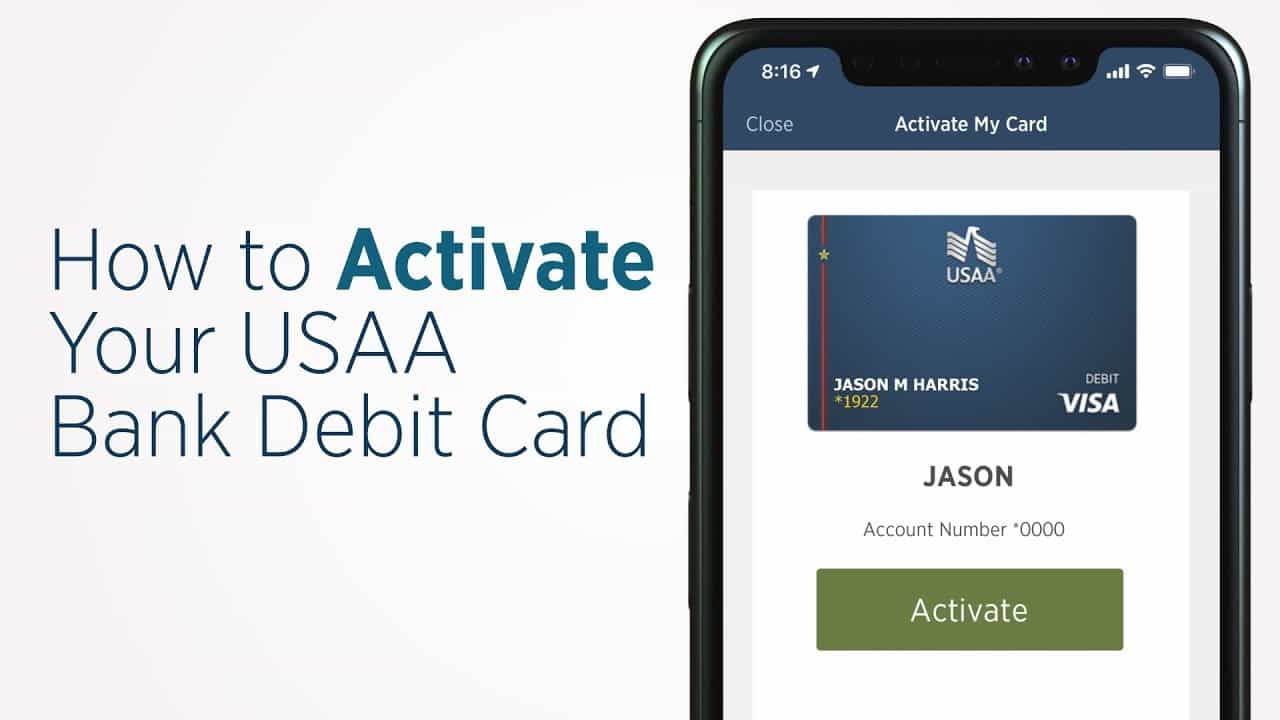
  1. Install the USAA mobile app on your mobile device (available for iOS and Android).
  2. Launch the app and sign in using your USAA account credentials.
  3. Once logged in, locate and select the Menu option from the top-right corner of the app interface.
  4. From the Menu section, choose the ATM/Debit Card option.
  5. On the next screen, tap on the “Activate Debit Card” option.
  6. Finally, tap the Activate button to complete the process.
  7. A confirmation message stating “Your Card is Now Active” will be displayed on your screen.

Activate Your USAA Debit Card at an ATM

If you encounter any issues while attempting to activate your USAA ATM/Debit card using the methods mentioned above, you can opt to activate your card at an ATM. Simply perform a transaction using your card’s PIN at any USAA-partnered ATMs, and your card will be successfully activated.

Watch the video tutorial on how to Activate Your USAA Card below:

Frequently Asked Questions

What should I do if I forget my USAA account username or password?

If you forget your username or password for your USAA account, visit usaa.com/activate on your web browser. Click on the “I need help logging on” option and follow the subsequent instructions to recover your Online ID, reset your password, or register for digital access. Once you have successfully retrieved your login credentials, you can proceed with activating your USAA debit/credit card.

Is it necessary to activate a USAA credit or ATM/Debit card?

Yes, it is crucial to activate your USAA credit or ATM/Debit card, particularly if it comes with an activation sticker attached.

When can I start using my USAA card after activating it?

You can begin using your USAA Credit or ATM/Debit card immediately after the activation process is complete.

How long does it take to receive my USAA Credit or ATM/Debit Card in the mail?

Typically, it takes approximately 7 to 10 business days for your USAA card to arrive by mail. However, if you are located overseas, the delivery time may extend to 21 business days. To check the estimated arrival date of your card, you can visit the following link: https://www.usaa.com/my/card-order-status/.

What is the customer care phone number for USAA?

If you require assistance from USAA’s customer support, you can reach them at 210-531-USAA (8722) or 800-531-USAA (8722). They will be able to address any queries or concerns you may have regarding your USAA card or account.

In conclusion, activating your USAA debit card is a straightforward process that can be done conveniently through the USAA mobile app, their website at usaa.com/activate, or via phone call. Choose the method that suits you best and follow the provided instructions to activate your card successfully. If you encounter any difficulties, don’t hesitate to reach out to USAA’s customer support for assistance. Once your card is activated, you can start enjoying the benefits and convenience of using your USAA debit card for various transactions and purchases.

Activate bmo.com in 2026 – Activate New BMO Card

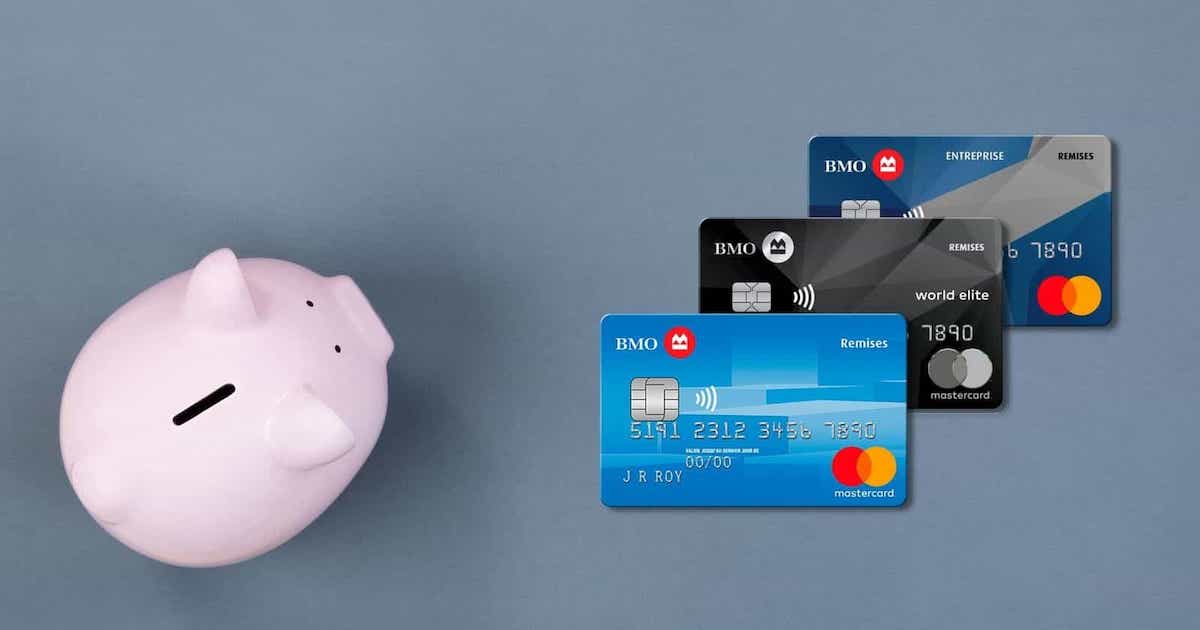
bmo cards

The Bank of Montreal (BMO) is a prominent Canadian multinational investment bank and financial services company headquartered in Montreal. It holds a position among the Big Five banks in Canada and ranks as the country’s fourth-largest bank in terms of market capitalization and assets. Additionally, it is one of the top 10 largest banks in North America.

With over seven million customers and a network of more than 900 branches in Canada, BMO offers a wide range of banking services to cater to its clientele. Notably, BMO is recognized for providing customers with credit cards that come with numerous benefits and features. If you have recently received your BMO credit card, it is necessary to activate it online at bmo.com/activate before utilizing it for purchases and payments. Follow the step-by-step instructions below to learn how to activate your new BMO card:

Step 1: Gather Your Card Details Before proceeding with the BMO credit card activation process, ensure that you have your card details readily available. You will be prompted to provide these details for activation and verification purposes.

Step 2: Visit the BMO Card Activation Page Using a web browser on your computer, phone, or tablet, navigate to the BMO card activation page by entering the URL bmo.com/activate.

Step 3: Provide Your Card Details On the activation page, carefully enter your card details in the appropriate fields. These details include:

  • Your 16-digit card number
  • Expiration date (MM | YY)
  • Security code

NOTE: Double-check each detail for accuracy before proceeding.

Step 4: Proceed to Activation Once you have accurately entered the required card details, click “NEXT” to proceed with the BMO card activation process.

Step 5: Follow On-Screen Prompts Follow the on-screen prompts to complete the BMO card activation process. These prompts will guide you through the necessary steps to finalize the activation successfully.

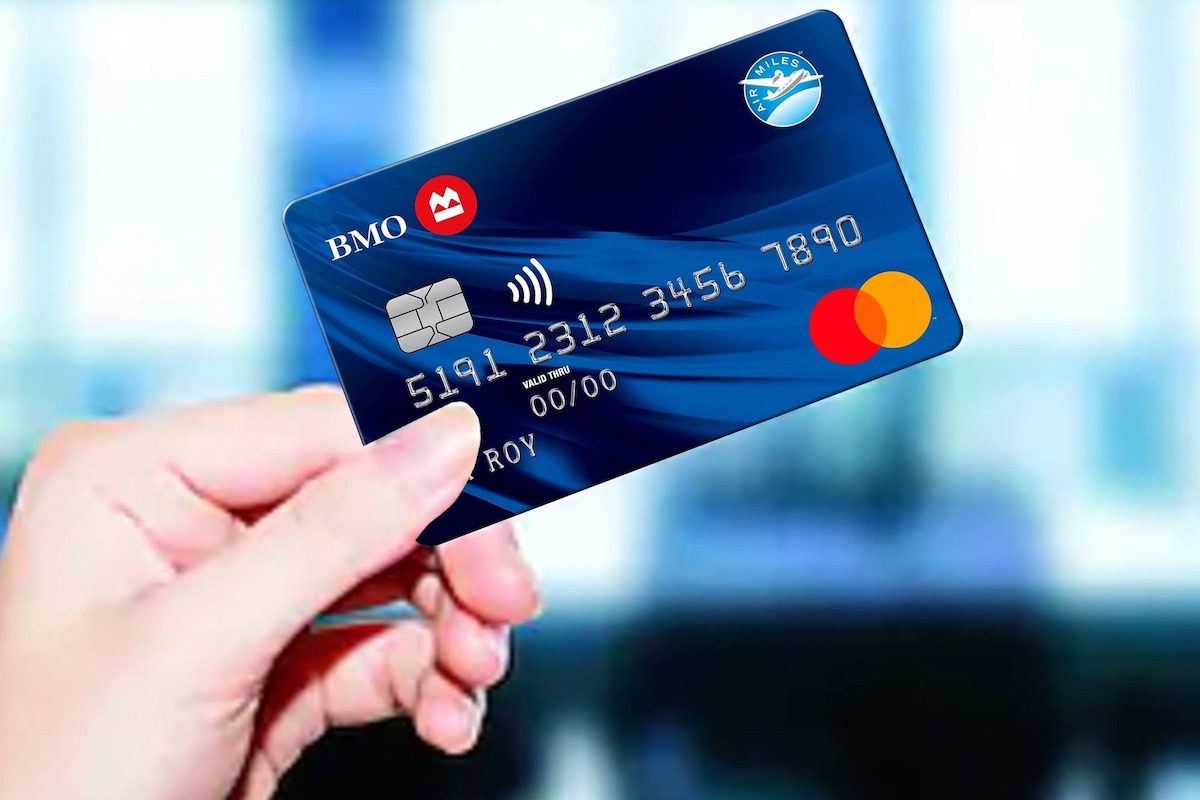
bmo card
bmo card

Upon completing the BMO card activation process, your credit card will be ready for use, allowing you to make desired purchases and payments.

In case you encounter any difficulties while attempting to activate your BMO credit card following the instructions provided above, do not hesitate to seek assistance from BMO customer support. To contact BMO customer support, follow the instructions below:

  1. Visit the BMO website at www.bmo.com using a web browser.
  2. Scroll down to the bottom of the homepage and select the “Support” option. This action will redirect you to the BMO support page.
  3. On the support page, choose the “Online support tool” option. This selection will direct you to the next screen, where you will find information to assist you with the activation of your BMO card.
  4. Alternatively, you can also reach BMO customer support by calling 1-844-837-9228.

If your BMO card is lost or stolen, promptly report it by following the information provided in the “Report a lost or stolen card” section.

Moreover, BMO customer support is available to assist you with any other issues or inquiries related to the BMO service. You may also find answers to common queries by exploring the Frequently Asked Questions (FAQs) section on the support page.

BMO Credit Card Activation – FAQs:

How can I activate my new credit card?

You can activate your credit card online at www.bmo.com/activate. Simply enter your 16-digit card number, security code, and expiration date on the activation page. Click “Next” and follow the subsequent steps to complete the activation process.

How do I activate BMO Online Banking?

If you are a BMO credit card or personal banking customer, you can register for BMO Online Banking by accessing the “Register for Online Banking” option and selecting the “Register Online” option. This choice should be available under “For BMO Debit Card Holders.” Follow the provided instructions to complete the registration process for BMO Online Banking.

Can I check my BMO MasterCard statement online?

Absolutely! You can easily access and view your BMO MasterCard statement online. Start by clicking on “My Account” after logging into your BMO Online Banking account. Next, select your Credit Card account and then click on the “View eStatements” option. This will allow you to access and review your BMO MasterCard statements conveniently.

What is the quickest way to seek professional help or speak to a customer agent at BMO?

There are a few options to seek professional assistance or speak to a customer agent at BMO. You can easily schedule an appointment or arrange a call by contacting BMO at 1-877-225-5266. Another alternative is to visit a BMO branch in person, where you can speak directly with a real person and receive personalized assistance for your banking needs.

Remember, if your BMO card is lost or stolen, it is crucial to report it immediately. Refer to the “Report a lost or stolen card” section on the BMO support page for instructions on how to proceed in such circumstances.

In addition to providing assistance with the BMO card activation process, BMO customer support is available to help you with any other issues or inquiries related to their services. You can also explore the Frequently Asked Questions (FAQs) section on the support page to find answers to common queries.

By following the steps mentioned above, you can successfully activate your BMO credit card on bmo.com/activate. Should you encounter any difficulties or require additional support, don’t hesitate to reach out to BMO customer support for prompt assistance.

A Step-by-Step Guide to Order and Activate a Venmo Card

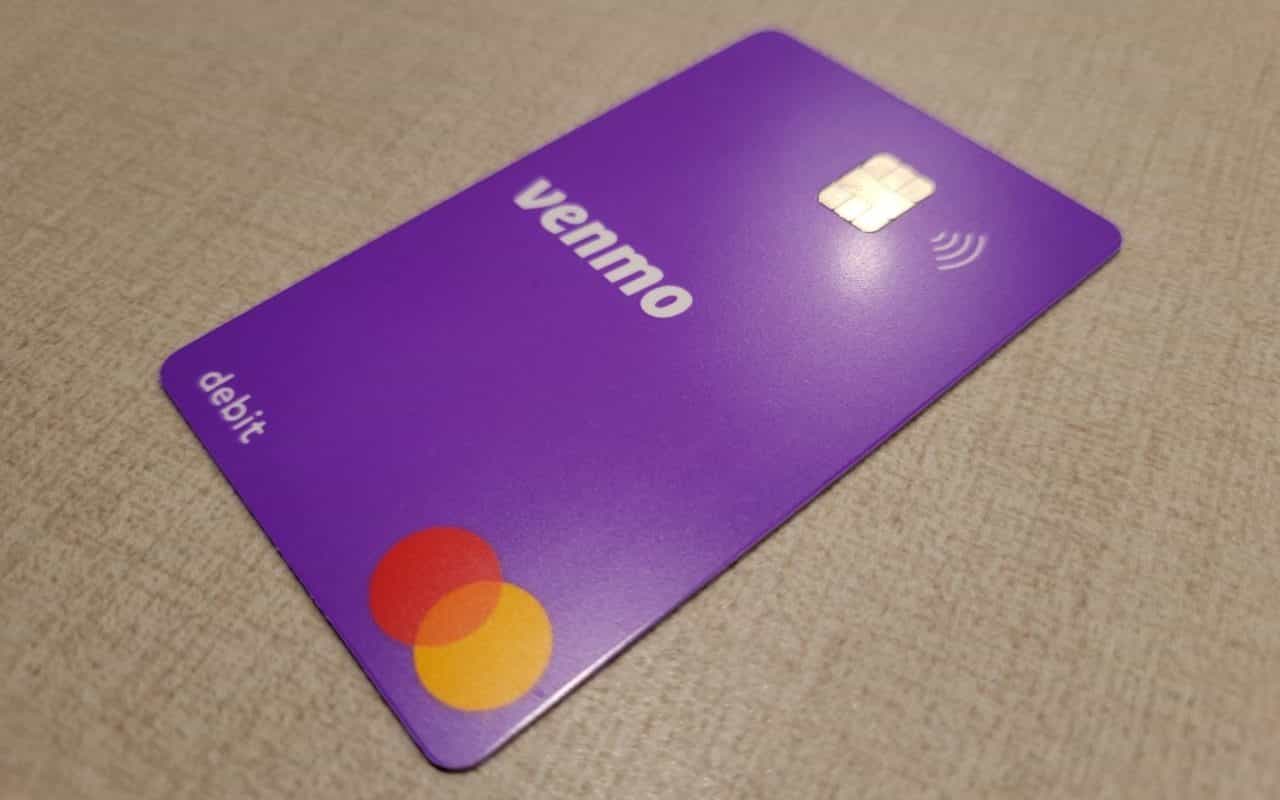
venmo card

A Venmo Card is a physical debit card that is linked to your Venmo account. It allows you to access the funds in your Venmo balance and make purchases at any merchant that accepts Visa cards. The card can also be used for ATM withdrawals.

Having a Venmo Card offers several advantages:

  1. Convenience: The Venmo Card provides a seamless way to access your Venmo funds in real-time. Instead of waiting for a bank transfer or withdrawal, you can use the card for instant transactions, whether it’s for everyday purchases or emergencies.
  2. Acceptance: While digital payment methods like Venmo are increasingly popular, not all merchants or service providers accept mobile payments. With the Venmo Card, you can make purchases anywhere that accepts Visa cards, giving you more flexibility and ensuring that you can use your funds wherever you go.
  3. Budgeting and Expense Tracking: The Venmo Card is linked to your Venmo account, which means that all transactions made with the card will be recorded and categorized within the app. This feature helps you track your expenses, set budget goals, and gain a better understanding of your spending habits.
  4. Security: Like any debit card, the Venmo Card has security features that protect your funds. It requires a PIN for ATM withdrawals and uses EMV chip technology for enhanced security during in-person transactions. Plus, Venmo offers additional security measures, such as the ability to freeze your card instantly if it’s lost or stolen.
  5. Cashback and Rewards: Depending on your account type and any ongoing promotions, you may be eligible for cashback or rewards programs when using your Venmo Card. These benefits can provide additional value and savings on your purchases.

The Venmo Card is important to have as it offers convenience, acceptance, budgeting tools, security, and potential rewards. It complements the Venmo digital payment experience by allowing you to access and use your funds in a traditional card format, making it a valuable tool for managing your finances.

A Step-by-Step Guide on How to Order a Venmo Card

The Venmo Card allows you to make purchases wherever Mastercard is accepted, offering a convenient and seamless payment experience. In this article, we will walk you through the step-by-step process of ordering a Venmo Card.

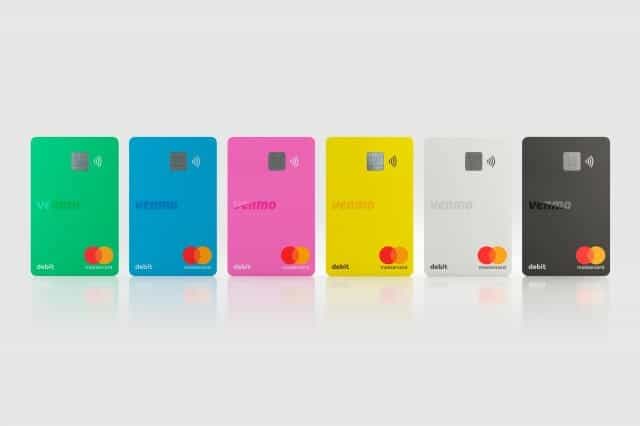
venmo cards set
venmo cards set

Step 1: Download and Set Up the Venmo App

If you don’t already have the Venmo app installed on your smartphone, head to the App Store (for iOS) or the Google Play Store (for Android) and download it. Once downloaded, follow the instructions to set up your Venmo account by providing the necessary information such as your email address, phone number, and creating a secure password.

Step 2: Verify Your Account

To order a Venmo Card, you need to verify your account. Venmo will ask for additional information to confirm your identity, such as your legal name, date of birth, and the last four digits of your Social Security number. This verification process is essential for security purposes and to comply with financial regulations.

Step 3: Access the Card Order Section

Once your Venmo account is set up and verified, open the Venmo app on your smartphone. On the main screen, tap on the menu icon located in the top-left corner (represented by three horizontal lines). From the menu options, select the “Card” tab or “Venmo Card” option. This will direct you to the Venmo Card section.

Step 4: Review the Venmo Card Details

In the Venmo Card section, you will find information about the benefits, features, and terms of the Venmo Card. Take a moment to review these details to ensure you understand how the card works and the associated fees, if any.

Step 5: Customize Your Venmo Card

One of the appealing aspects of the Venmo Card is the ability to customize its appearance. Venmo allows you to choose from a range of fun and vibrant designs for your card. Select the design that appeals to you the most, or you can opt for the default design if you prefer a simpler look.

Step 6: Confirm Your Shipping Address

After customizing your card, you will need to provide your shipping address. Venmo will use this address to send your Venmo Card once it is ordered. Ensure the address you provide is accurate and up-to-date to avoid any delivery issues.

Step 7: Submit Your Order

Once you have reviewed all the information and confirmed your shipping address, tap on the “Order Card” or similar button to place your Venmo Card order. Venmo may ask you to confirm your order one final time before proceeding. Upon confirmation, your Venmo Card request will be submitted.

Step 8:Await Card Delivery

After submitting your order, Venmo will process your request and prepare your customized Venmo Card for shipment. You will receive an email notification with tracking details once your card is on its way. The delivery time may vary depending on your location, but typically, it takes around 5-7 business days to receive your Venmo Card.

A Comprehensive Guide on How to Activate Your Venmo Card

After receiving your Venmo Card, you’ll need to wait for it to be delivered to your specified address. Venmo typically takes around 5-7 business days to deliver the card. Once you receive it, move on to the next step.

Activating your Venmo Card is a straightforward process that we’ll guide you through in this article. Let’s dive in!

Activating Your Venmo Card

To activate your Venmo Card, follow these instructions:

  1. Open the Venmo app on your smartphone.
  2. Tap on the “☰” icon to access the main menu.
  3. Scroll down and select “Venmo Card.”
  4. You should see an option to activate your card. Tap on it.
  5. Enter the last four digits of your Venmo Card when prompted.
  6. Verify your identity by entering the required information, such as the last four digits of your Social Security Number or other identification details.
  7. Review the terms and conditions, then accept them.
  8. Congratulations! Your Venmo Card is now activated and ready to use.

Customizing Your Venmo Card (Optional)

Venmo provides an option to personalize your Venmo Card by adding a unique design. To customize your card:

  1. Open the Venmo app on your smartphone.
  2. Tap on the “☰” icon to open the main menu.
  3. Scroll down and select “Venmo Card.”
  4. Tap on “Customize your card.”
  5. Choose from the available design options or use a custom photo from your gallery.
  6. Follow the prompts to complete the customization process.

Using Your Venmo Card

Once your Venmo Card is activated, you can start using it for purchases at any merchant that accepts Mastercard®. Additionally, you can withdraw cash from ATMs that support Mastercard®. To ensure a smooth experience:

  1. Familiarize yourself with your Venmo Card’s spending limits and withdrawal limits. These can be found in the Venmo Card section of the app.
  2. Make sure you have sufficient funds in your Venmo account before making purchases or withdrawing cash.
  3. Keep track of your transactions using the Venmo app to stay informed about your spending habits.

Conclusion:

Activating your Venmo Card is a simple process that allows you to conveniently access your Venmo funds for everyday expenses and cash withdrawals. By following the steps outlined in this guide, you’ll be able to activate your Venmo Card quickly and enjoy the flexibility it offers. Remember to stay aware of your spending limits and keep an eye on your transactions using the Venmo app. Enjoy the convenience of your Venmo Card!

List of Insurance Companies in Zambia

insurance

Insurance plays a vital role in protecting individuals, businesses, and assets from various risks. In Zambia, the insurance industry is well-established and offers a wide range of coverage options to meet the diverse needs of the population. In this article, we will provide an overview of the insurance landscape in Zambia and highlight key players in the industry.

Leading Insurance Companies in Zambia: Key Players in the Industry

The insurance sector in Zambia is home to several prominent companies that have established a strong presence in the market. These key players offer a wide range of insurance products and services, including life insurance, general insurance, health insurance, and more. Some of the leading insurance companies in Zambia include:

  1. Madison Insurance Company Zambia Limited
  2. Sanlam Life Insurance Zambia
  3. ZSIC General Insurance Limited
  4. Prudential Life Assurance Zambia
  5. Professional Insurance Corporation Zambia
  6. African Life Assurance Zambia
  7. Nico Insurance Zambia Limited
  8. Hollard Insurance Zambia Limited
  9. Zambia State Insurance Corporation (ZSIC) Life Limited
  10. African Grey Insurance Company Limited

Life Insurance Companies in Zambia: Protecting Your Future

life insurance
life insurance

Life insurance is essential for providing financial security to individuals and their families in the event of unforeseen circumstances. In Zambia, there are several reputable life insurance companies offering a range of policies to meet different needs. These companies provide coverage for life, disability, critical illness, and more. Some notable life insurance providers in Zambia include:

  1. ZSIC Life Limited
  2. Sanlam Life Insurance Zambia
  3. Prudential Life Assurance Zambia
  4. African Life Assurance Zambia
  5. Madison Life Insurance Company Zambia Limited

General Insurance Companies in Zambia: Safeguarding Your Assets

general insurance
general insurance

General insurance covers a wide range of non-life risks, including property, motor vehicles, liability, and more. In Zambia, there are numerous general insurance companies that offer comprehensive coverage options. These companies provide protection against fire, theft, accidents, and other unforeseen events. Some prominent general insurance providers in Zambia include:

  1. ZSIC General Insurance Limited
  2. Professional Insurance Corporation Zambia
  3. Nico Insurance Zambia Limited
  4. Madison General Insurance Company Zambia Limited
  5. Hollard Insurance Zambia Limited

Health Insurance Companies in Zambia: Ensuring Quality Healthcare

health insurance
health insurance

Health insurance is becoming increasingly important in Zambia, as it provides access to quality healthcare services without incurring substantial out-of-pocket expenses. There are several health insurance companies in Zambia that offer comprehensive medical coverage for individuals, families, and organizations. Notable health insurance providers in Zambia include:

  1. Madison Health Insurance Company Zambia Limited
  2. Metropolitan Life Insurance Zambia
  3. ZSIC General Insurance Limited (Health Division)
  4. Professional Insurance Corporation Zambia (Health Division)

Microinsurance Providers in Zambia: Financial Inclusion for All

Microinsurance plays a crucial role in providing affordable insurance coverage to low-income individuals and communities who may otherwise be excluded from traditional insurance services. In Zambia, microinsurance providers cater to the specific needs of underserved populations by offering tailored products at affordable premiums. Some microinsurance providers in Zambia include:

  1. MicroEnsure Zambia
  2. Madison Microfinance
  3. NICO Insurance Zambia Limited (Microinsurance Division)

Reinsurance Companies in Zambia: Mitigating Risks for Insurers

Reinsurance companies help insurers manage and mitigate risks by providing coverage for large or catastrophic events. In Zambia, there are reinsurance companies that work closely with local insurers, providing them with additional financial capacity and stability. Some reinsurance companies operating in Zambia include:

  1. Zep-Re (PTA Reinsurance Company)
  2. African Reinsurance Corporation
  3. Munich Reinsurance Company

Cooperative Insurance Companies in Zambia: Strength in Unity

cooperative insurance

Cooperative insurance companies in Zambia are unique entities that operate based on the principles of cooperation and mutual support. These companies are owned and managed by their policyholders, ensuring that the interests of the insured are prioritized. Cooperative insurance companies in Zambia provide coverage for various risks, including property, agriculture, and small businesses. Some notable cooperative insurance providers in Zambia include:

  1. Nkandu Cooperative Insurance Society
  2. Kasitu Cooperative Insurance Society
  3. Mpelembe Cooperative Insurance Society

Foreign Insurance Companies Operating in Zambia: Global Presence

In addition to the local insurance companies, Zambia’s insurance market also welcomes foreign insurance companies that have expanded their operations into the country. These foreign insurers bring their expertise and global experience to the Zambian market, offering a wide range of insurance products and services. Some notable foreign insurance companies operating in Zambia include:

  1. Old Mutual Insurance Company
  2. AIG Zambia Insurance Company Limited
  3. Zurich Insurance Group

Emerging Insurance Companies in Zambia: Promising Innovations

The Zambian insurance market is dynamic, and new companies are emerging with innovative approaches and solutions to cater to the evolving needs of customers. These emerging insurance companies bring fresh ideas and technological advancements to the industry, aiming to improve customer experience and expand insurance coverage. While the list of emerging insurance companies may vary over time, a few notable examples of such companies include:

  1. Premier General Insurance
  2. African Grey Insurance Company Limited
  3. FNB Insurance Zambia

Conclusion

Having a comprehensive understanding of the insurance landscape in Zambia is crucial for individuals and businesses seeking insurance coverage. The list of insurance companies in Zambia presented in this article offers an overview of key players in various sectors, including life insurance, general insurance, health insurance, micro insurance, cooperative insurance, reinsurance, foreign insurers, and emerging companies.

By exploring the offerings of different insurance providers, individuals, and businesses can make informed decisions based on their specific needs and preferences. It’s essential to carefully assess the coverage options, policy terms, and reputation of the insurance companies to ensure that the chosen provider aligns with the desired level of protection and financial stability.

Remember that insurance plays a crucial role in mitigating risks and providing financial security in times of need. Whether it’s safeguarding your assets, protecting your health, or securing your future, the diverse insurance companies in Zambia are dedicated to meeting your insurance needs effectively and reliably.