Cash App provides users with cash cards. You have the option of moving your money to a bank account in the United States, sending it to someone else as a gift with a minimum cost of $1, or loading the card back into the Cash app wallet so that you can use it everywhere. Mastercard is accepted in-person or online.
A good number of us who are fans of well-known payment programs like Venmo and Cash App daydream of being able to make everyday purchases using Bitcoin. These payment apps offer a cashless alternative to traditional methods of payment; nevertheless, digital currency is still not generally recognized by retailers.
The issue is that Bitcoin wallets are not connected to bank accounts; as a result, it is difficult to make a purchase using Bitcoin online because of this lack of connectivity. If you want to make a transaction either in-person or online at this time, it is recommended that you convert your cryptocurrency holdings into US dollars or another fiat currency instead.
What is the Cash App Cash Card?
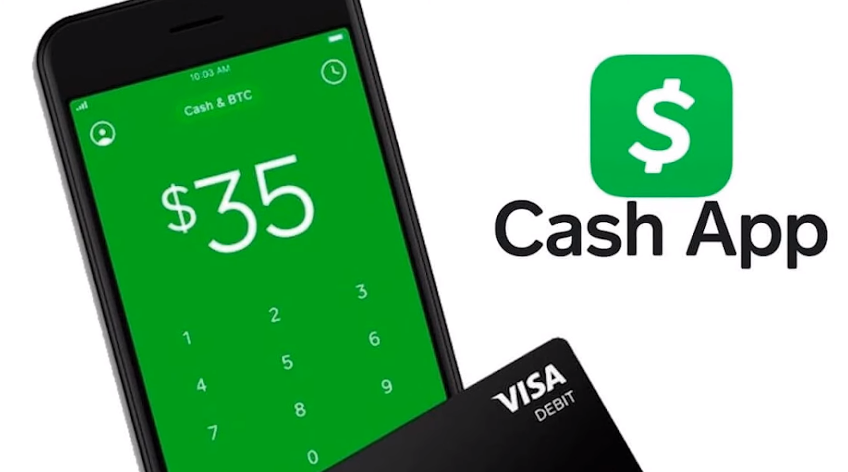
To withdraw money from your Cash App account, you can use what is known as a Cash App Card, which is a Visa direct debit card issued by Cash App. You can use this card to spend your Cash App dollars directly at stores (both online and offline) and receive money from ATMs as an alternative to transferring funds from Cash App to a traditional bank.
You can use your Cash App Card as your primary bank account given that it can be loaded with more funds. People who have a checkered past and are having problems opening a checking account with a traditional bank may want to consider this option. It is a viable alternative for those individuals.
How do I get a Cash App card?
Check out your Cash App if you are unable to locate a financial institution that will allow you to open an account. You are free to load money onto the card at any moment from your Cash App wallet, and you can use it to shop safely in-store or online. There are no fees associated with this feature.
The following is what you are going to need to do:
Launch the Cash app on your mobile device, click the “Get Free Cash Card” button located in the bottom-left corner of the screen, and then select the card design of your choice (color). Be warned that it may be somewhat costly to acquire some of the colors. Click the Personalize Card button, then the Order Card tab, in order to add a drawing or stamp to your card. Your new credit card number, which may be used for making purchases online and will be provided to you by Cash App as soon as it has been generated. You should expect to receive your genuine card in the mail within five to ten business days.
Can money be added or loaded to a Cash App Card?
Yes. Simply adding funds to your Cash App account is all that is required of you at this time. It is possible to accomplish this by:
Ask a close friend or member of your family to send you money through their Cash app.
You can move money from one of your other bank accounts into this one by using the Add Cash option.
At a retailer that participates in the Cash App program, tell the cashier that you wish to add money to your Cash App.
You are free to make purchases with the Cash App Card whenever you have funds available in your Cash App accounts.
How to Add Money to a Cash App in Person?
Ask the cashier at one of the following retail locations to put money into your Cash App account:
- Family Dollar
- Rite Aid
- Target
- Walgreens
- Walmart
- 7-Eleven
- CVS
- Dollar General
- Dollar Tree
How Can I Add Money to My Cash App Without a Cash App Debit Card?
The Cash App card is not required in any way. If you do not have a card, you can still load money into your Cash App by using the option to transfer money from a bank account or by loading cash from a retail outlet.
How to Check the Cash App Card Balance
You will be able to check your new balance in the Cash App on your mobile device after you have loaded cash into your Cash App from a partner merchant by logging into the Cash App on your mobile device. After the process of refilling, it could take up to ten minutes for your cash to become visible.
How do I connect my bank account to my Cash App account?
The process of adding a bank account to your Cash App is straightforward; all you need to do is follow these steps:
Visit the Settings menu. Tap or click the Linked Accounts option. Choose the bank account that you want to link, then enter the routing number and checking account number that correspond with this particular kind of bank account. To verify, click the “Link Account” button located at the very bottom of the screen.
Alternatively, you can link a bank account to your Cash App by using the Add Cash option located in the main menu. After inputting as much information as you currently know regarding the account, click the “Search” button. Select your bank from the list of institutions that show in the search results, and then locate the “Link Account” button at the bottom of this page.
How to remove a bank account from a Cash App account?
Go to Settings > Linked Accounts > Unlink Account next to your chosen bank.
How do I set up my Cash App account with two-factor authentication?
To provide an additional layer of protection for your financial resources, activate two-factor authentication by navigating to Settings > Security Controls. You are going to be responsible for selecting a mobile device. After it has been configured, the Cash App will begin sending one-of-a-kind codes to your mobile device each time you log in to use the app.
How to Change Cash App Email Settings
This Bitcoin wallet comes complete with an email address for easy communication. You can log in to your account by using the email address that was supplied during the signup process; but, for better security, you should alter your settings by navigating to Settings > Profile > Password & Security > Edit.
How can the password for a Cash App account be changed?
If you log in using your email address, you will have the option to change your password. After selecting the “Change Password” option found in the Profile > Password & Security menu category, you will be prompted to input your current password before selecting a new one. Before the change to your password takes effect, you will be asked to confirm that you really do want to use the new one.
How do I report suspicious activity on my Cash App account?
If you observe any strange behavior in your Cash App account, the first thing you should do is open the Logs section at the bottom of the screen. Here, you may determine whether or not the activity was started by you using two-factor authentication. If it wasn’t you who made this transaction, contact support as soon as possible by going to Settings > Help & Support. If it was you, lock your device as quickly as possible.
What is the procedure to find out my Cash App balance?
By following these steps, you will be able to check the balance of your Cash App account:
Sign in with your email address, then navigate to the area titled “Profile > Your Cash > Cash app Balance” and press on the “Cash” option. If you have any funds, they will be displayed as soon as possible.
Final Thoughts:
People who have to use cash but don’t want to take the risk of carrying and spending large quantities of paper currency can benefit greatly from using a Cash App Card. This is a great solution for those people. This digital card can be used anywhere that accepts cash cards, including online and in-store retail establishments. When traveling, this is a fantastic choice because you may withdraw cash from any automated teller machine (ATM) that acknowledges debit cards (which most do).