
Chase Bank (Jp Morgan Chase) SWIFT/BIC codes – United States of America (USA)

Chase Bank

The SWIFT code for Chase Bank (Jp Morgan Chase) is CHASUSU3XXX. Please bear in mind that Chase Bank (Jp Morgan Chase) uses different SWIFT codes for the different types of banking services or branches. Kindly check with your recipient or with the bank directly to find out which one to use.

What’s the Chase Bank (Jp Morgan Chase) SWIFT code?

SWIFT CodeCHASUSU3XXX
BankJPMORGAN CHASE BANK, N.A.
Address 
CityNEW YORK
Branch 
Postcode 
CountryUnited States
SWIFT CodeMGTCUS3GXXX
BankJPMORGAN CHASE BANK, N.A.
Address345 PARK AVENUE
CityNEW YORK
Branch 
Postcode10154-1002
CountryUnited States
SWIFT CodeCHASUSU2XXX
BankJPMORGAN CHASE BANK,N.A.
Address4 NEW YORK PLAZA FLOOR 15
CityNEW YORK
Branch 
Postcode10004
CountryUnited States

How can I find my Chase Bank (Jp Morgan Chase) SWIFT code?

Log into your online banking or check a recent bank statement to find your SWIFT code. The helpful resources offered here can also be used to look up or confirm the SWIFT code you require.

It’s crucial to obtain the proper SWIFT code for your payment. You run the risk of having your payment returned or delayed if you send money overseas using the incorrect SWIFT code.

SWIFT codes – FAQs

What are SWIFT codes?

In international money transfers, specific banks and branches are identified using SWIFT/BIC codes, ensuring that your money reaches its intended destination. Banks process international wire transfers and messages using these codes.

- Advertisement -

SWIFT codes are always 8 or 11 characters long. An 8-digit code (or one ending in “XXX”) designates the bank’s main office, while an 11-digit code designates a specific branch. The Society for Worldwide Interbank Financial Telecommunication handles SWIFT code registrations (SWIFT). BIC, or bank identifier code, is frequently used interchangeably with the term SWIFT.

The tools offered here are only for informational use. Users must understand that while every effort is made to provide accurate data, this website accepts no responsibility for its accuracy. The accuracy of the bank account information can only be verified by your bank. We advise getting in touch with your bank before making a payment if it is significant or time-sensitive.

SWIFT versus IBAN

You might be required to provide both a SWIFT code and an IBAN number, depending on where you are sending the money. An institution may use this international bank account number to identify a particular bank account. Imagine giving someone directions; the SWIFT code will lead them to the correct building, but they will also need the IBAN to locate the particular apartment.

Some nations do not use IBANs. IBANs are required for transfers to the US, but not for payments to other European nations. Before you begin sending money, make sure you are aware of the requirements for the destination nation.

- Advertisement -

SWIFT versus BIC

Instead of a SWIFT code, you might be asked for a BIC code or even a SWIFT/BIC code. The SWIFT and BIC codes in this instance are identical.

Business identifier code is what it’s called. When searching for a bank, a SWIFT code is the specific type of identifier that is used.

Is a SWIFT code the same for all Chase Bank (Jp Morgan Chase) branches?

Both bank head offices and branch locations have SWIFT codes. It’s important to verify the precise SWIFT code you require for the payment type you’re making. Banks occasionally demand that customers use unique codes for various transactions, or depending on which branch of the bank manages the particular account you’re sending to.

Check a bank statement or use your online banking to find the information you require. Using these tools, you can also look up and verify SWIFT codes.
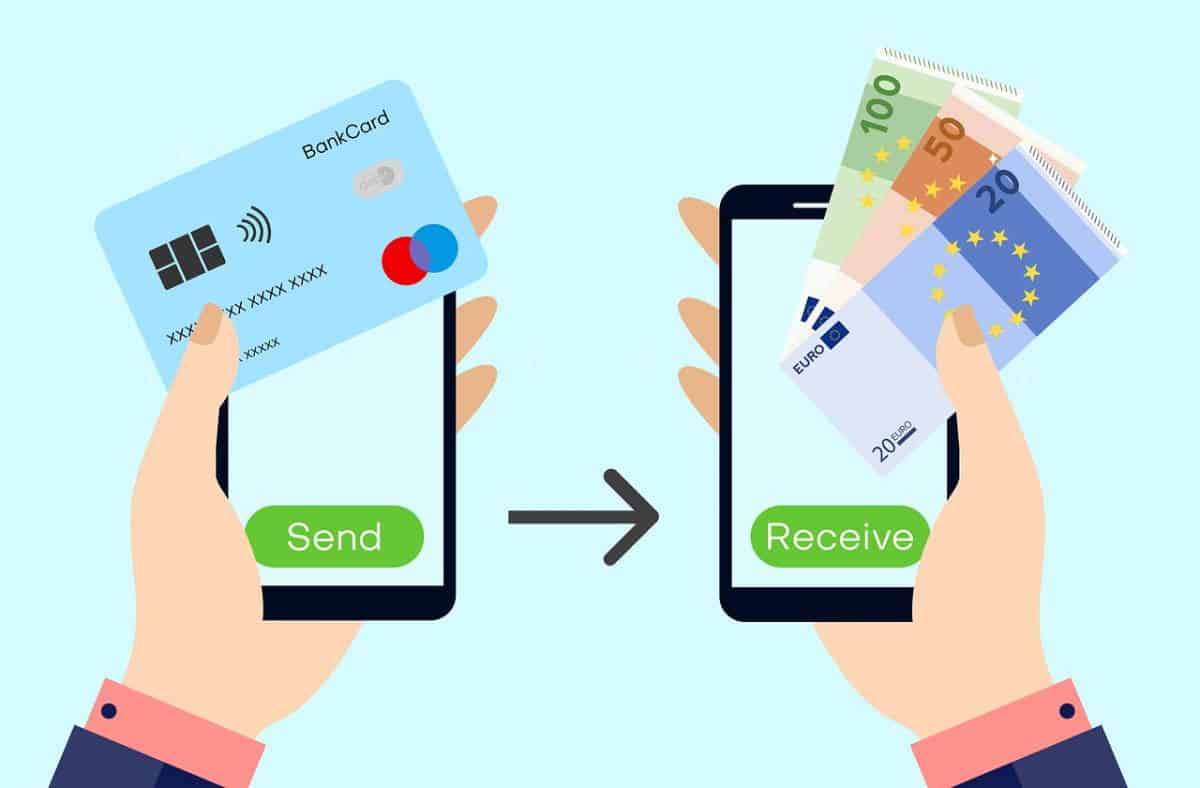
How to Transfer Money & Pay Bills with JPMorgan Chase Wire Transfer, Zelle, and ACH

mobile transfer

Learn how to send money from your Chase Bank account using a variety of different methods, including wire transfers, automatic clearing house (ACH) transfers, mobile apps, and internet banking.

This article teaches you how to transfer money from Chase Bank to friends, family, and business associates. You can use your business or personal checking account to send and receive money within the country and around the world and pay your bills.

It’s possible to transfer up to $25,000 daily from most Chase accounts. The daily transfer caps for Chase Private Client and Chase Sapphire Banking are set at $100k each. Keep in mind that the transfer limit at your alternate bank may be different.

chase wire transfer
chase wire transfer

How to transfer money from Chase Bank using a wire transfer

You must activate the Chase Mobile app and add recipients before you may transfer money from Chase using a wire transfer. Registration for Chase Online Banking has been explained previously to allow you to access your account information and make transfers. Also, set up automated payments for paperless statements.

What information do you need for a chase wire transfer?

You’ll need the following information in order to use bank and wire transfer services.

  1. The recipient’s ABA routing number
  2. The recipient’s bank account information and transit number
  3. The recipient’s full name and contact information
  4. If you want to send a wire transfer from one bank to another, you can do it by visiting the local branch of your bank or using their wire transfer service. The following details may be required from you:
  5. The sender’s bank account and transit number
  6. The sender’s full name and contact information
  7. The sender’s government-issued identification

How to Enroll for Chase Wire Transfers

  • Log in to your Chase Mobile app to get started.
  • Tap “Pay & Transfer” to continue.
  • Select wires and global transfers.
  • Get started” and “Next” should be selected.
  • Enter your phone number to receive a code for activation.
  • Enter the code on the next page.
  • Select your checking account and tap “Activate.”
  • Add the recipient.
  • In order to receive an activation code, please provide your phone number one more time.
  • Enter the bank and account information of the recipients.
  • Tap “Next” and then “Add recipient.”

How to Send a Chase Wire Transfer

Once you’ve signed up for the mobile app, you’ll be able to send wire transfers from there. Whether a Chase Bank wire transfer is domestic or international is based on what the money is going to be used for.

Send a Chase domestic wire transfer:

Make use of this option to send money to your home country by following the instructions below.

  • Log in to your Chase Mobile App or Chase Online Account, then tap “Pay & Transfer.
  • Tap “Wires & global transfers.
  • Choose or add a new recipient.
  • Enter the wire amount and date, then tap “Next.”
  • Review details to ensure the information is correct and tap “Schedule Wire” then “Close.”

Once this is completed, the money will be delivered to the recipient at the speed of light.

Send a Chase international wire transfer:

You can use this method to send money overseas for a variety of reasons, including paying for school tuition, making purchases in another country, or sending money to family or friends. Follow these steps to get started:

- Advertisement -
  • Open and log in to your Chase mobile app or Chase online account and tap “Pay & Transfer.”
  • Select “Wires & global transfers.”
  • Tap the arrow to expand the foreign exchange rate calculator.
  • Indicate if your recipient is an individual or a business.
  • Select the account to pay from and the country.
  • Input the amount of your wire transfer in U.S. dollars (USD) and tap “Send money.”
  • Choose or add your recipient.
  • Enter the date you’d like to send your wire.
  • Review the details to ensure all the information is correct, then tap “Schedule Wire.

How to Transfer Money from Chase Bank

Customers can set up money transfers between Chase bank accounts quickly and effortlessly. The only thing they need to do is adhere to the following instructions:

  • Log in to your Chase Mobile app.
  • Then tap “Pay & Transfer.
  • Select “Transfer” and then choose “Account or Brokerage Transfer.”
  • Enter the amount to transfer.
  • Select the accounts you want to transfer from and the accounts you want to transfer to.
  • Enter the transfer date and add an optional memo.
  • Click “Transfer” and confirm.

How to send money with Zelle from Chase Bank

Zelle enables you to make payments and send money from your Chase bank account. All that is required of you is to follow the steps that are outlined below:

  • Open the Chase Mobile app, then select “Pay and Transfer” from the menu.
  • Choose “Send money with Zelle” from the menu.
  • Choose the person you wish to pay, or add a new recipient to the list.
  • Input the amount to send and the account to use.
  • Tap “Review & send”
  • After going over your request, you can transfer the money by selecting the “Send it now” button.

Note: If you want to set up a recurring payment, you can enter those details too.

How to Transfer Money with Chase Bank’s Automated Clearing House (ACH) Payment Services

To send money with Chase Bank Automated Clearing House (ACH) Payment Services and get it available in the next 2-3 business days, just follow these simple steps:

  • Log in, select “Pay and transfer,” and choose “External accounts.”
  • Choose “Add an external account.”
  • Then fill in the routing and account numbers from your other bank account.
  • Confirm your account details match those of your other bank.
  • Try and verify two small trial deposits and one withdrawal.
  • Choose “Schedule transfer” and fill in the details.

Chase Bill Payment

Both the Chase website and the Chase mobile app let you schedule a payment for a future date, add a payee, and send an online payment for a bill, all from the comfort of your computer or mobile device.

- Advertisement -

How to Add a Payee for Bill Payment

  • You can add a payee to a Chase bank bill payment by logging in to the Chase Mobile app and choosing the “Pay and Transfer” option.
  • Tap “Pay bills.”
  • Select “Add a payee” and begin to input the payee’s name.
  • Select a payee from potential matches or add one manually.
  • Enter your account number and tap “Next.”
  • Enter the payee’s ZIP code.
  • Confirm and choose the payee address.
  • Ensure the information is correct.
  • Then tap “Add payee.”

Chase Bill Pay: Schedule a payment

To set up an online bill payment for a future date from your Chase Bank, follow the guidelines below:

  • Login to the Chase Mobile app and tap “Pay and Transfer.”
  • Select “Pay bills.”
  • Choose the bill you want to pay.
  • Enter the amount to pay and tap “Schedule.”
  • Ensure that payment details are correct, and tap “Schedule it.”

Conclusion

The process of transferring money from Chase is easy and uncomplicated. All that is required of you is to follow the instructions that have been outlined for you above. To avoid being a victim of scams using wire transfers, you should never reveal your bank account details to somebody you do not know or who appears to be suspicious. You should also avoid sending money to people or firms that you are not familiar with. This is especially important if you have received unsolicited phone calls or emails asking you to send money in this manner.

Chase Bank Customer Service Phone Number and Credit Card Help

Chase Bank

Until you have a problem with your bank, you won’t know how important it is to get a Chase Bank Customer Service Phone Number. I’ve been in a similar situation before, and to be honest, you should always save your bank’s phone number in your contacts, just like you would with business contacts.

What am I even saying? Chase Bank is one of your business partners, so you need to save both their phone number and their email address in your notebook. Without taking up too much of your time, here are the Chase Bank Customer Service Phone Number and email addresses for people in the United States.

Chase Bank Phone Number

This number, 1-800-935-9935, can be used to call or text Chase bank. But if you need any information, such as Chase documents or monthly statements in large print, Braille, audio, or on a data CD, you can get them.

You can go to any of their nearby branches or, better yet, give them a call at 1-800-935-9935. They take all kinds of phone calls, including video calls.

- Advertisement -

Call 1-800-935-9935 and choose option 0 for any problems with an ATM. But if you want to find the ATM machine closest to you, you can use the ATM locator at https://locator.chase.com/ to find an ATM nearby.

If you need something to put your debit card in, like a card sleeve or an envelope, you can call Chase Accessibility Services at 1-855-644-4561.

If you need any help with your account, you can go to chase.com and send them a message or call 1-800-935-9935.

If you need more help, you can call 1-855-644-4561 toll-free or 1-847-787-5125 by fax.

For technical help, such as if you are having trouble with your Chase Bank mobile banking, call 1-877-242-7372. If you are calling from outside the United States, call 1-713-262-3300.

Call 1-800-935-9935 for customer service, such as help with online and mobile banking.

If you are a member of the military or a veteran living in the US, call 1-877-469-0110; if you are outside the US, call 1-318-340-3308.

- Advertisement -

If you have trouble with your speech, call 711 for help.

Call 1-800-242-7338 if you already have an account.

Call 1-800-346-5538 to get help with your inks credit card.

Call 1-800-677-7477 to get in touch with Merchant Services.

Call 1-866-564-2262 for claims from Chase customers.

Call 1-800-978-8664 to find out how to stop debit card fraud.

Call 1-866-872-3321 for ACCESS and Payable Web Service.

Call 1-800-235-6286 if you have questions about the ARP or Controlled Disbursement.

Chase Bank Other Contact Options

There are other ways to get help from Chase Bank without calling them at all. For example, they have Twitter and Facebook accounts with the handle @ChaseSupport.

Please keep in mind that you can’t include any of your personal information, like your account number or other information. You can always reach them between 7 a.m. and 11 p.m. Eastern Time (ET) Monday through Friday and 10 a.m. to 7 p.m. ET Saturday and Sunday.

You can also make an appointment with a banker to talk about your account. You can do that at https://www.chase.com/meeting-scheduler/getstarted.

Chase Bank Mail Address

National Bank By Mail
P.O. Box 6185
Westerville, OH 43086
Overnight Certified.
National Bank By Mail
Mail Code OH1-0333
340 S. Cleveland Ave
Building 370
Westerville, OH 43081
United States

So, that’s it. Remember to save your account and other personal information if you send the message through a social media site. Leave it out of your message.

- Advertisement -

Also, keep in mind that this post is meant to teach and that we have nothing to do with Chase Bank. So, if you want to leave a comment, don’t post your account number or any other personal information.

You can always find out more about them at https://www.chase.com, which is their official website. Remember that unless you call them, Chas Bank won’t text or email you to ask for private information.