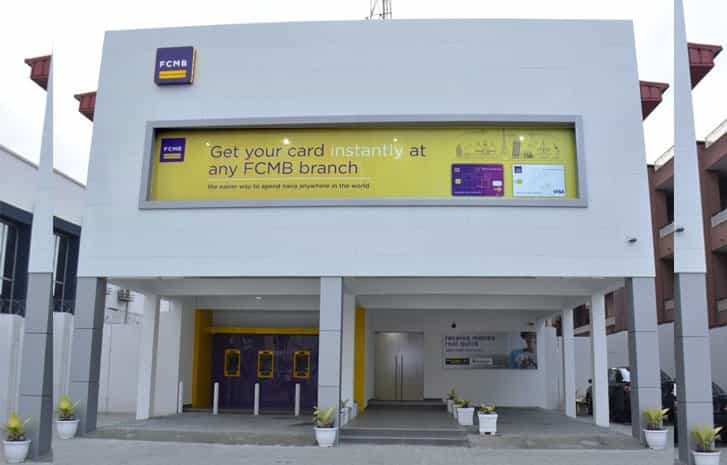
In this Digital Age, Banking Has Become More Convenient Than Ever Before
In this digital age, banking has become more convenient than ever before. First City Monument Bank (FCMB) is a reputable Nigerian bank that provides its customers with various mobile banking services. One of the essential details every account holder should know is their account number. This article will guide you on how to check your FCMB account number on your phone, ensuring that you can easily access your account whenever you need to.
SEE ALSO: 10 Best Banks for POS Business – How to Start a POS Business in Nigeria 2026
What is FCMB?
FCMB, short for First City Monument Bank, is one of the leading financial institutions in Nigeria. With a strong presence and a wide range of banking services, FCMB caters to the needs of individuals, businesses, and organizations. FCMB offers online and mobile banking solutions to enhance customer experience and provide convenient access to banking services anytime, anywhere.
Importance of Knowing Your FCMB Account Number
Your FCMB account number is a unique identifier assigned to your account. It is crucial to know your account number as it allows you to carry out various banking activities, such as:
- Depositing money into your account
- Receiving funds from others
- Making transfers to other FCMB accounts or other banks
- Setting up direct debits or standing orders
- Accessing mobile banking services
Without knowing your account number, it can be challenging to perform these essential banking tasks smoothly.
Methods to Check FCMB Account Number on Your Phone
There are several convenient methods available to check your FCMB account number on your phone. Let’s explore them below:
Using FCMB Mobile Banking App
If you have the FCMB mobile banking app installed on your smartphone, checking your account number is a breeze. Follow these simple steps:
- Launch the FCMB mobile banking app on your phone.
- Log in to your account using your username and password.
- Once logged in, navigate to the account dashboard or account settings section.
- Look for the section that displays your account details, including your account number.
- Note down your FCMB account number for future reference.
With the FCMB mobile banking app, you not only have access to your account number but also a range of banking services at your fingertips.
RELATED: First Bank Money Transfer, Airtime & Account Balance USSD Code
Using FCMB USSD Code
For those who prefer a quick and straightforward method, FCMB provides a USSD code that allows you to check your account number directly from your phone’s dialer. To check your FCMB account number using the FCMB USSD Code follow the instructions below:
- Dial *329# on your phone’s dialer.
- Follow the on-screen prompts and select the appropriate options for account information.
- Choose the option to check your account number.
- Your FCMB account number will be displayed on your phone’s screen.
- Take note of your account number for future use.
The FCMB USSD code is a convenient option, especially when you don’t have internet access or a mobile banking app installed on your device.
Contacting FCMB Customer Service
If you encounter any difficulties using the previous methods or need additional assistance, reaching out to FCMB customer service can help you retrieve your account number. You can contact FCMB via phone, email, or visit a nearby FCMB branch. Provide the necessary details and identification to verify your account ownership, and the customer service representative will assist you in obtaining your account number.
HOT: Access Bank Money Transfer, Airtime & Account Balance USSD Code
Tips for Keeping Your FCMB Account Number Safe
While knowing your FCMB account number is essential, it is equally crucial to keep it safe and secure. Here are a few tips to help you protect your account number:
- Never share your account number or any sensitive banking details with unauthorized individuals.
- Avoid writing down your account number in easily accessible places.
- Regularly review your account statements and report any unauthorized transactions to FCMB immediately.
- Use strong and unique passwords for your online banking accounts to prevent unauthorized access.
By following these tips, you can ensure the safety and security of your FCMB account.
Frequently Asked Questions
Can I check my FCMB account number without using a smartphone?
Yes, you can check your FCMB account number by dialing the FCMB USSD code on any mobile phone.
Is it safe to share my FCMB account number with customer service representatives?
Yes, it is safe to share your account number with FCMB customer service representatives as they are trained professionals who prioritize the security of your account.
Can I have multiple FCMB account numbers linked to my phone?
Yes, you can have multiple FCMB account numbers linked to your phone if you hold multiple FCMB accounts.
What should I do if I forget my FCMB mobile banking app password?
If you forget your FCMB mobile banking app password, you can follow the password recovery options provided by the app or contact FCMB customer service for assistance.
Are there any charges for checking my FCMB account number using the USSD code?
Standard network charges apply when dialing the FCMB USSD code, but there are no additional charges specifically for checking your account number.
Conclusion
Knowing your FCMB account number is vital for seamless banking transactions. In this article, we discussed three convenient methods to check your FCMB account number on your phone: using the FCMB mobile banking app, dialing the FCMB USSD code, or contacting FCMB customer service. By utilizing these methods, you can easily retrieve your account number and access your FCMB account with ease.