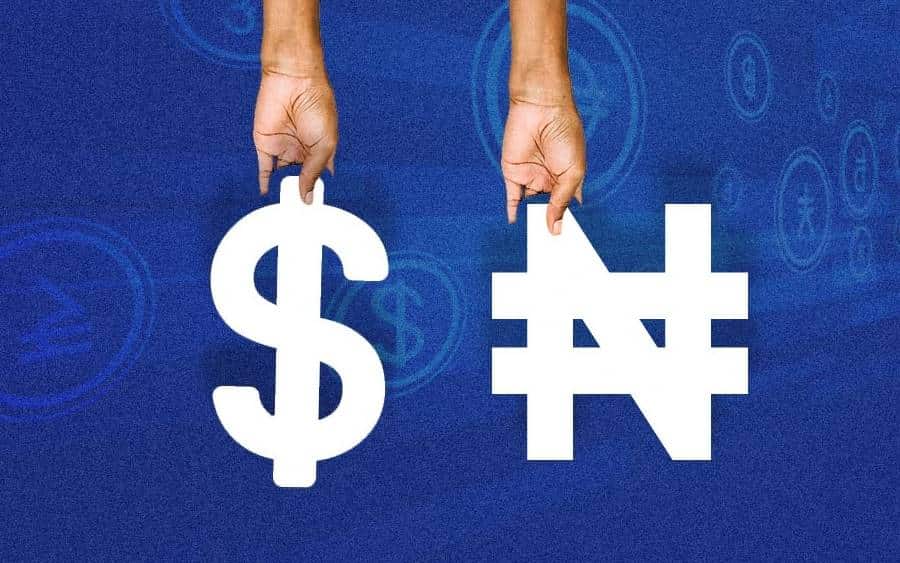
It doesn’t matter how valuable the United States dollar or other foreign currencies may be; they are worthless in Nigeria until they are exchanged for the local currency, the Nigerian Naira (₦).
To put this another way, you won’t be able to walk into a market in Nigeria, pick up a few things, and then walk back out with some dollars to pay for them if you try to buy something with a dollar bill or any other form of foreign cash because this rule prohibits it. That is something that they will never agree to tolerate. If some uneducated traders believe that you have come to scam them, they may even try to physically assault you. Only those individuals with previous experience with foreign exchange (FOREX) should consider collecting the dollar from you, even if it is worth more than what you purchased.
I can vividly recall a horrific situation in which all of my Naira accounts were devoid of funds, and I did not possess any money in any of my Naira accounts. My sole financial resource was a dollar account. I desperately needed money to take care of some pressing matters. Still, the only currency I had in my domiciliary (dollar) account was a few dollars, which I could not utilize in any manner, shape, or form. At the same time, I was physically present in Nigeria. I wondered if there was any way to transfer money from my domestic account to an account in Naira so that I could quickly withdraw the money from an ATM in Naira. But it was unfortunate that I couldn’t discover any quick means to achieve this. Because of this, I had no choice but to start calling some of my friends and asking them to send me money (in Naira) so that I could take care of my pressing needs. I will pay them back when I convert my dollars to Naira.
This is a very difficult circumstance to be in. You should now be aware that exchanging your dollars or any other foreign cash for naira in Nigeria is almost pointless because the local currency is the naira. The question now is, how exactly can the money be transferred from a domiciliary account to the Naira account? Is it even possible? Find out together with me in this article.
- Advertisement -
Can You Transfer From Domiciliary Account To Naira Account?
The fact is that there is no simple method for transferring money from the domiciliary account to one that is denominated in Naira. No single bank in Nigeria will let you transfer money directly from your domestic account to your Naira account. You have the option of transferring money from one domiciliary account to another domiciliary account, and this can be done either between accounts held at the same bank or between accounts held at different banks.
However, we have devised a few methods by which it is possible for you to move money from your account in your country of domicile to an account in Nigeria. None of these methods are simple; instead, they each entail a complex process that will likely take you some time to complete. Following one another, we are going to talk about the different tactics.
Ways to Transfer Money From a Domiciliary Account To a Naira Account
Remember that, as I mentioned earlier, no bank in Nigeria will let you transfer money from an account held in your country of domicile to an account held in the Naira currency. On the other hand, we have devised several creative substitutes for doing this in a roundabout method. Indirectly accomplishing this goal is possible in various ways, all of which we will go through in just a moment.
1. Through a Bureau de Change (BDC) Agent
BDC agents are the most prevalent and straightforward method for transferring money from a domiciliary account to a Naira account. The BDC agents are the authorized individuals (also known as Aboki) in charge of exchanging foreign money.
- Advertisement -
You just need to find a reputable BDC agent in your neighborhood, introduce yourself, and tell him that you have some money in your domestic account and need more Naira. That’s all there is to it. Tell him that you would be delighted to transfer to his domiciliary account and that you would like him to send the identical amount in Naira to your account.
It is important that you do not forget that transferring money from one domiciliary account to another is possible, regardless of whether the two banks involved are the same. And each of these BDC agents always has a Naira account in addition to their domiciliary account. Therefore, all that needs to be done is to move the funds from your domestic account to the recipient’s domestic account. If this is the case, they would now be able to transfer naira to your naira account from their naira account.
Alternately, you may just stroll into your bank, withdraw the foreign currency from your domestic account, and then take the cash to one of the BDC agents, who will then be able to exchange it for Naira. This is another option. After they convert it to Naira, you can deposit it directly into an account that accepts Naira. You may also ask them to transfer the Naira to your Naira account, but a more accessible option would be to simply take the Naira cash to your bank and deposit it in your Naira account there.
It is important to remember that a domestic account can only be used for a single foreign currency type. This indicates that a dollar ($) account cannot be used to send or receive any other foreign money and may only be used to send and receive dollars. The same applies to an account denominated in euros (€) and other foreign currencies.
- Advertisement -
If you have a Dollar account as your domiciliary account, you will need to find a BDC agent who also has a Dollar account. If you have a domiciliary account that is a Euro account, you should try to find a BDC that also offers Euro accounts.
How Do I Find a BDC Agent in My Area?
Nigeria’s 36 states are home to at least one, and sometimes several, Bureau de Change offices. You need to get out your phone and type “Burea De Change Near Me” into Google Maps to find the BDC that is geographically closest to you. Google will use your location to display a list of all authorized BDC offices in the vicinity of where you are.
2. Through a Friend
Any of your acquaintances who also have a domiciliary account and a naira account can be used as a conduit for transferring funds from a domiciliary account to a naira account.
You simply need to meet up with the friend and explain to him that you are in desperate need of money in Naira and that you want to transfer foreign currency to his domiciliary account so that he can send the equivalent amount of Naira to your Naira account. After that, you must wait for the friend to transfer the money to your Naira account.
- Advertisement -
It is important to remember that a domestic account can only be used for a single foreign currency type. This indicates that a dollar ($) account cannot be used to send or receive any other foreign money and may only be used to send and receive dollars. The same applies to accounts denominated in euros (€) and other foreign currencies.
So if your domiciliary account is a dollar account, you should hunt for a friend with a dollar account. You need to find a friend who also has a domiciliary account in the Euro currency if your domiciliary account is a Euro account.
This page will be updated to include more ways to transfer money from the domiciliary account to the Naira account as soon as possible. Always come back here for updates.
In addition, if you are aware of any additional methods, please share that information with us so that we may incorporate them into this section. ????
- Advertisement -
Frequently Asked Questions
Can I withdraw Naira from my domiciliary account?
No! You would not be able to take any money in the form of Naira out of your domestic account. You are only allowed to withdraw the type of money corresponding to your home country’s account. This indicates that the only currency you are permitted to take from your domiciliary account is dollars, provided that your domiciliary account is a dollar account. If your domiciliary account is denominated in euros, the only currency that can be withdrawn from that domiciliary account is euros. And in a similar vein are other kinds of domiciliary accounts. Despite this, there are still a few ways for you to transfer your foreign currency into Naira. You can do it by using a bureau de change or any other technique that is more convenient for you.
Can I Receive Dollars In My Naira Account?
No! Having dollars deposited straight into an account denominated in Naira is impossible. You must have a dollar account if you wish to receive monetary transactions in dollars.
Can I transfer money from my domiciliary account to my savings account?
If both accounts are denominated in the same currency, you can transfer money between your domiciliary checking account and your savings account. This implies that you can transfer money between your dollar account and your savings account denominated in dollars or between your euro account and your savings account denominated in euros. However, you are not permitted to move money from a domestic account into a naira savings account.
Can I withdraw cash from my domiciliary account?
You can remove cash from your domiciliary account at any time. Be aware, however, that there is not a single cash machine in Nigeria that dispenses foreign currency. You will need to go into your bank and get your foreign currency from the teller there.
If you are under the age of 18 and are looking for information regarding the verification process for using the Cash App, you have come to the right place.
A Cash app account can be opened by a user younger than 18 as long as they are older than 13 years old. However, users under 18 must get permission from a parent or guardian before using the Cash app and creating an account.
When a parent or guardian gives their consent, they will take over as the official owner of an account belonging to a kid between the ages of 13 and 17.
Customers who have reached the age of 13 or are older are eligible to be added as authorized users to their accounts.
The monthly statements that are sent make it possible for the parent or guardian to monitor the account’s activities and shut the account at any moment by calling customer care for assistance.
- Advertisement -
Cash App Account verification for under 18
Cash App users who are under the age of 18 will need to validate their accounts. Therefore, after creating an account, you will have the option to start the verification process by either:
Requesting a Cash Card, or
Sending a P2P payment from their stored balance.
In either scenario, the user will be asked to supply extra information about themselves to verify their identity. If the cash app determines that the user is under the age of 18, it will request that the user provide the name, phone number, email address, or Cashtag of a parent or legal guardian in order to obtain approval. After that, Cash App will get in touch with the person who supplied their contact information in order to get their consent.
Parents or Guardians Accepting an Account Authorization Request
After the teen has submitted the request, the parent or guardian of that teen must log into their own Cash App account and approve the transaction before it can be processed. Parents or guardians are the legal proprietors of their teen’s Cash App account, and to utilize the service, they need to have a Cash App account that has been verified and a Cash Card.
After the request has been processed and accepted, the user’s account will be checked, and a cash app card, if one was requested, will be sent out within two weeks.
- Advertisement -
Benefits of Cash App for under 18
The following are some of the reasons why people under the age of 18 can profit from using Cash App:
1. An allowance can be paid quickly
Through the use of Cash App, you can send small sums of money whenever you like. This is a great way to teach kids how to handle their money by providing them with a weekly stipend that they have to manage themselves.
They are free to choose how they wish to spend or save their money, and you can keep tabs on what decisions they make about this matter.
If you send them money straight through the Cash app, they won’t have to go to the bank like they normally would withdraw cash for their allowance. Instead, they will instantly receive the money in their account.
2. Learn money management skills
Your adolescent has to grasp the concept that money does not just materialize out of thin air. If they want to buy something, they must consider several things, including the amount of money they currently have and what they have planned for the future.
- Advertisement -
They will need to decide whether or not it is more important to spend the money on that shirt or whether or not it is a better alternative to save the money for summer camp.
3. Easy deposit wages
For convenience, you now have the option to have your teen’s paycheck directly deposited into their Cash App account if they are working. This is available to parents whose children are working.
This will save you time and irritation because you won’t have to deal with cash or the hassle of depositing a paycheck and completing the transfer from a bank account.
If the funds have already been deposited into their Cash App account, they are free to do whatever they want with their money as long as they have your permission. If the funds have not yet been deposited, they cannot do anything with their money.
Do you wish to send money to family and friends as well as business associates by wire transfer, or do you receive money from your customers who are located in other countries? If so, you’ll be happy to know that Wells Fargo has revealed that its customers can now send and receive money from other countries using their accounts.
in order to raise your level of productivity, strengthen your position in the market, and increase your market share. You will need to educate yourself on how to conduct financial transactions in foreign countries because your company absolutely must be able to send and receive payments denominated in other countries’ currencies.
Wells Fargo provides customers with a number of options for sending wire transfers in foreign currency, including in-person at a branch, over the phone, or online. However, in order to make an online wire, customers are required to have a current domicile in the United States.
You also have the ability to receive wire transfers into your account that are denominated in a variety of different currencies.
How do I send an online wire?
You will need the SWIFT/BIC information for the bank that your recipient uses, as well as the recipient’s International Bank Account Number (IBAN), as well as the receiver’s name and address, in order to send an international wire.
- Advertisement -
When you have all of the information listed above, you may sign in to your online portal to begin the process of making a transfer abroad. The steps in this process are as follows:
You need to log in to your Online portal in order to send a wire transfer using the funds in your Wells Fargo account.
To get started, go to the Transfer & Pay tab and sign up for the Online Wires service.
After that, add the recipient you want to send the gift to, and choose the financing account and amount (along with any additional details required for certain countries).
Check the information that has been provided, and then send your payment.
How to Receive a wire transfer to Wells Fargo
You need to give your full account number, the name on your bank account as it appears on your statement, and identifying information such as your wire routing transit number and SWIFT codes in order to receive a wire transfer to your Wells Fargo account.
Any incoming wire transaction that is denominated in a currency other than the United States dollar… In order to make the cash available to you in U.S. dollars, Wells Fargo will first have to convert the currency from whatever it is currently into U.S. dollars.
The following details must be communicated to the payer in order for you to be able to accept payment through your Wells Fargo account. The information that you will give to the payer is as follows:
- Advertisement -
Bank Name: Wells Fargo Bank
Wells Fargo Bank Address: 420 Montgomery Street, San Francisco CA 94104
Your full account number
name on your account as it appears on your statement
Receiving bank information such as the name of the bank, address of the bank, and identifying numbers such as wire routing transit number and SWIFT codes
– For international wire sent in U.S. dollars or currency wire sent in is unknown simply make use of Wells Fargo Bank SWIFT Code: WFBIUS6S
-For international wire sent in a foreign currency from the initiating bank: Wells Fargo Bank SWIFT Code: WFBIUS6WFFX
For domestic (U.S.) Wells Fargo Bank wire: Wire routing transit number/ABA: 121000248
Conclusion:
When conducting business on a global scale, you need to give some thought to whether or not you will accept payments in a variety of currencies from your consumers, and whether or not you will be required to make payments to your vendors in a currency other than the United States dollar. You will need to become familiar with the process of the wire transfer in order to use Wells Fargo Online Banking to send and receive money.
Want to know how to get Google Pay set up? You might also want to know how to add a payment method, send money, or pay a request. Google Pay is a mobile payment app that lets you pay for things online or through contactless payment. It is a digital wallet platform and an online payment system.
Google recently teamed up with Wise and Western Union, which makes it possible for people to send money overseas using Google Pay. Google said in a blog post that Western Union will let people send money with Google Pay without any fees until June 16.
Apple Pay and Google Pay both work the same way. You can get money out of any ATM that has the symbol for “contactless.” Open your Google Pay Wallet.
Google Pay works with credit cards and debit cards from American Express, Discover, MasterCard, and Visa, as well as most other US banks. US banks and credit unions like Bank of America, Capitol One, Chase, Citi, Discover, PNC, US Bank, Wells Fargo, and more give out these cards.
- Advertisement -
What kind of transaction can be done with google pay?
You can use Google Pay to make purchases with your phone, Buy items in apps and on websites. You can also use it to send money to friends and family (the US only). Google pay is available on Android and iOS and users can easily download it and start enjoying seamless transactions from their comfort zone
How to Set up Google Pay on Android or IOS
To set up the Google Pay app on Android kindly follow the steps below:
Simply download the Google Pay app from the Play Store or App Store; Make sure your phone’s Android version is Lollipop (5.0) or higher.
Signed in with your Google Account
Link the app with your phone number through a texted code
You will receive an OTP on your registered mobile number. Enter the OTP
Select your bank from the list and add all the required details including bank account number
Open the Google Pay app and follow the setup instructions.
When you’re asked to, add a card.
On your Android device, you might be asked to set up a screen lock. Google Pay works with screen locks that use a PIN, pattern, password, fingerprint, or scan of the retina. Face recognition and screen locks like Smart Unlock and Knock to Unlock won’t work.
Add a card
How to Send money to friends & family with Goggle Pay
With a bank account or debit card, you can send money to friends and family. Verify your identity to send money from your Google Pay balance. Using your Google Pay balance or a debit card is the fastest way to send money to someone.
To use Google Pay to send money to friends and family, you need:
An internet connection
A US phone number
An email address
To send cash to family and friends with Google Pay kindly follow the instructions below.
Open the Google Pay app. Make sure you’re on the main “Pay” tab.
On the Pay screen, tap a suggested friend. People you paid recently are listed in the first
Tap the contact you want to pay. …
Tap Pay.
Enter the amount
Choose a payment method
Tap Pay.
How to Transfer money out of Google Pay (the US only)
Open the Google Pay app.
On the top right of the home screen, tap your profile icon.
Below your profile and tap Google Pay balance.
Tap Transfer out.
Enter the amount you want to transfer.
Tap Next.
Choose a payment method
Tap Transfer out.
Please note that transferring money to your bank account can take anywhere from one to three business days. Most debit card transfers happen right away. When you take money out with a debit card, you pay either 1.5 percent or $.31, whichever is higher.
How to Add money to your Google Pay balance (the US only)
To add money to google pay follow the steps below:
Open the Google Pay app.
Click your profile icon on the top right of the home screen.
Click on your Google Pay balance.
Tap +Add money.
Enter the amount you want to add. The minimum amount is $10.
Click Next.
Choose a bank account or debit card as your payment method. …
Tap Add.
How do I transfer money from my bank to Google Pay?
Follow the steps below to move money from your bank account to the Google Pay app.
Open the Google Pay app.
On the “Start a payment” page, click Self Transfer.
Select 2 bank accounts: One for “transfer money from” one for “transfer money to…”
Enter the transfer amount and notes, if required.
Click Proceed to Pay.
How do I add a debit card to my Google Pay?
You can add your debit card to Google Pay by following this guild:
On your mobile device, open Google Play.
Click on your Profile Picture Bank Accounts and Cards. …
Enter the card number, expiry date, CVV, and the cardholder’s name and billing address.
Click Save. …
Next to your new card’s payment method listing, tap Activate.
input your one-time password.
How do I get a Google Pay number?
Follow these steps to find your Google Pay number, which is also called your Virtual Account Number.
Open the Google Pay app.
Tap Payment.
Choose a Payment card.
Scroll down to the bottom to find the Virtual Account Number (only the last 4 digits are visible).
Cash App is one of the most popular mobile applications in the United States and a payment provider. It was founded and launched by Square Inc., which was founded by Twitter co-founder Jack Dorsey. Cash App, formerly known as “Square Cash,” was released in January 2015 and allows users to transmit up to $2,500 every week using a linked debit card.
What is the Cash App like?
The app provides a straightforward method for sending money to friends and family members online or using the phone’s camera. You can fund your app wallet using a debit card or bank account. When requesting payment from another party, you can either enter their email address or just take a picture of the cash register receipt or invoice.
The application is excellent for checking accounts, sending money to friends, paying bills, and even buying Bitcoin. Cash App also allows for international money transfers. It just takes approximately two days to complete the transaction, so it’s a great option to shift money fast without having to visit an office or bank location.
Who is the CEO of Cash App?
Since the company was started in 2009, Jack Dorsey has been the CEO of Square Inc. Cash App. Even though it has the same name as a popular social media site, Cash App was not made by Twitter, which is also owned by Jack Dorsey, nor is it related to it in any way. Even though both services were started by the same person, which may be confusing to some users, they are different companies and should not be thought of as the same.
- Advertisement -
In 2009, Jack Dorsey started his first business. It was called Square. Square was a mobile payments company that made devices and software for accepting credit cards. It was made in 2010, and by 2012, it had more than two million users.
At this point in his career, it’s clear that Jack Dorsey has a knack for making apps that do well.
Jack Dorsey
Square Inc., which is based in San Francisco, California, runs the Cash App. Together with Jim McKelvey, who is the Chief Technology Officer of both Square Inc. and Cash App, Jack Dorsey started Square Inc. Keith Rabois was the former COO and VP of Engagement and Strategy for the Cash App. Tom Kakuei was the former VP of Engineering and Engagement and is now the EVP of Strategic Initiatives for Square Cash.
What is Cash App’s worth?
As of March 1, 2018, Square was worth $31.6 billion on the stock market. One of the main reasons for this rise is Cash App, which is also likely to play a big role in Square Inc.’s continued rise in value.
Since the last quarter, both the number of users and the amount of money that Square Cash App makes have gone up. At the moment, 10 million people use the app every month, compared to 4 million during the same time in 2017. In the first quarter of 2018, sales were $71 million, which is a 53 percent increase from the first quarter of 2017, when sales were about $47 million.
- Advertisement -
How do you buy things on Cash App?
Sending money or a message to a family member or friend is a simple transaction. On the app, you can also buy and sell Bitcoin.
Cash App
Most Cash App purchases are made electronically with debit cards, credit cards, and bank accounts. All you have to do is link your card to the app and make sure it can handle charges that happen regularly.
Cash App also has a prepaid debit card called Cash Card that you can load with money from your wallet. Each load should be less than $200, but you can put as much money on the card as it can hold. You can get cash from ATMs and stores that take American Express cards. There are some other rules about the Cash Card that you can find out about online.
You can use these apps to buy things or get services anywhere that accepts credit cards by taking pictures of your receipts with your phone’s camera. You only need their phone number or email address to send money to someone else. Cash App isn’t even necessary.
- Advertisement -
What Bank is Cash App Funded by?
Cash App is not backed by any one bank. It uses banks to move money from one party to another. Lincoln Savings Bank is the bank that the Square payment app works with. It means that the Lincoln Savings Bank stores take care of and control all of the money in the Cash App.
For the Cash App to help people pay each other, users have to set up their personal banking information with Cash App. Users are responsible for keeping an eye on their bank accounts and reporting any suspicious activity or transactions right away.
What Is Cash App’s Profit Model?
The Cash App makes money by charging a very small transaction fee, usually between 1% and 2%. That’s a lot less than what regular banks charge for wire transfers and other services related to transactions.
Advertisers can use Cash App to talk about their products, services, or events right on the app.
How To Recieve Money On Cash App – The Ultimate guide
Do you like using the Cash App? If you said yes, you should know about the app and what it can do. Cash App is a very useful and well-known cash and debit card app that lets users pay directly from their phones.
- Advertisement -
Square Cash App
Many people use it as their cash and debit card app of choice because it has so many benefits. But have you ever wondered how to use the Cash App to get money? If so, you’ve come to the right place. This article will show you how to get money on Cash Apps and other cash and debit card apps that work the same way. Read on to learn everything you need to know about this popular app.
Cash App Download
You can now use Cash App to easily manage your money if you have an iPhone or an Android device. You can: with Cash App:
It’s easy to pay for goods and services.
Keep track of your investments and spending.
Money can be sent between friends and family.
See your bank balances in real-time
Get updates on your transactions and account balances
Find stores near you that take Cash App.
With Cash App, you can handle your money in a new way. This app does not store private information like credit card numbers, debit card numbers, or PINs. Take a few minutes to figure out how the app works.
You can get Cash App from the App Store or the Google Play Store.
How do I download Cash App?
Here are instructions on how to get Cash App from the Apple and Android stores to make it easier for you to get it:
Users of Apple’s iPhone: Go to the Apple store and then use your phone’s browser to click “Download.” Follow the on-screen instructions and sign up if you need to.
- Advertisement -
After you’ve downloaded the app, open it and sign in with your account information. You will see a screen telling you that Cash App is ready to use. Sign in, and you can start using it!
Android users: Go to the Google Play store and then use your phone’s browser to click “Download.” Follow the on-screen instructions and sign up if you need to.
After you’ve downloaded the app, open it and sign in with your account information. You will see a screen telling you that Cash App is ready to use. Sign in, and you can start using it!
Cash App Login
Before you can use Cash App, you have to make an account. Setting up an account is free, but each mobile device can only have one account.
- Advertisement -
Cash App Login
How to get Money through Cash App
Cash Apps and traditional banks are like apples and oranges when it comes to their features and benefits. The only thing the Cash App has in common with the old way of banking is cash.
The Cash App doesn’t have accounts or balances. Instead, users receive money and have it sent straight to their bank accounts. This is the number one reason why the Cash App has become so popular: it’s easy to use.
Using someone’s phone number, Cash App can be used to send and receive money with anyone, even if they are in a different country. When you send money to a country outside of your own, Cash App uses the mid-market exchange rate at the time the payment is made to convert the money. The money is then sent to the recipient in their own currency.
Money Transfer: How to Send Money
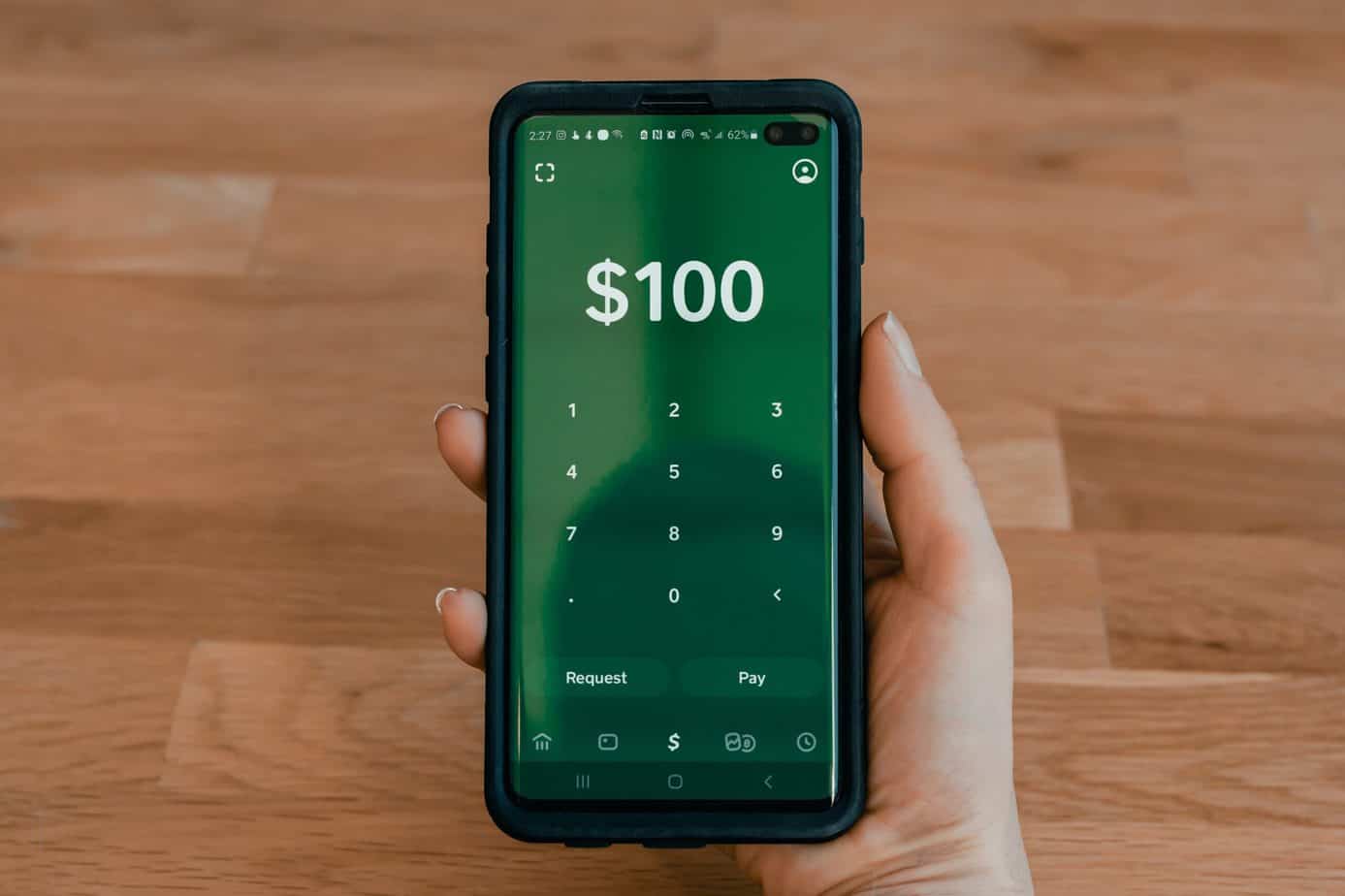
To send a payment, follow these steps:
Activate the Cash App
Fill in the amount you’d like to send.
Click pay
Enter an email address, a phone number, or a Cash App hashtag (£Cashtag)
Optionally, enter the purpose of the payment Tap Pay
The funds will be reflected in your recipient’s account immediately.
Payments are governed by 3DS2, which will ask you to prove who you are before you can send them. This will make you want to double-check information or go straight to the website of your bank.
- Advertisement -
Check out this page to learn more about the 3DS2, this page to learn more about how Cash App keeps your account safe, and this page to learn about best practices and how to spot scammers.
How to Get Money: Receive Money on Cashapp
You may also use the Cash App to make a money request. To do so, follow these steps:
Activate the Cash App
Enter the amount you’d like to request in the box below.
Click Request
Enter an email address, a phone number, or a Cash App hashtag (£Cashtag)
Enter a reason for asking for donations if you want to.
Click Request
When you ask someone for money, that person has 14 days to accept or reject your request. If they don’t answer within 14 days, the request will end on its own.
Limits on sending and receiving
When you first start using Cash App, you’ll be able to:
Send up to £250 per 7 consecutive days
Receive up to £500 for seven days in a row.
Maintain a total stored balance of £500.
If you send or receive more than the limit, Cash App will ask for your full name, date of birth, and address to make sure your account is safe.
After your account has been confirmed, you can:
Send up to £1,500 over a seven-day period.
Receive up to £10,000 for seven days in a row.
Maintain a total stored balance of £10,000
Before sending or receiving a cross-border payment, you will have to check your information in the app.
After you’ve confirmed your account, you’ll be able to:
Send up to £1,000 over a seven-day period.
Receive up to £1,000 for seven days in a row.
Cash App direct deposit
One thing that makes the Cash App stand out is that users can make direct deposits into their bank accounts online. A user can add these funds to their account in one of two ways: A. The user starts the payment process. B. Asks the employer to send the money to their account.
- Advertisement -
Say, for example, a customer pays $500 in cash through their Cash App. The Cash App sends the money straight to the bank account of the customer. This is the easiest way to get cash from your Cash App balance. But some banks also let you send money to your account through a third party, like Western Union or MoneyGram.
How to make Money on Cash App
The following are some simple ways to make free money on Cash App:
Cash App referral bonus: When you refer someone to the Cash App, you will get a $5 bonus on each transaction made.
Get free money with Cash App: You can get free money when you make a referral.
Earn $5 When You Sign Up: You can get $5 when you sign up.
Cash Card Boosts: You can get cash card boosts depending on your app activity, which can be redeemed to get more money or buy gift cards.
Bitcoin Boost: You can also gain free money on Cash App Bitcoin Boost if you use your Cash App debit card to make qualified transactions. The money you make comes in the form of bitcoin, which you may sell for cash.
Cash App For Business
Cash App For Business
The Cash App for business is a trend that is growing quickly. It makes it easy for businesses to accept and process payments. Businesses can get paid by bank transfer, debit card, or credit card through the app.
This easy-to-use option makes it easier for businesses to run transactions and helps them process payments faster. Also, the Cash App for business has more features than apps like Apple Pay which are usually used to pay for things.
For example, the Cash App for businesses has tools like invoicing, tracking expenses, predicting sales growth or decline, and managing inventory that helps businesses manage their money.
- Advertisement -
Merchants who have a Cash App business account can use the app to sell things as long as they follow the rules and the terms of service. Here are some things that a Cash App business account has:
Special payment URLs and QR codes can be utilized for transactions.
Allows you to receive payments using a peer-to-peer (P2P) system.
There are no restrictions on the amount of money you can get.
Allows you to take credit cards from the Visa, Mastercard, American Express, and Discover networks.
Business Fees
Cash App for business has transaction fees on top of the optional fees that personal accounts pay for fast bank deposits. This may be annoying if you’re used to peer-to-peer transaction apps being free.
Fees for Cash App business accounts are as follows:
Per transaction, 2.75 percent
On instant deposits, there is a 1.25 percent charge (minimum $0.25).
How To Create A Business Account On Cash App
It’s simple to open a Cash App business account:
Download Cash App
Make an account for yourself.
Tap the icon in the upper right corner of the app that looks like a person. When you do this, your account information will be shown.
The “Personal” submenu should be at the top. That needs to be touched. There, you can find information about you. If you scroll all the way to the bottom, you should see the option to Change Account Type. Click Change type of account.
From the drop-down menu, choose Change This Account.
Take the answer that has been confirmed.
If you haven’t already, you should link your Cash App to a bank account. Choose Linked Banks from the drop-down menu and do what it says on the screen.
You can verify your account before or after changing it from a personal account to a business account.
When you first try to go beyond what an unverified account can do, you’ll be asked to verify your account. After that, you’ll be asked for personal details like your full name and Social Security number.
You can make a payment link with your $cashtag that you can send by text, email, message, or put on your website. They will be sent to a “Cash.me” website where they can log in to their Cash App or enter their name, email address, and credit or debit card information.
- Advertisement -
Why You Should Use Cash App For Business?
Cash App is a great help for businesses that only do small transactions occasionally. You’ll be able to take Cash App and credit card payments without making any extra work or buying any extra equipment. All you need is your current mobile device.
You can also link a PayPal account to your business account and accept payments through PayPal.
Cash App is perfect for small businesses that want to accept credit cards but don’t have a bank or credit card processor merchant account.
Cash App has the same features as Venmo, which is a popular service for sending money between people. It’s simple to use and doesn’t cost much. You can also connect your Cash App bank account to Venmo so that any deposits you make can be easily turned into Venmo payments.
And unlike services like PayPal, you won’t be limited by the number of transactions you can make each month or charged for each one.
Who owns Square?
Square was started in 2009 by Jack Dorsey, who helped start Twitter Inc. (TWTR), and Jim McKelvey. It began as a small business in the back of Dorsey’s restaurant in San Francisco. The company has grown to become one of the most popular ways for small businesses and people to process payments. Square is worth $17.66 billion, and more than 10 million people use it regularly.
How to receive money on the Cash App for the first time?
Download Cash App
Activate your account
Enter the amount you’d like to request in the box below.
Click Request
Enter an email address, a phone number, or Cash App hashtag (£Cashtag)
Enter a reason for asking for donations if you want to.
Click Request
When you ask someone for money, that person has 14 days to accept or reject your request. If they don’t answer within 14 days, the request will end on its own.
- Advertisement -
Why can’t I receive money on the Cash App?
Your app and wallet could be doing a few different things. Something went wrong, and it’s possible that you can’t get money from the Cash App yet. Try again later, or call 1-800-969-1940 to talk to our customer service team for more help.
If you are having trouble with Cash App, try the following first:
Clear your app’s cache and data.
Try again later.
Contact customer service at 1-800-969-1940 for help.
Will Cash App refund money if scammed?
Cash App does keep an eye on your account to see if anything out of the ordinary happens. Cash App will cancel any payments that might be fake so you don’t get charged.
If this happens, your cash will be returned right away to your Cash App balance or the bank account linked to it. If not, they should be available within 1–3 business days, depending on your bank.
Is it safe to Cash App a stranger?
Yes, because the Cash App only stores the user’s public information, and the user only gives that information to the person with whom they are doing a transaction. So, if you send money to a stranger through Cash App, you are really sending them money.
- Advertisement -
Can you reverse Cash App payment?
Cash App can’t be taken back. Payments made through Cash App happen right away and usually can’t be taken back. To be sure, check your activity stream to see if the payment receipt has a “cancel” button. The person who got your money might give it back to you. Ask them to give you your money back.
Cash App Bank Statement
A Cash App bank statement is a digital document that shows how much money you have in your account and what transactions have happened. This document can help you check your account, make sure you have money, and make sure you owe money.
In the top-right corner, click the Statements button.
You may choose whatever monthly statement you wish to look at.
Monthly statements will be accessible 5 business days after the end of the month.
Cash App customer service hours
Please use your Cash App or the Cash App phone line to get in touch with Cash App Support (1-800-969-1940).
Is the Cash App Safe?
The Cash App is a very safe app. Before you can use the app to buy or sell anything, you have to make a PIN number. You and anyone you share your PIN with are the only ones who can send money from your account.
Every payment made through the Cash App is protected by 128-bit SSL encryption, which keeps sensitive information from being seen by people who shouldn’t be able to see it as it moves between devices or servers. You can only spend as much money as you have, and each transaction disappears as soon as it is sent.
- Advertisement -
Cash App also has a number of optional security features, like TouchID or FaceID, for people who want to use their fingerprint or face to log in to their accounts. It can be set up so that you need a passcode to do things like transfer money or check your balance.
Users can limit logins based on their IP address and even make Cash App transactions anonymous, which keeps other users from seeing how much money they get or spend. If you lose your phone or think someone else might be using it without your knowledge, you can also get two-step verification login codes by text message.
Final Thoughts
Cash App is a great new app for iPhone and Android phones that lets people send money to each other. It has some problems, but it works well enough that you should look into it if you need access to your money at all times. It’s helpful if you want an easy way to send money quickly without going to the bank or waiting for checks to arrive in the mail.
Cash App is a well-known cash and debit card app that has a lot to offer. It is easy to use, safe, and reliable, and it was made for people who want to pay quickly and easily. It works well as a cash card, but you can also use it as a travel card, a business card, and other things.