Westpac Cardless Cash withdrawal: How to withdraw cash without ATM Card

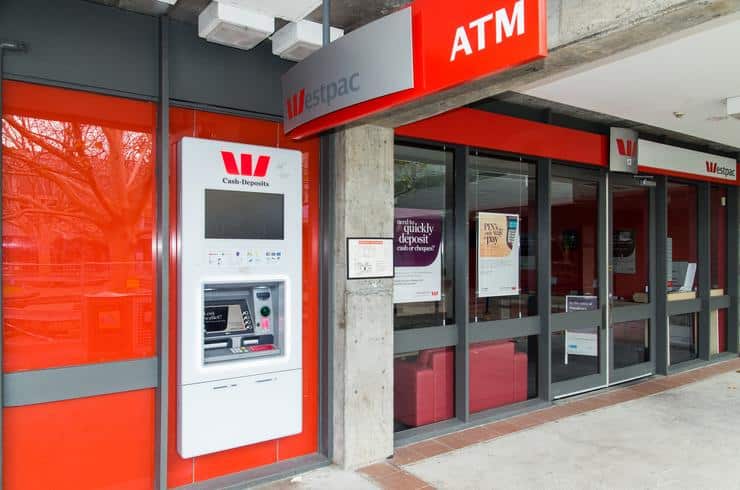
westpac atm

Clients of Westpac Bank can now withdraw money from ATMs without needing a card. Additionally, Westpac Bank customers with an account linked to a debit card, handy card, or credit card can now access cash without using a card from an ATM using Online Banking or the Mobile App. This is your best alternative if your card is misplaced, stolen, or if you just do not have it on you at the time.

When you have cardless cash, you can withdraw money from ATMs operated by Westpac, St.George, Bank of Melbourne, or BankSA without needing a card. Additionally, you can email cash codes to relatives and friends so that they can obtain cash on your behalf. You won’t need a card to take advantage of these streamlined, lightning-fast, and risk-free options that let you access your account and withdraw cash.

If you find yourself in a difficult financial situation and do not have your card on you, you do not need to worry because you can use a service that will allow you to withdraw money while you are on the move. All you need to do is follow the steps outlined below, and you will be ready.

As a Westpac Bank user, you don’t need a card to withdraw cash from any ATM. Allow me to explain how to utilize Cardless Cash so that you may take advantage of this feature. You can withdraw up to $500 per day and $1,000 per week without a card. This is in addition to the limits that are placed on your card.

- Advertisement -

If you are making your initial transaction with Westpac Bank: To use Cardless Cash, you will be required to provide a one-time SMS code that was sent to the telephone number you registered with. Numerous customers can now become cardless thanks to the efforts of Australia’s first bank, which offers a diverse selection of cutting-edge financial services to meet the requirements of an individual, commercial, and corporate clients.

Westpac Choice Accounts, Westpac 55+ and Retired, Westpac Choice eAccount, Classic, Classic Plus, Personal Cheque, Basic Account, Westpac One, Westpac One Basic, and Westpac One Premium are all examples of transaction accounts that meet the requirements to be eligible. In addition, you are limited to no more than three cash withdrawals per day using your debit card.

What is Cardless Cash?

Cardless Cash is a new mobile banking service that allows customers to take cash from an ATM without using their card. With Cardless Cash, all you need to do to withdraw cash from an ATM is generate a cash code from our Mobile Banking App and then use the code. Sharing the cash code is another option for transferring money to another person.

What you need to get started with Westpac Cardless Cash

To get started with Westpac Cardless Cash, you will need the following:

  1. You must have a Westpac account linked to a debit card, handy card, or credit card.
  2. You must be registered for Westpac Mobile Banking.
  3. You must be registered for Westpac Protectâ„¢ SMS Code.

How do I use Westpac Cardless Cash?

  • To get started with Westpac Cardless Cash? You must download the latest version of the Westpac app and register for it if you haven’t.
  • Then log in to the Westpac Mobile Banking App.
  • Select Cardless Cash or search for Cardless Cash in the Smart Search bar.
  • Sign in to Cardless Cash with your Westpac Online banking credentials.
  • Complete the one-time setup and Secure Code SMS authentication.
  • Select the account to withdraw money from, the amount, and press “Go.”
  • Tap Get Code
  • Kindly locate any Westpac, St.George, Bank of Melbourne, or BankSA ATM.

OR send the cash code to family and friends

AT The ATM Machine

To withdraw money from an automated teller machine (ATM), you must first hit the “OK” button, then key in the cash code and the desired amount (the code expires after 3 hours).

- Advertisement -

How to transfer money

You can easily transfer money with Westpac App and Online Banking. By reading more details, you can learn the steps to send cash with different methods.

  • Log in to the Westpac App.
  • Drag and drop from the Quick View screen before signing in or from your account dashboard​
  • Enter the amount and tap Today to enter the payment date and frequency.
  • Tap Done
  • Enter to Transfer to pay now or Schedule to pay later

Transfer money with Westpac Online Banking

  • Log in to the online portal and go to Payments > Transfer funds.
  • Select the account to transfer from.
  • Select the account to transfer from. To
  • Enter the amount, date, and frequency.
  • Select Continue
  • Review your funds transfer details and select Confirm

Bottom-line

Cardless cash is a convenient and stress-free method for obtaining money and paying off debts if you forget your card at home, it is lost or stolen, or it is otherwise compromised. After that, repeat the instructions from above.
How to Register for Westpac Online Banking and Mobile App

Register For Westpac Online Banking

For consumers who want to go paperless, Westpac’s digital banking options include mobile and internet banking. You may see account balances, pay bills, transfer money, apply for loans and make purchases while on the go.

Online and mobile banking services from Westpac allow you to manage your finances at any time and from anywhere. With Westpac Online Banking or the Westpac App, you can easily manage your Tax File Number. It’s easy to stay up to current on your account information, make deposits and catch fraudulent activity on your mobile phone or PC, or laptop while at home. You can use a credit card to pay your utility bills, such as power, phone, and gas.

If your credit or debit cards are lost or stolen, you don’t have to contact your bank. To report lost or stolen cards, activate and put a misplaced card on hold, and request for replacement of the cards online, no one has the extra option.

Rural communities have benefited from digital banking. Performing the most basic of banking activities may now be accomplished with just a click of a button, saving them time and money that they would have otherwise spent driving considerable distances. Owners of online banking accounts can use their login credentials to access the following services from a computer, a smartphone, or a mobile banking app:

- Advertisement -
Westpac Digital Banking.jpg
Westpac Digital Banking

Westpac bank Digital Banking Features

With the overhaul of Westpac bank’s mobile app and online banking, the client experience has been enhanced in numerous ways, including the following:

  1. View your balances, transactions, and statements
  2. Pay your credit card bills via Bill Pay
  3. Go paperless with Bill Pay and eStatements
  4. Transfer funds between your accounts or to outside accounts
  5. Set banking alerts or limits
  6. Apply for loans
  7. Update your contact details

How to register for Westpac Online Banking

Ensure you have your card number, Customer ID, and account details before beginning the Westpac Online Banking application; however, you can find your Customer ID near the top of your bank statement.

  1. Kindly visit the online portal to Sign in
  2. Tap Register for Online Banking
  3. Input your card number or Customer ID
  4. Create your security questions and answers
  5. Create a password
  6. Confirm your email and phone number

Forgotten your password?

If you have forgotten your old password, you will need to generate a new one. To do so, you’ll need:

  • Your Customer ID
  • Date of birth
  • The mobile registered for Westpac Protect

Reset your Westpac password In Online Banking

  1. To reset your password using Westpac online baking, kindly Go to Service > Preferences > Security
  2. Select Change password
  3. Enter the Old password and create a new password
  4. Re-enter the new password
  5. Select Submit

How to enroll for Westpac Mobile Banking

Before you can download the Westpac mobile app from Playstore or IOS, you need your card number, Customer ID, and account information in order to register or enroll for the app.

  1. Download the app and click on Existing customer
  2. Click on Register for Online Banking
  3. Input your Customer ID or card number, name, and date of birth
  4. Provide security questions and answers
  5. Create a password
  6. Confirm your email and phone number

Forgotten your password?

Whenever you forget your mobile app password, you can reset it

  1. By clicking on Forgot customer ID or password on the sign-in screen
  2. Click on Forgot password
  3. Input your Customer ID and Date of birth and tap Next
  4. Enter the SMS code sent to your registered mobile
  5. Create and re-enter your new password and tap Next
  6. Once signed in, you can change your password from the Smart Search bar

How do I update my contact details

To update your email address, mobile phone number, and address on Westpac Bank, you will need to register for Westpac Protect so that you may receive an SMS code and verify that it’s you in order to keep your accounts secure… You can update your details via the Westpac mobile app or online banking.

In the Westpac App

  1. To use the mobile app for information updates kindly Search Update contact details in the Smart Search bar.
  2. Edit, add or delete the address, phone number, or email

In Online Banking

Following the instructions below, you can also use online banking to update your personal information with Westpac Bank.

  1. Go to Services > Preferences > Personal details
  2. Select Personal and Contact Details
  3. Enter the SMS code sent to your registered mobile and select Authorize
  4. Edit, Add or Delete the address, phone number, or email

Conclusion:

With Westpac Online Banking, you may pay anyone 24 hours a day, 7 days a week, make Payments, BPAY, and transfer funds both locally and internationally.

- Advertisement -